7. Copy in a USB drive the file “DolbySerialAutomation_v1.txt” avail-
able in the FTP: ftp://manual:proyecson@ftp3.proyecson.com/
manual/paa20+ should you choose to use the factory default output
messages. We strongly recommend that the memory stick does only
contain this file. Then, follow the instructions of the Dolby installation
manual to import serial automation files.
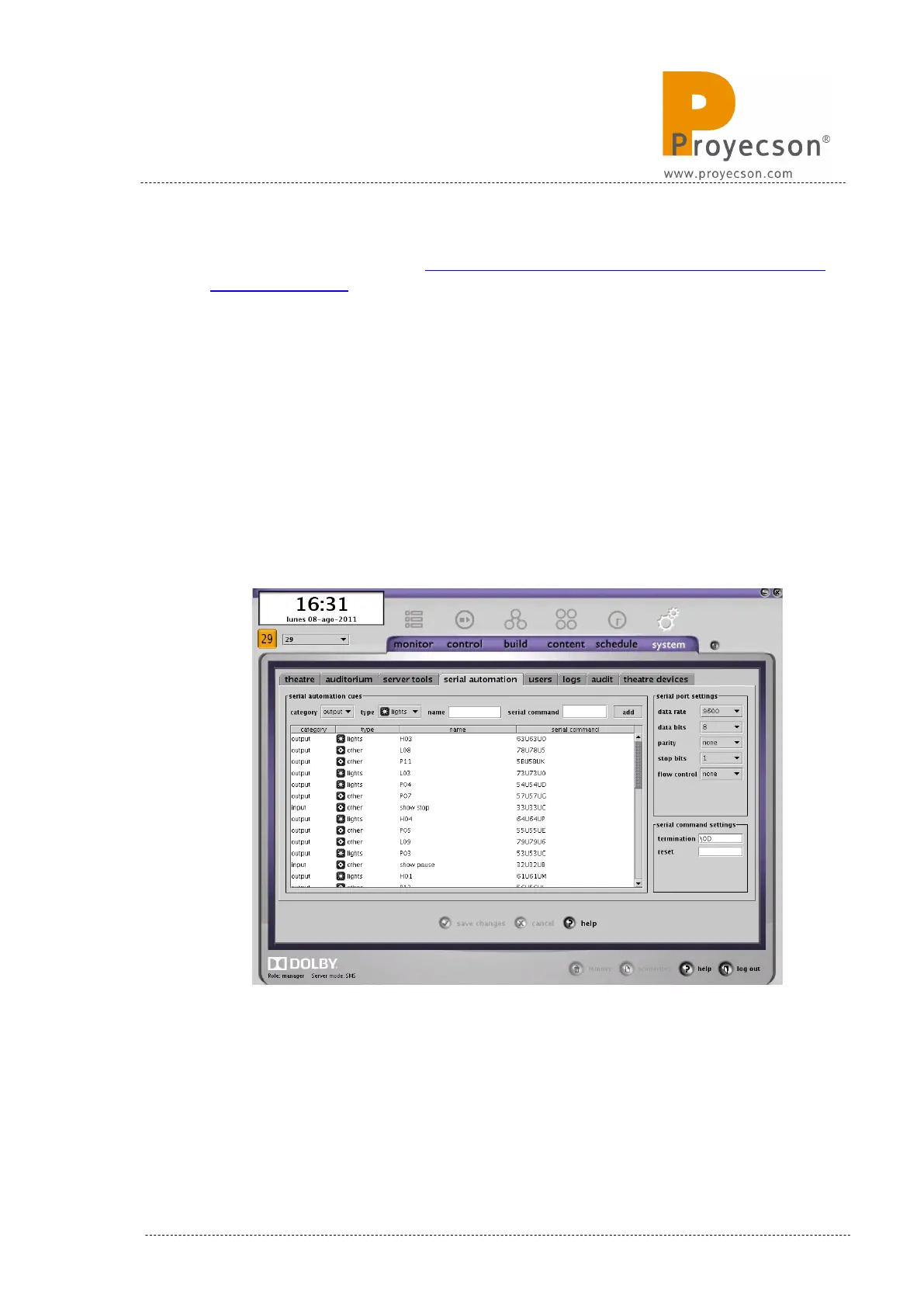
8. Once the file is imported and the server restarted, the “SERIAL
AUTOMATION” tab will be displayed as seen on Figure 8.1C.
9. Now the cues should be available in the Dolby server ready to be
inserted in any show.
10. To modify cue name, double click on the column “name”, do the
modification and save changes. There is a possibility that the name
doesn’t appear in the “build” menu of the server. If such, you will
need to reboot the server.
Figure 8.1C
11. To modify the cue type, click on the “type” column and make
your selection between the “lights”, “sound” and “other” option.
INSTALLATION MANUAL: PAA20+ V 2.0 (10/2021) 45



 To Next Page