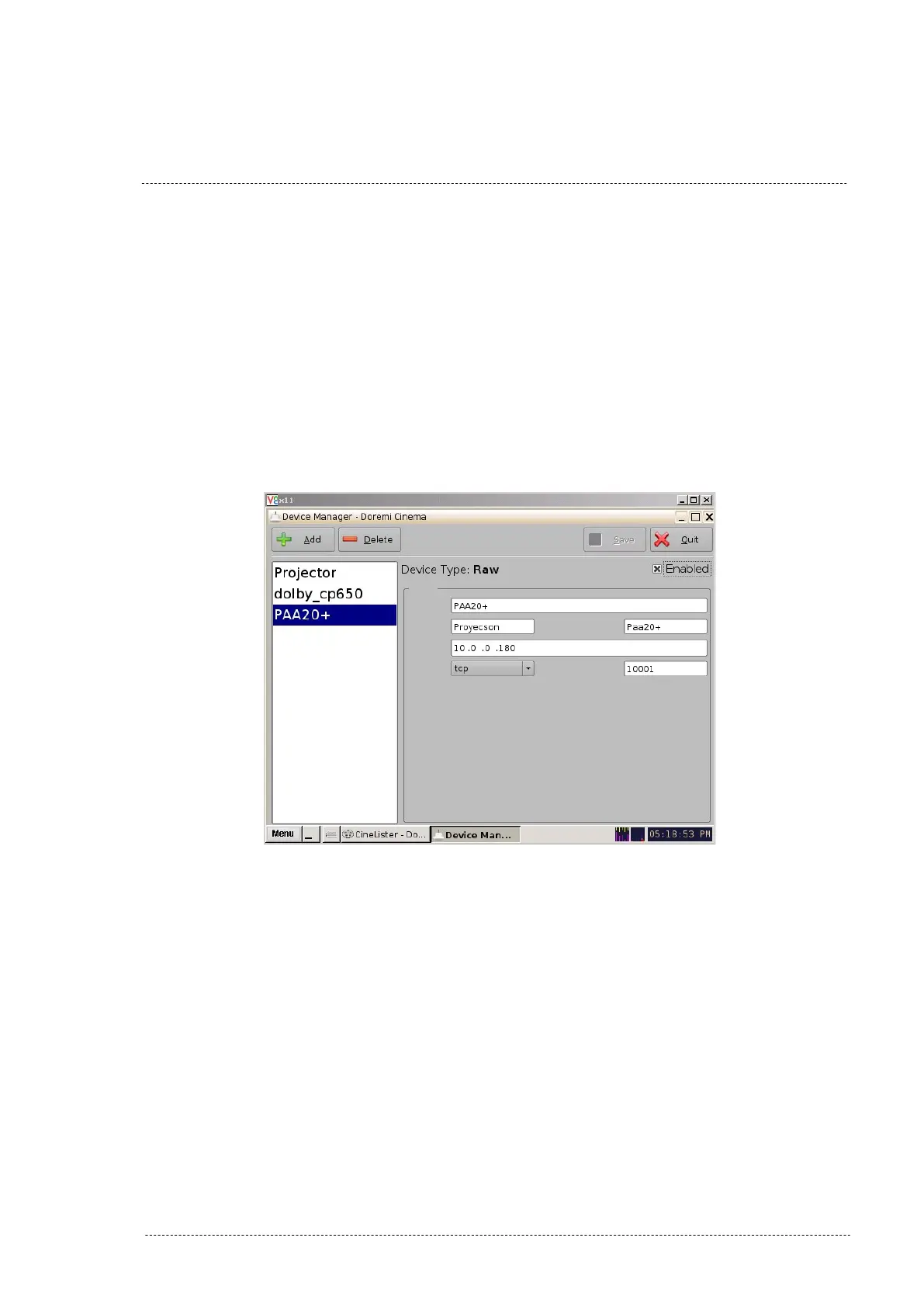
5. Write “PAA20+” in the field “Identifier”.
6. Write the IP of the PAA20+ in the field “Device IP”.
7. Select TCP protocol on the drop-down tab “Protocol”.
8. Write “10001” in the field “Port”.
9. You may see the Device Manager window with this configuration on
Figure 8.2.1B.
10. Click on “Save” to save the new device.
Figure 8.2.1B
11. You need to be authenticated as ‘admin’ in order to save
changes and to be able to configure new devices. See Figure 8.2.1C.
INSTALLATION MANUAL: PAA20+ V 2.0 (10/2021) 48



 To Next Page