8.3.2 Setting up output cues for Doremi, Dolby and NEC IMS servers
(non-library method)
Once the device is added, set up the “cues” in order to manage the PAA20+
outputs. There are two methods to do this: the first one is to add the output
cues (only valid for output cues, not for trigger cues) following the Doremi
Macro Editor Manual.
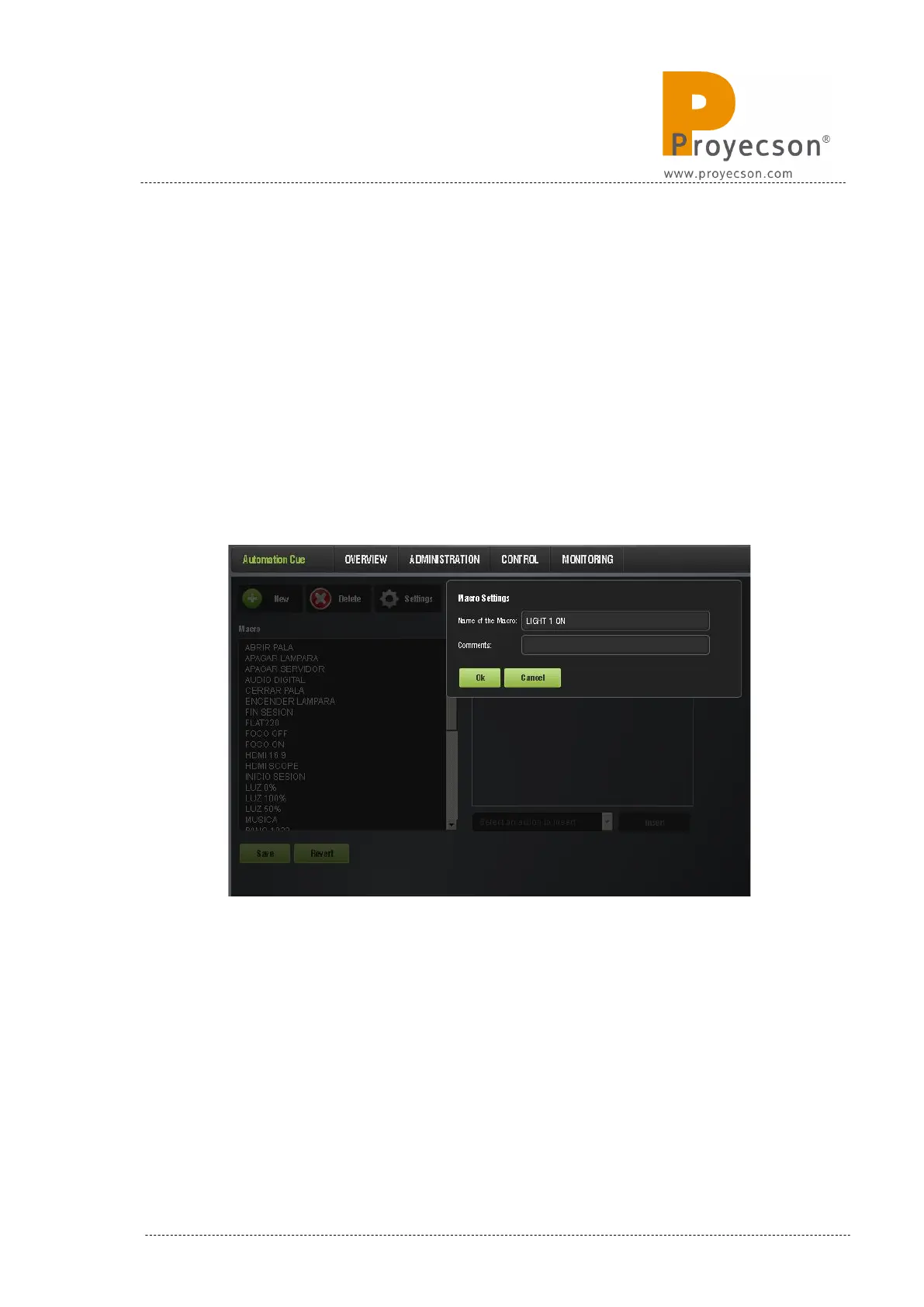
1. Open the “Macro Editor”, by accessing it through the
ADMINISTRATION -> MACRO EDITOR → .AUTOMATION CUE. to
create a new “Macro” and name it, as shown in Figure 8.3.2A.
Figure 8.3.2A
2. Expand the “Select an action to insert” drop-down tab and select the
“Send Message” option while the new created macro is selected. See
figure 8.3.2B.
3. Once the “Send Message” is selected, click on the “Insert” button.
INSTALLATION MANUAL: PAA20+ V 2.0 (10/2021) 67



 To Next Page