3. Once you are connected to the server via ftp, upload the
“PAA20V2.xml” file available in the FTP: ftp://manual:proyec-
son@ftp3.proyecson.com/manual/paa20+ to the “/etc/cueslib/” direct-
ory in the server. You can see the “PAA20V2.xml” loaded in this folder
in figure 8.3.3A. Now, you should be able to set-up the output cues
taking the commands from this library.
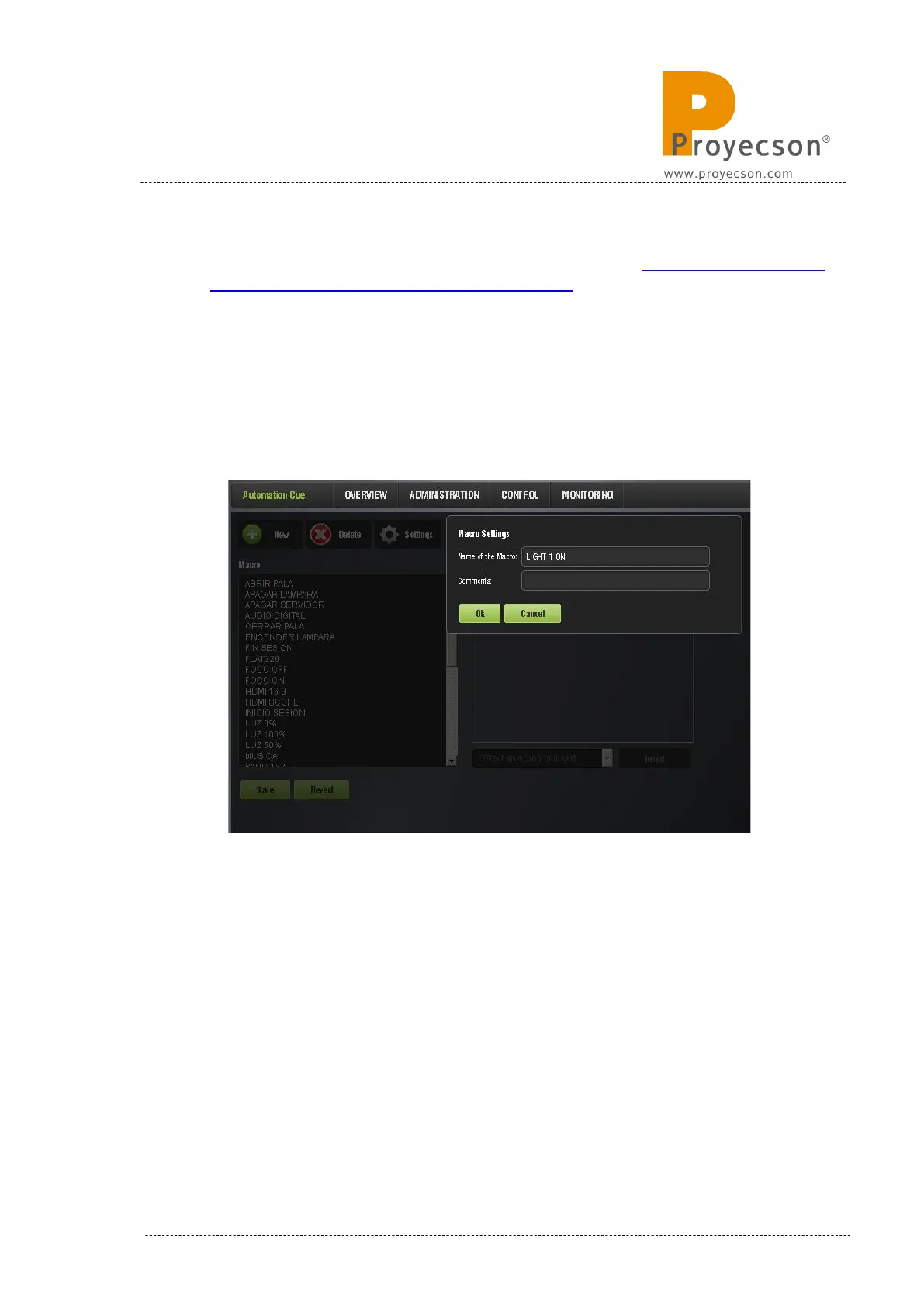
4. Open the “Macro Editor”, by accessing it through the ADMINISTRA-
TION -> MACRO EDITOR -> AUTOMATION CUE. to create a new
“Macro” and name it, as shown in Figure 8.3.3B.
Figure 8.3.3B
5. Expand the “Select an action to insert” drop-down tab and select the
“Library” option while the new created macro is selected. See Figure
8.3.3C.
INSTALLATION MANUAL: PAA20+ V 2.0 (10/2021) 71



 To Next Page