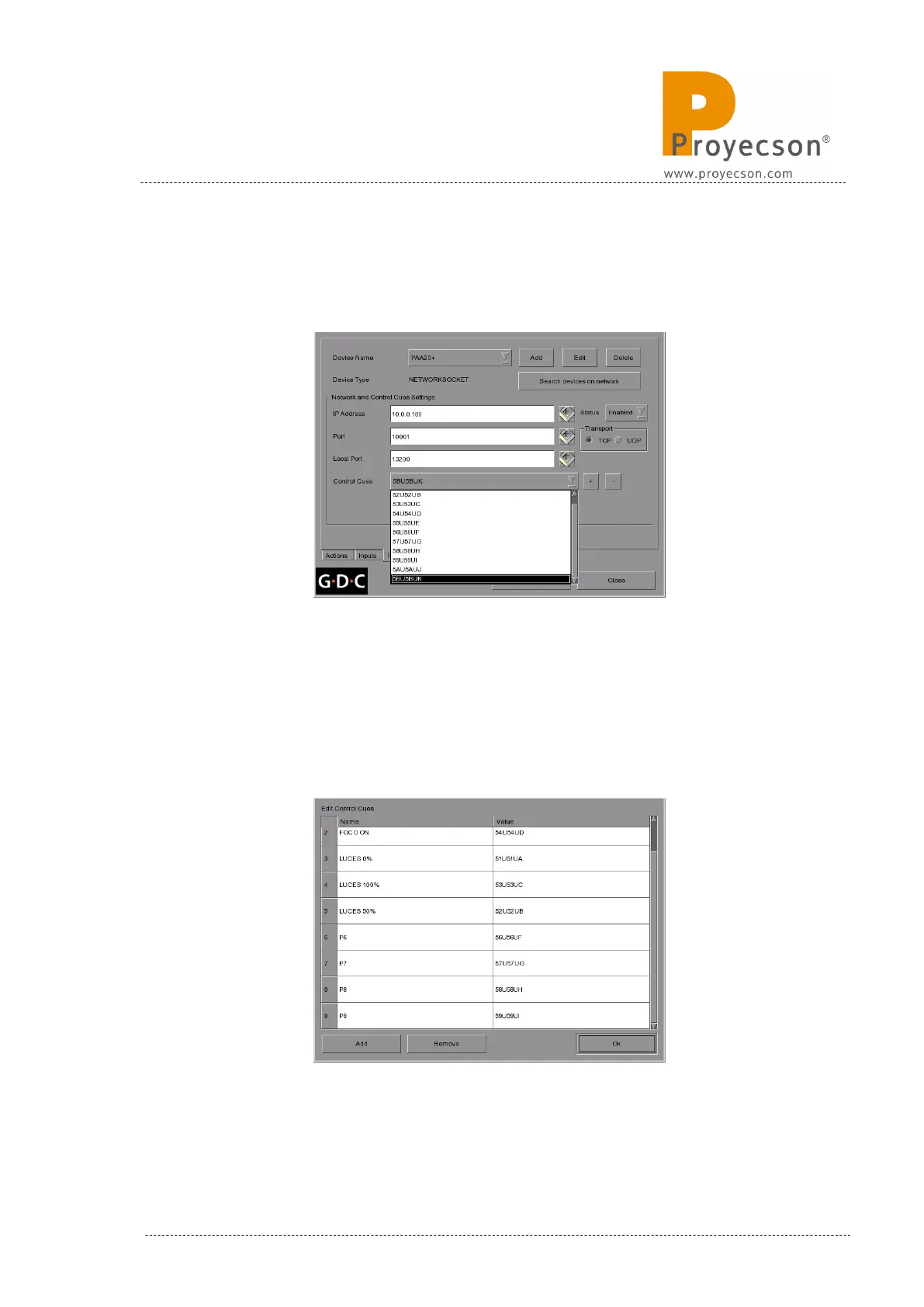
• These older software versions, allows you to see the cues
created for the PAA20+ expanding the “Control Cues” selection
tab, as shown in Figure 8.5.1J.
Figure 8.5.1J
• To remove any created cue, select it using this selection tab an
press the “-“ button located on the right side of this selection
tab.
• To set the cues for the PAA20+ using a GDC software 7.8.0 and
higher, click on the “edit control cues” button and write the cue
name and value in the showing “Edit Control Cues” screen,
Figure 8.5.1K.
Figure 8.5.1K
INSTALLATION MANUAL: PAA20+ V 2.0 (10/2021) 97



 To Next Page