4-47
ROTALIGN 01.2000
Horizontal machine alignment - options during measurement
XY
VIEW
START
EXTEND
CENTERED!
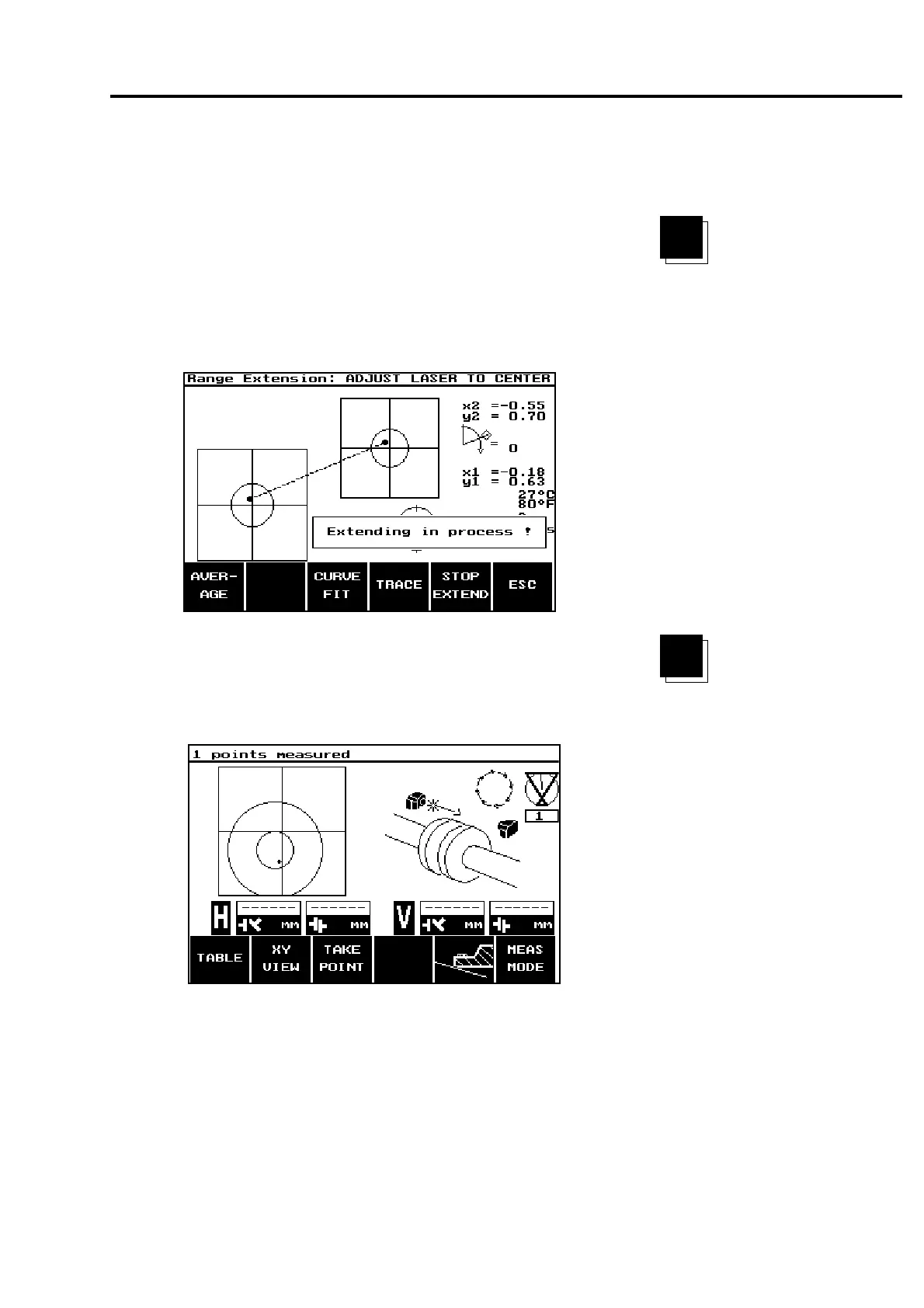
3. Press the START EXTEND softkey to inform the ROTALIGN to
take a reference measurement. "Extending in process!" will
appear on the screen.
4. Use the two thumbwheels on the laser to recenter the laser beam.
The laser beam should fall within the two centering circles in the
ROTALIGN display:
5. Once the beam has been centered, press the "STOP EXTEND"
softkey. The ROTALIGN display returns to the MEASUREMENT
mode. The two centering circles are, however, now slightly offset
with reference to the crosshairs as can be seen below:
6. The laser beam should again be positioned inside the two
centering circles. Continue the shaft alignment procedure at the
point where it was interrupted.
XY
VIEW
STOP
EXTEND



 To Next Page