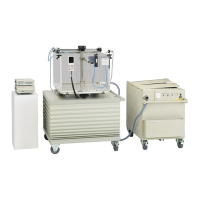
MP3-PL Therapy Beam Analyzer T41050
Operating Manual – Installation of the System for Measurement
3.10 Filling with Water
Please refer also to the instructions in the
SCANLIFT user manual.
3.10.1 Initial Filling of the System
Improper handling.
Equipment damage!
Before you fill the Perspex tank, make sure that
the water and the Perspex tank are at room tem-
perature and the water hose is connected.
Use only distilled water to fill the system.
Add an anti-corrosion fluid recommended by
PTW-Freiburg (PTW-Nr. L999010) to one filling.
Follow the instructions of the manufacturer for
the dosage of the anti-corrosion fluid.
The anti-corrosion fluid has no effect on the ab-
sorption and scatter characteristics of high-
energy radiation.
PTW recommends the following procedure for initial
filling of the system:
Fill the Perspex tank up to the top horizontal
mark with distilled water from a canister or a
supply line.
PTW recommends filling additional water into
the Perspex tank up to the maximum filling level
in order to avoid bubbles and turbulences.
Then let the water flow into the SCANLIFT water
reservoir:
To start the emptying process briefly press
once the WATER ↓ key on the SCANLIFT
control pendant.
To stop the emptying process press the
STOP key.
3.10.2 Pumping Process
Improper handling.
Equipment damage!
Make sure that the SCANLIFT pump never runs
dry. If the pump runs dry, stop it immediately.
Add additional water to the SCANLIFT water
reservoir if necessary.
With the default settings, the pumping process
during filling is stopped after 4 min. To fill the
Perspex tank with water up to the top horizontal
line, the pumping process has to be started again
and stopped manually.
Pumping from SCANLIFT Water Reservoir into
the Perspex Tank
To start the pumping process from SCANLIFT
water reservoir into the Perspex tank briefly
press once the WATER ↑ key on the
SCANLIFT control pendant.
To stop the pumping process press the STOP
key.


 To Next Page