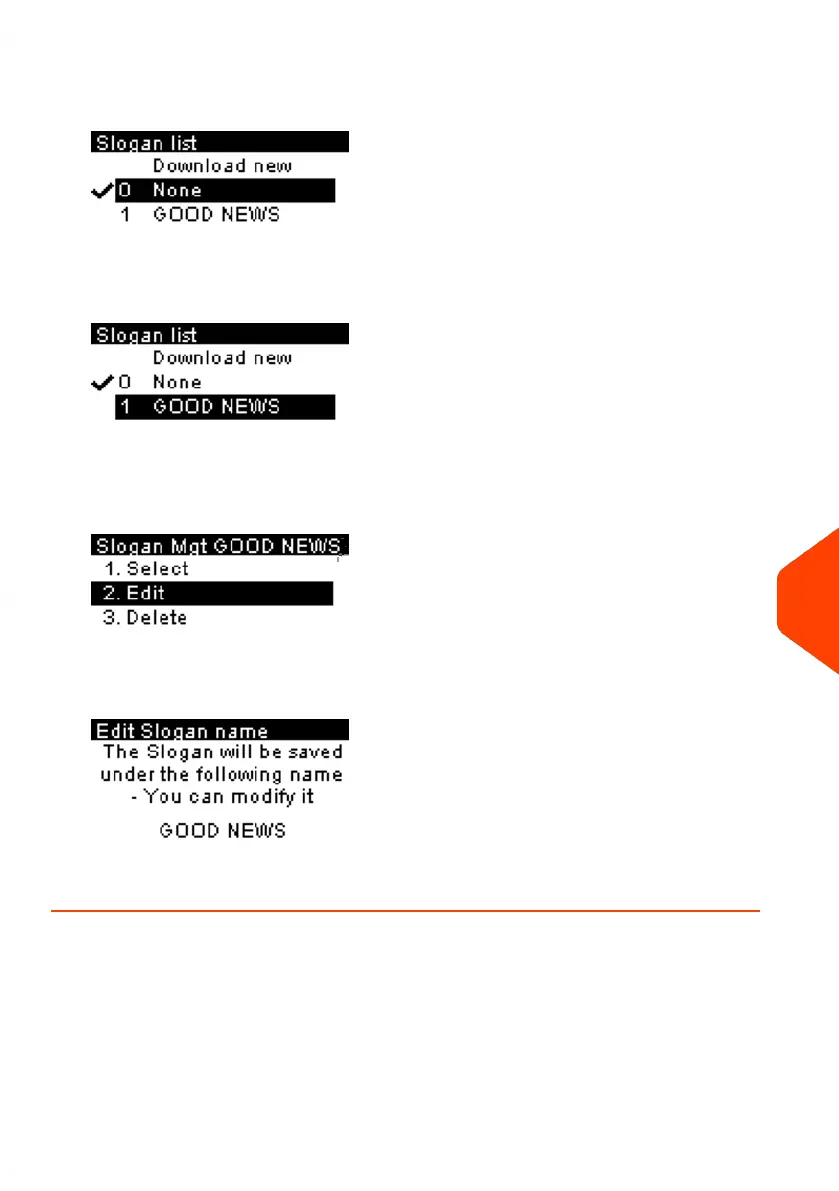
2. Select Slogan.
The list of slogans is displayed.
3. Select the slogan and press [OK].
The Slogan Management screen is displayed.
4. Select Edit.
5. Change the slogan name using the keypad and press [OK].
The system updates the slogan list.
11
Options and Updates
229
| Page 229 | Jun-21-2021 09:24 |















 To Next Page