How to Edit a Job Memory
Job Memories are presets for your imprint types. Each Job Memory is identified by a
name and a number. The Homescreen displays the name of the current Job Memory.
If your mail requires different settings such as specific postal rate and ERA and/or
slogan and department to charge, then the job memories are the solution: all your
settings are stored in a single memory. Highly recommended for repetitive tasks.
• Normal Job Memory: ERA, Slogan, Rate, Account Number
(if any).
• Job Memory are limited to a total of nine.
• Once created a Job Memory cannot be deleted.
• To edit or change a Job Memory, you make the changes
to an existing Job Memory and save the changes under a
different name.
Prepare the job that you want to save as job memory (Rate, Slogan, ERA).
Please refer to the following sections to prepare your job: How to Select a Rate on
page 151, How to Add (or Cancel) a Slogan on the Imprint on page 226, How to Add (or
Cancel) an ERA on the Imprint on page 216.
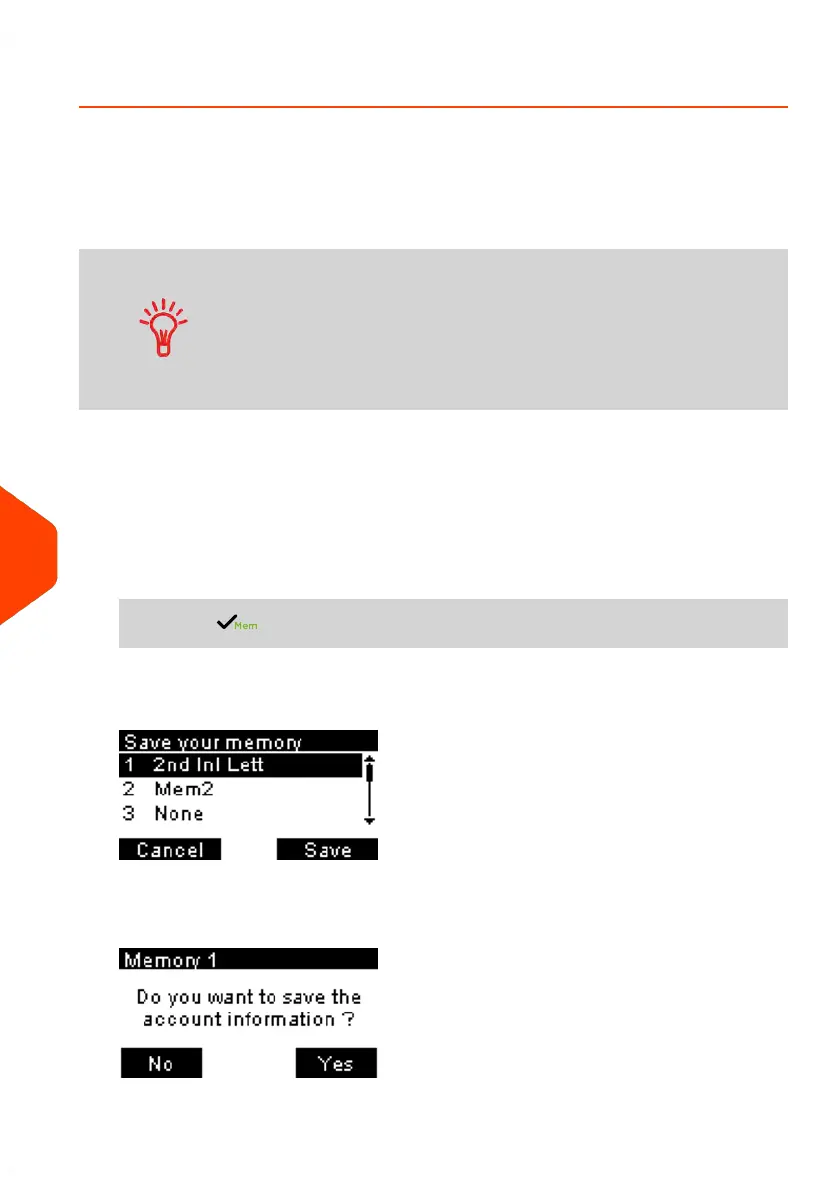
To edit a Job Memory:
1. From the home screen:
Long press .
The job memories list is displayed.
2. Select the existing job memory old which you want to edit. Press [OK].
The message confirmation to save account info is displayed.
198
| Page 198 | Jun-21-2021 09:24 |
10
Configuring your Mailing System















 To Next Page