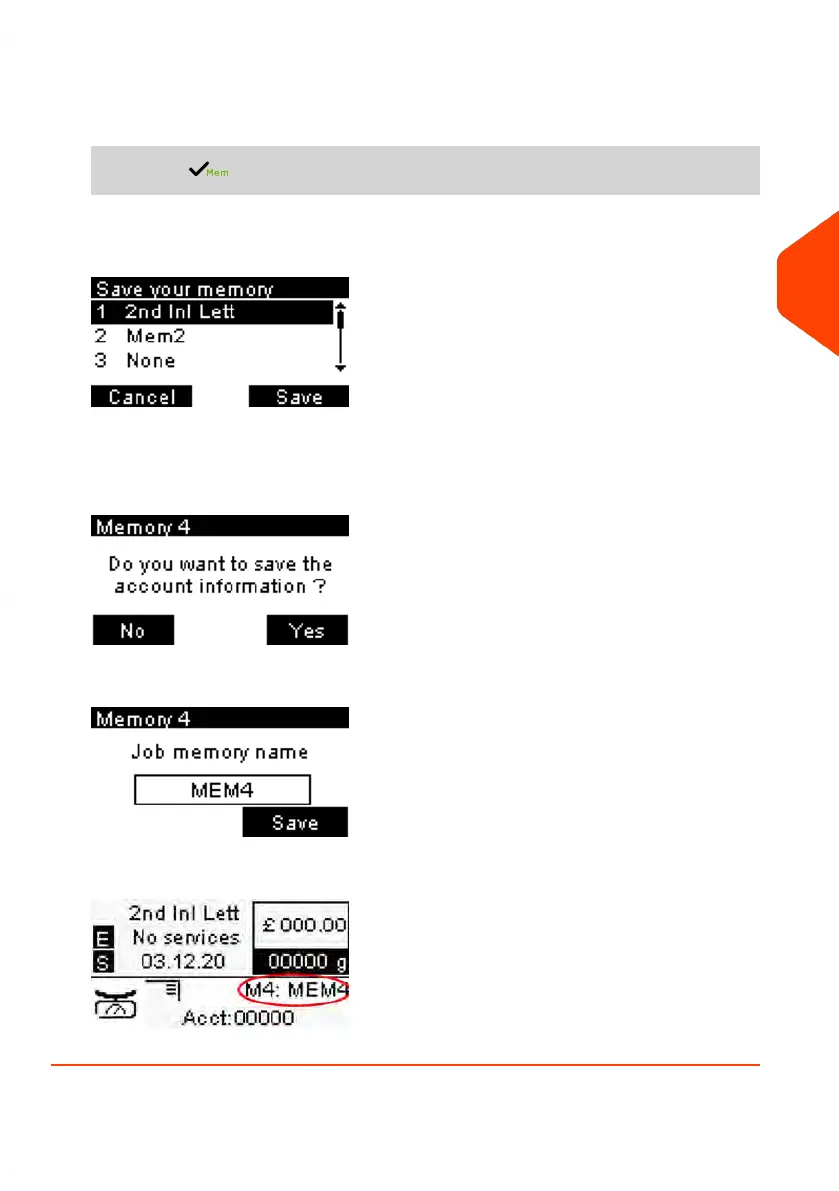
1. The memories store imprint characteristics together with rates and, if activated,
charged account.
From the home screen:
Long press .
The job memories list is displayed.
2. Select any line with value None. Press [Save].
If Accounting is enabled, the message confirmation to save account info is
displayed.
3. Enter a name for the job memory, then press [Save].
4. The home screen displays the type job memory you're just created.
4
Imprints
85
| Page 85 | Jun-21-2021 09:24 |















 To Next Page