Chapter7
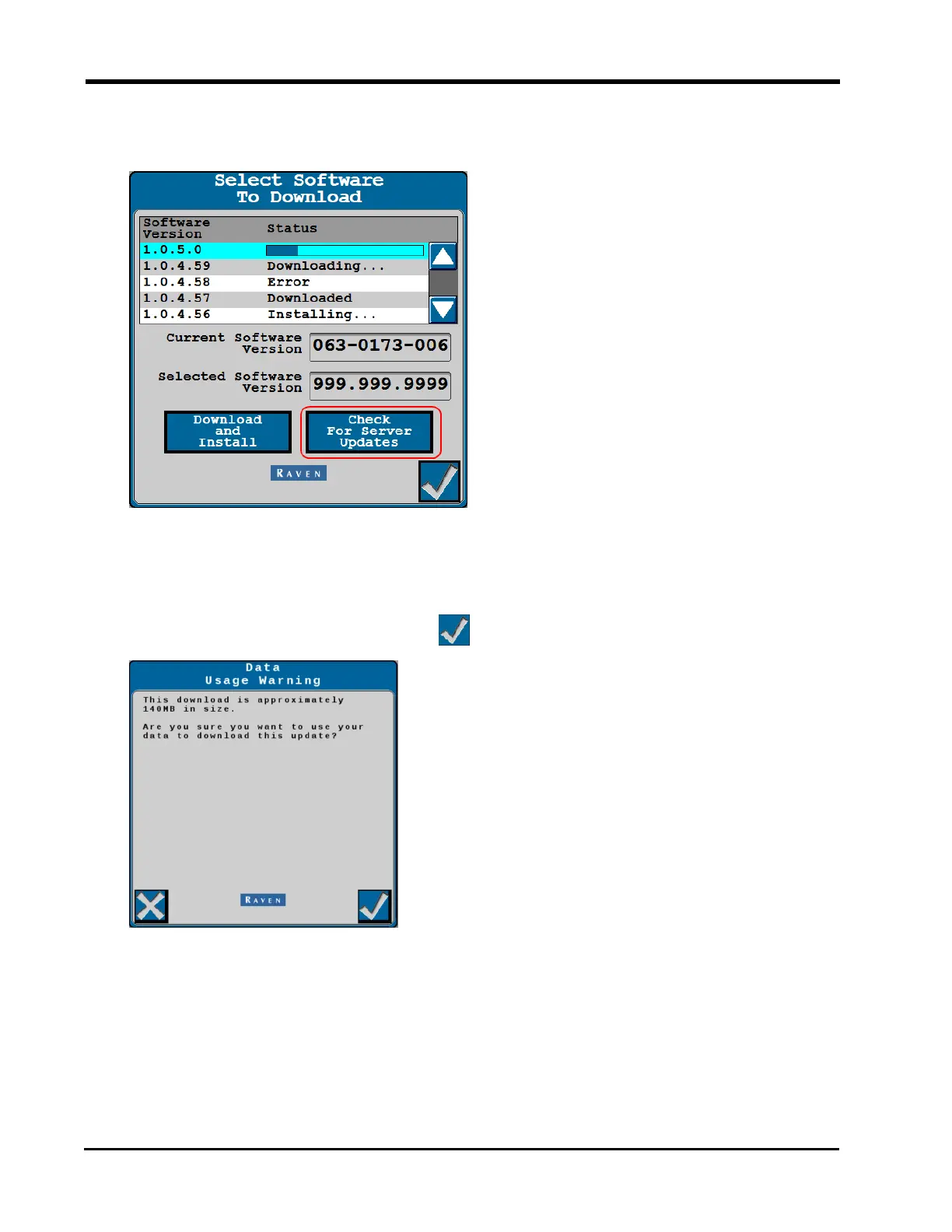
3. Select the Check for Server Updates button to view the latest software updates avail-
able for the RS1™ unit.
4. Use the scrolling list to select the desired software version to apply to the RS1™.
5. Select the Download and Install button.
6. A warning prompt is displayed with information about cellular data usage. To proceed
with the download, select the Accept button.
7. Allow the system to download the selected software version.
124







 To Next Page