Machine Calibration
Terrain Compensation Calibration
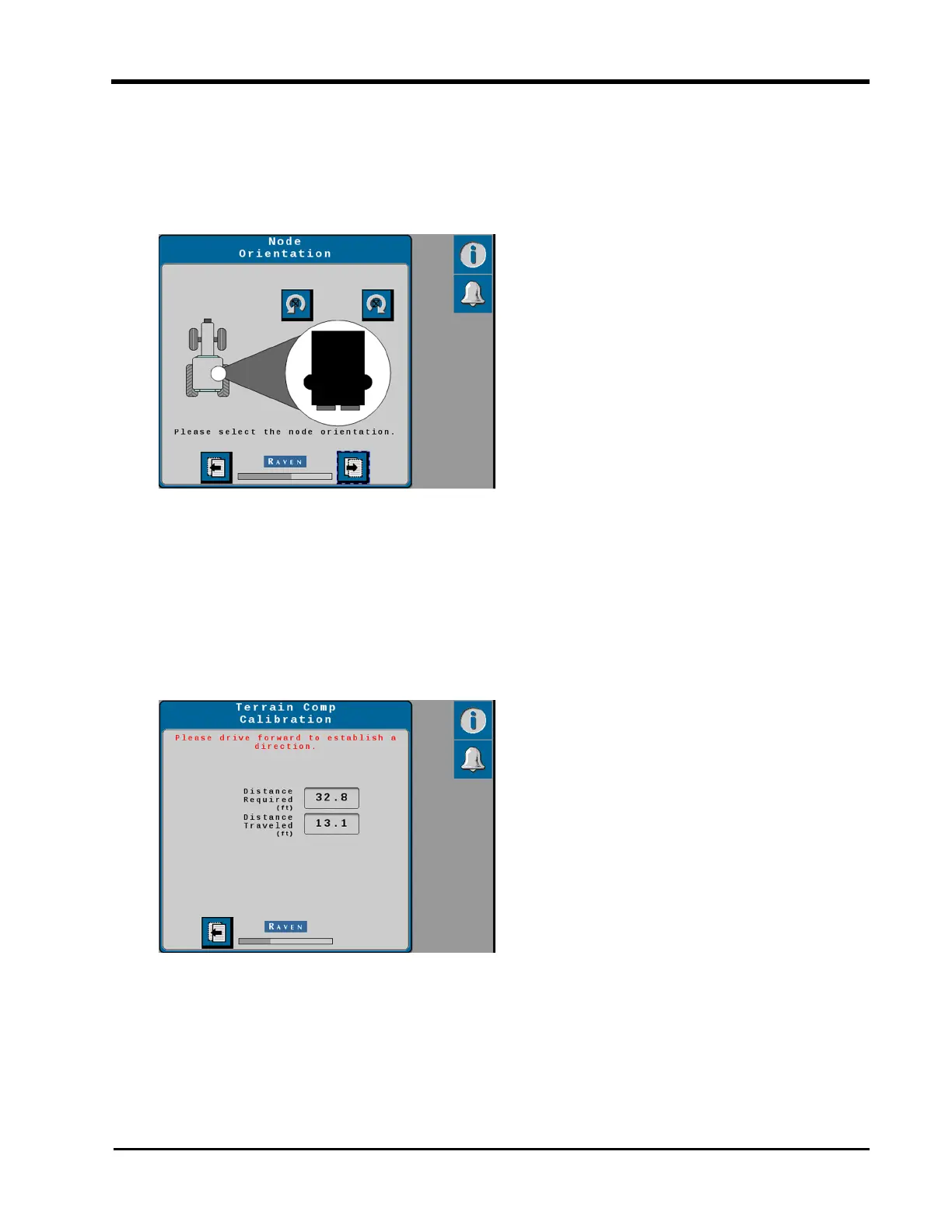
1. Set the orientation of the SC1™/TC1™. Use the rotation buttons until the on-screen
display matches the orientation of the SC1™/TC1™ ECU.
The SC1™/TC1™ ECU must be mounted in a horizontal orientation (mounting surface
parallel to the ground).
Note: The RS1™ orientation is fixed. This page will not display when calibrating a
system with RS1™.
2. Select the Next button.
3. Drive the machine forward at least 10 m [33 feet] and park on a flat surface.
Note: The system must detect a converged GNSS status and the direction of forward
travel to properly calibrate the terrain compensation features.
29







 To Next Page