Chapter7
2.
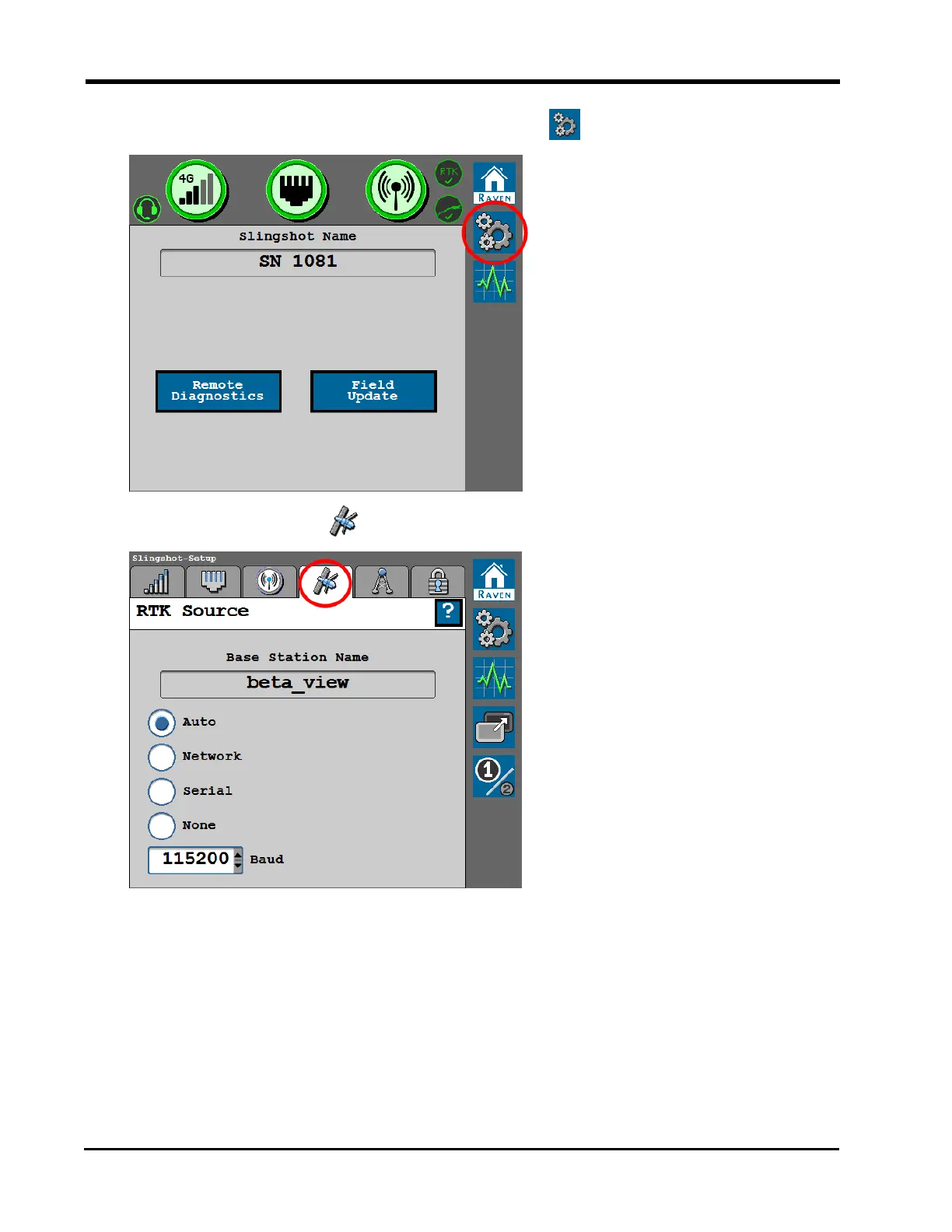
From the Slingshot® Home page, select the Tools button.
3.
Select the RTK Source tab.
The RTK Source screen displays the base station information (if applicable) and allows
the operator to toggle the RTK source.
Note: RTK must be unlocked to display the settings and information below. Contact a
local Raven dealer for additional assistance with feature unlock codes and activation.
Review "Feature Unlocks" on page138 for assistance with entering an unlock code if
this tab displays the "RTK Is Not Unlocked" message.
134







 To Next Page