Machine Calibration
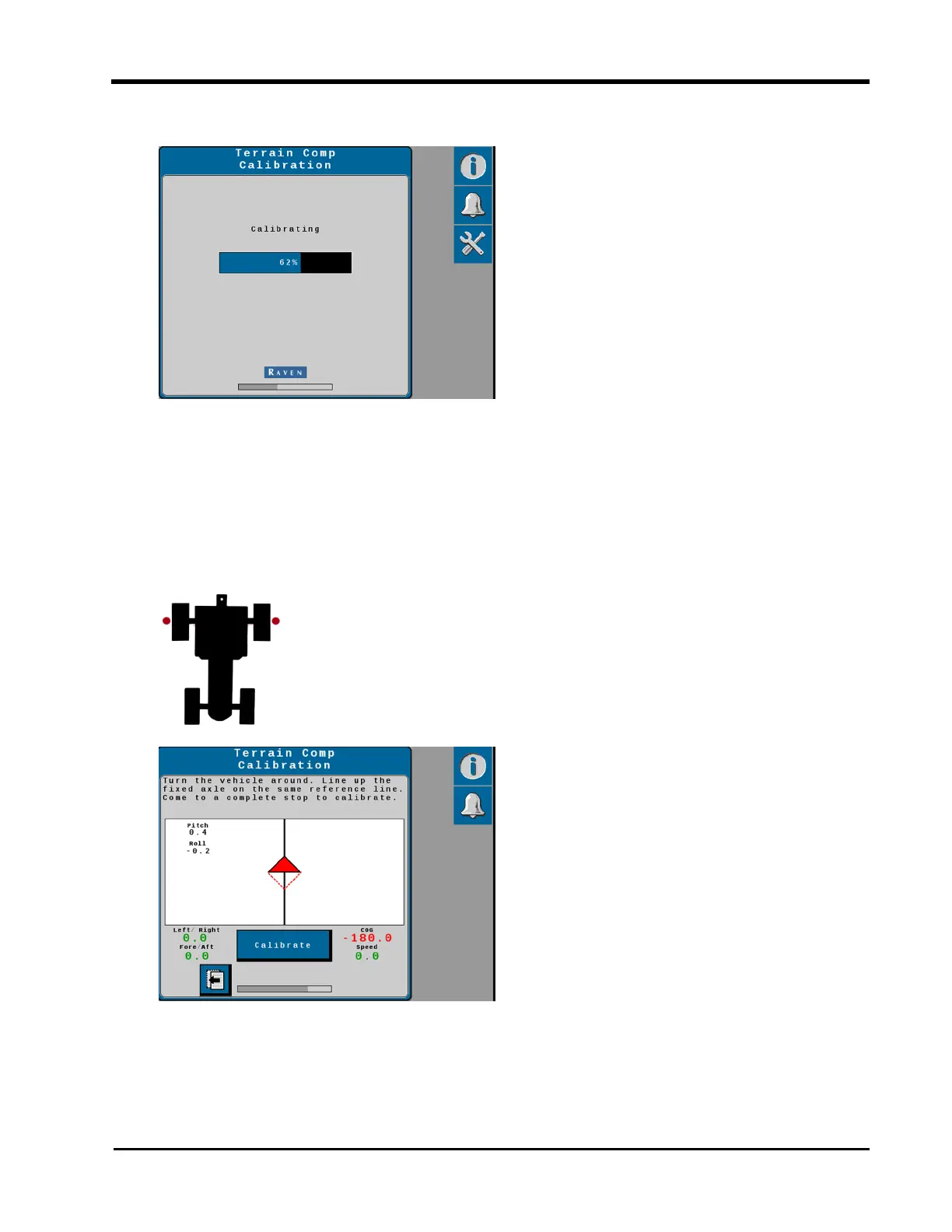
6. Select the Calibrate button and wait for the gyro calibration to complete.
Note: Do not move the machine or implement during the calibration. Wait for the
calibration process to complete before moving the machine.
7. After the gyro calibration is complete, drive forward and turn the machine around
(180°). Park the machine between the markers facing in the opposite direction from
the first calibration. Make sure the markers are aligned with the fixed axle on opposite
sides of the machine.
Note: The two triangles on the display should line up on top of each other when the
machine or implement is in the correct position.
31







 To Next Page