Chapter6
1.
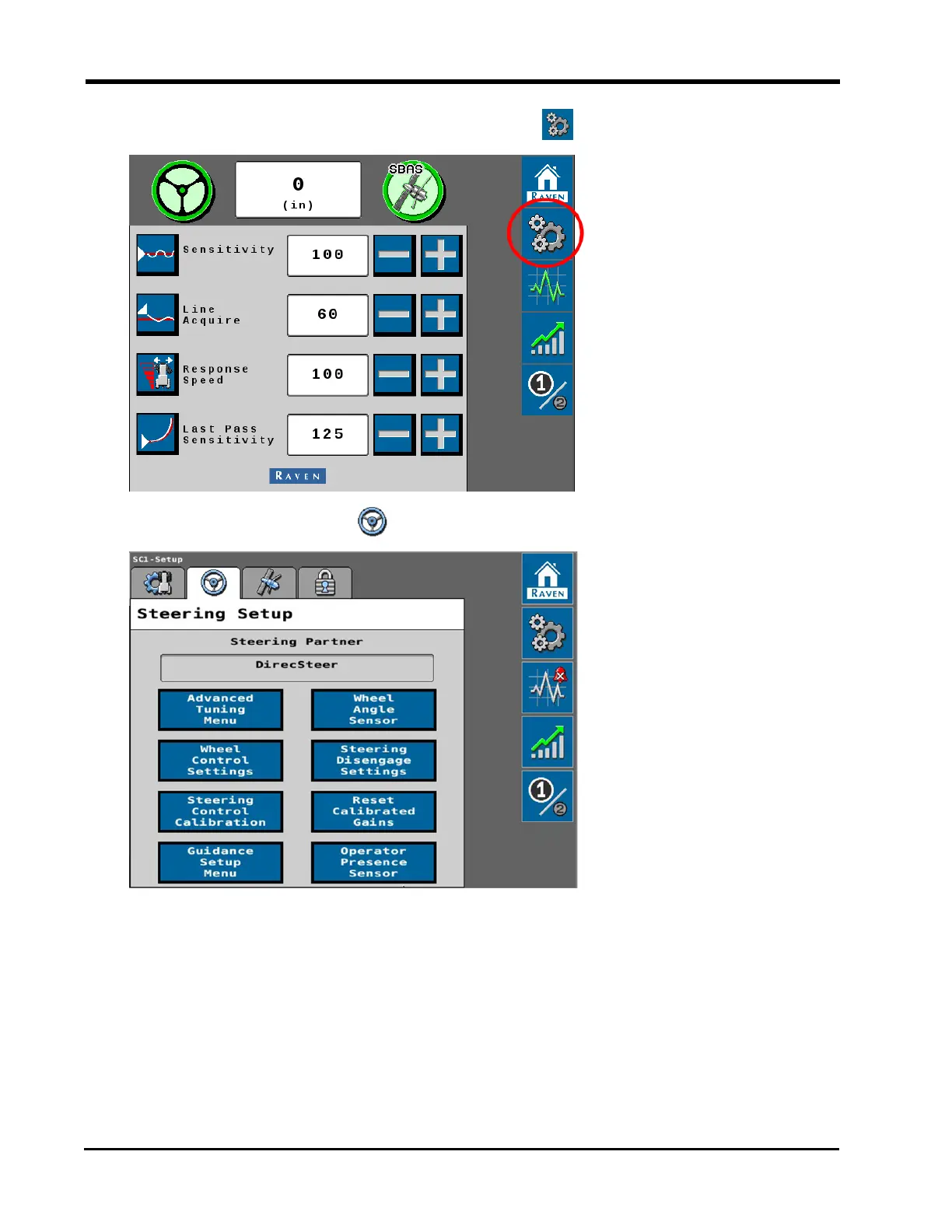
From the auto-steer Home page, select the Tools button.
2.
Select the Steering Setup tab.
3. Select the Advanced Tuning Menu button.
Review the following sections for additional information regarding the available tune
settings and options for the auto-steering application.
Note: Use the next and previous page buttons at the bottom of the page as necessary
to access additional settings.
The following values and options are available for tuning the auto-steering response:
76







 To Next Page