29
2012-2015 Reliable Controls Corporation
BACNET NETWORK APPLICATIONS
USER GUIDE
INPUT/OUTPUT CONFIGURATION
SMART-SPACE CONTROLLER
™
OPTIONAL OCCUPANCY SENSOR (-OC)
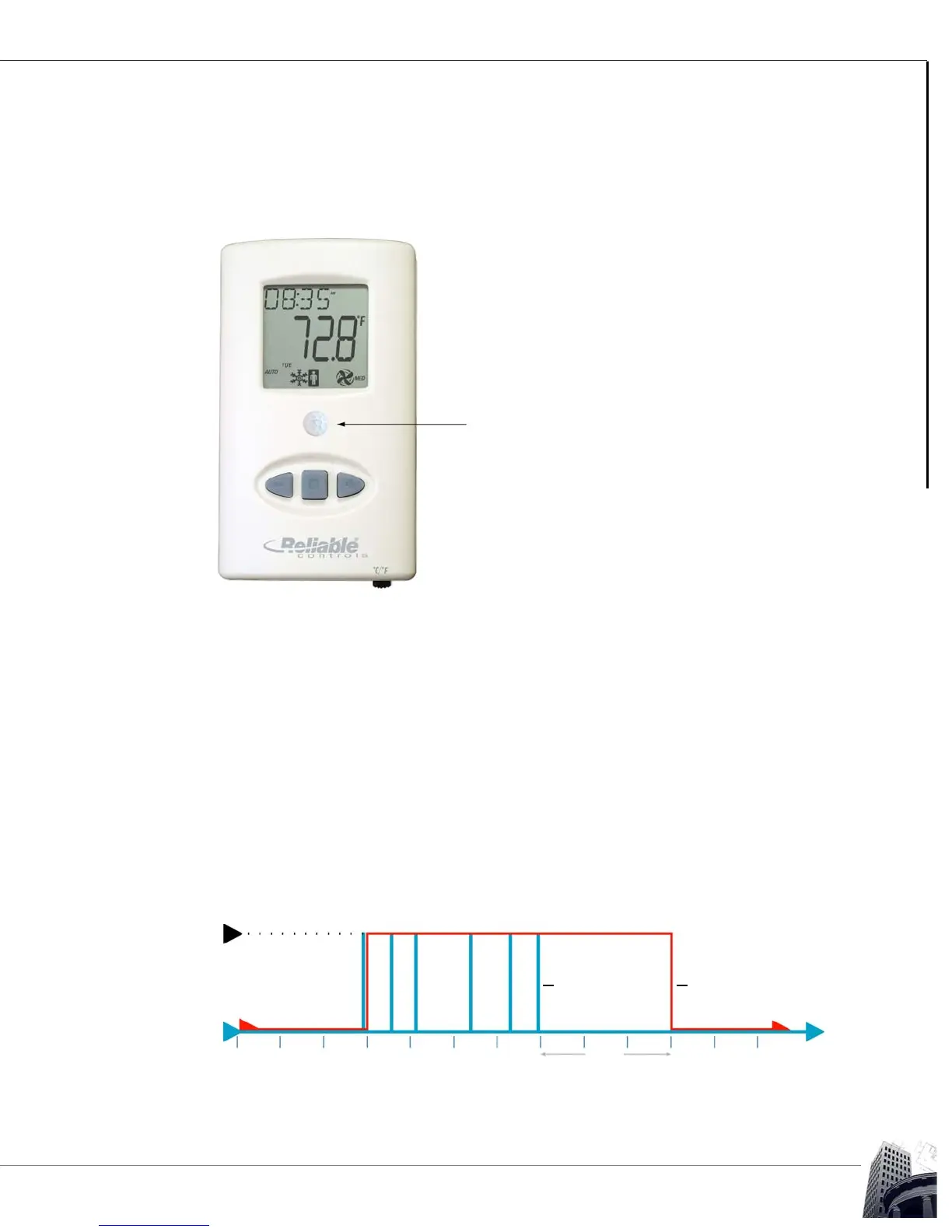
For -OC models, an infrared motion detector is factory installed, with the Fresnel lens
mounted in the centre of the SMART-Space Controller. The occupancy sensor is
connected internally to input number six.
FIGURE 23: OCCUPANCY SENSOR
The occupancy sensor installed in the -OC models is extremely sensitive and fast acting.
To utilize the occupancy sensor for any application, programmers should use a variable
to represent the occupied status, rather than the actual input point. The value of the
occupied status variable is determined by Control-BASIC, similar to the following code.
10 IF BI6 THEN START OCC-VARIABLE
20 IF TIME-OFF( BI6 ) > 0:15:00 THEN STOP OCC-VARIABLE
With the above code installed, a single sensed motion will cause the OCC-VARIABLE to
be set to TRUE, representing the occupied state. The OCC-VARIABLE will remain TRUE
until the sensor does not register motion for a continuous period exceeding 15 minutes
(adjustable for actual site conditions), after which, the code will set the OCC-VARIABLE to
FALSE. Refer to Figure 24. The filtering action of the Control-BASIC code will prevent the
SMART-Space Controller from interpreting a short period of zero motion as the onset of an
unoccupied period, causing nuisance switching between modes.
FIGURE 24: OCCUPANCY VARIABLE
Motion Sensed
No Motion
Sensed
15
Min.
Occupancy
Variable
Occupancy
Sensor


 To Next Page