RC-TOOLKIT BACNET OS SEND TOOL
50
2012-2015 Reliable Controls Corporation
RC-TOOLKIT BACNET OS SEND TOOL
RC-Toolkit
update 2.40, or later, includes the capability to OS Send to
SMART-Space Controllers.
TO SEND FIRMWARE USING BACNET OS SEND
Note that updating firmware in a SMART-Space Controller erases any existing pan file in the
controller. Ensure that all pan files are backed up using RC-Studio prior to beginning the OS
Send procedure.
1 Connect a PC to the BACnet internetwork using one of the physical connection
methods described above.
2 Launch RC-Toolkit.
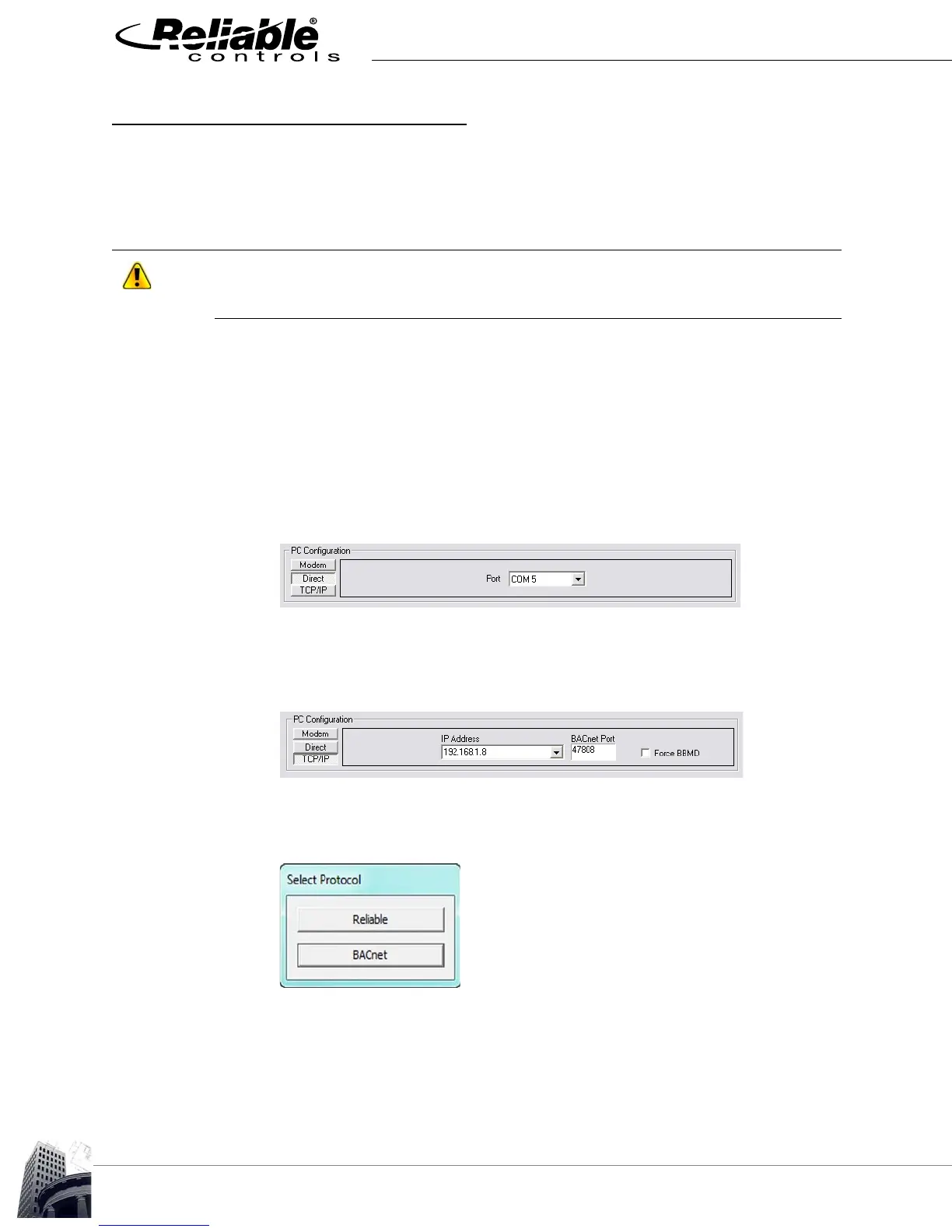
3 If using a direct connection, ensure that the correct communication port is
selected in the Port field.
FIGURE 44: DIRECT CONNECTION COMMUNICATION PORT
4 If using TCP/IP to connect, enter the IP address and BACnet port number of a
target Reliable Controls device.
FIGURE 45: TCP/IP CONNECTION
5 Click the OS Send icon to open the Select Protocol dialog box.
FIGURE 46: SELECT PROTOCOL DIALOG BOX


 To Next Page