PG-FP5 CHAPTER 4 PROGRAMMING GUI USAGE
R20UT0008EJ0400 Rev. 4.00 Page 103 of 240
Jul 15, 2010
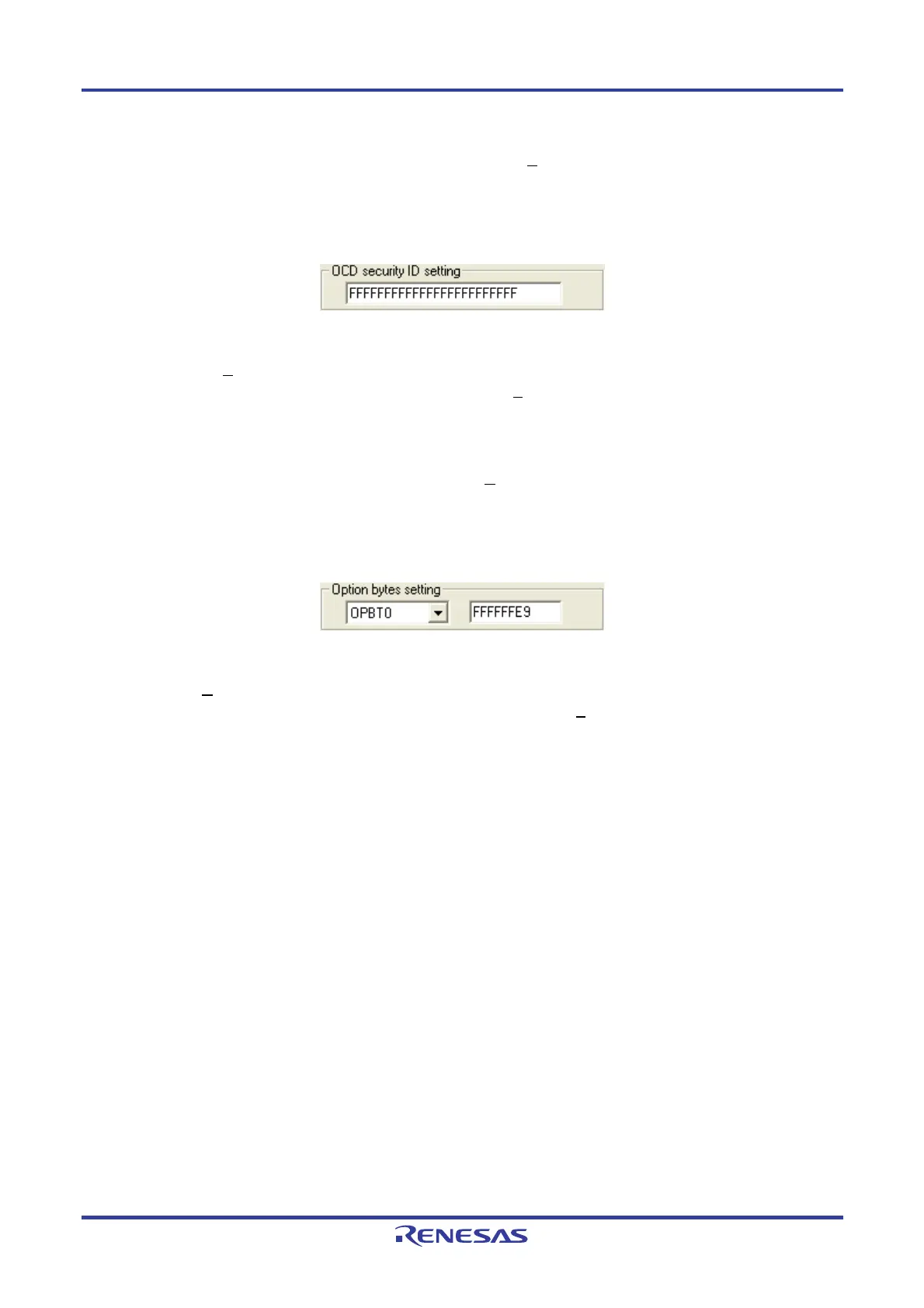
<8> [OCD security ID setting] area
The OCD security ID can be set in this area. When the [Set OCD
Securitry ID] command is executed, the settings
in this area will be reflected in the target device.
Figure 4-75. [OCD security ID setting] Area
[OCD security ID setting] text box
If the [Set OCD
Security ID] command is executed after entering an on-chip debug security ID in this box, the on-
chip debug security ID is set. This setting is cleared if the [E
rase] command is executed with “Chip” selected in
the [Operation Mode] area.
<9> [Option bytes setting] area
The option bytes can be set in this area. When the [Set O
ption bytes] command is executed, the settings made in
this area in the Device Setup dialog box will be reflected in the target device.
Figure 4-76. [Option bytes setting] Area
[Option byte setting] text box
If the [Set O
ption bytes] command is executed after entering a setting value of option byte (OPBTx (x = 0 to 8)) in
8-byte unit, the option bytes are set. This setting is cleared if the [E
rase] command is executed with “Chip”
selected in the [Operation Mode] area.


 To Next Page