PG-FP5 CHAPTER 3 SOFTWARE INSTALLATION
R20UT0008EJ0400 Rev. 4.00 Page 37 of 240
Jul 15, 2010
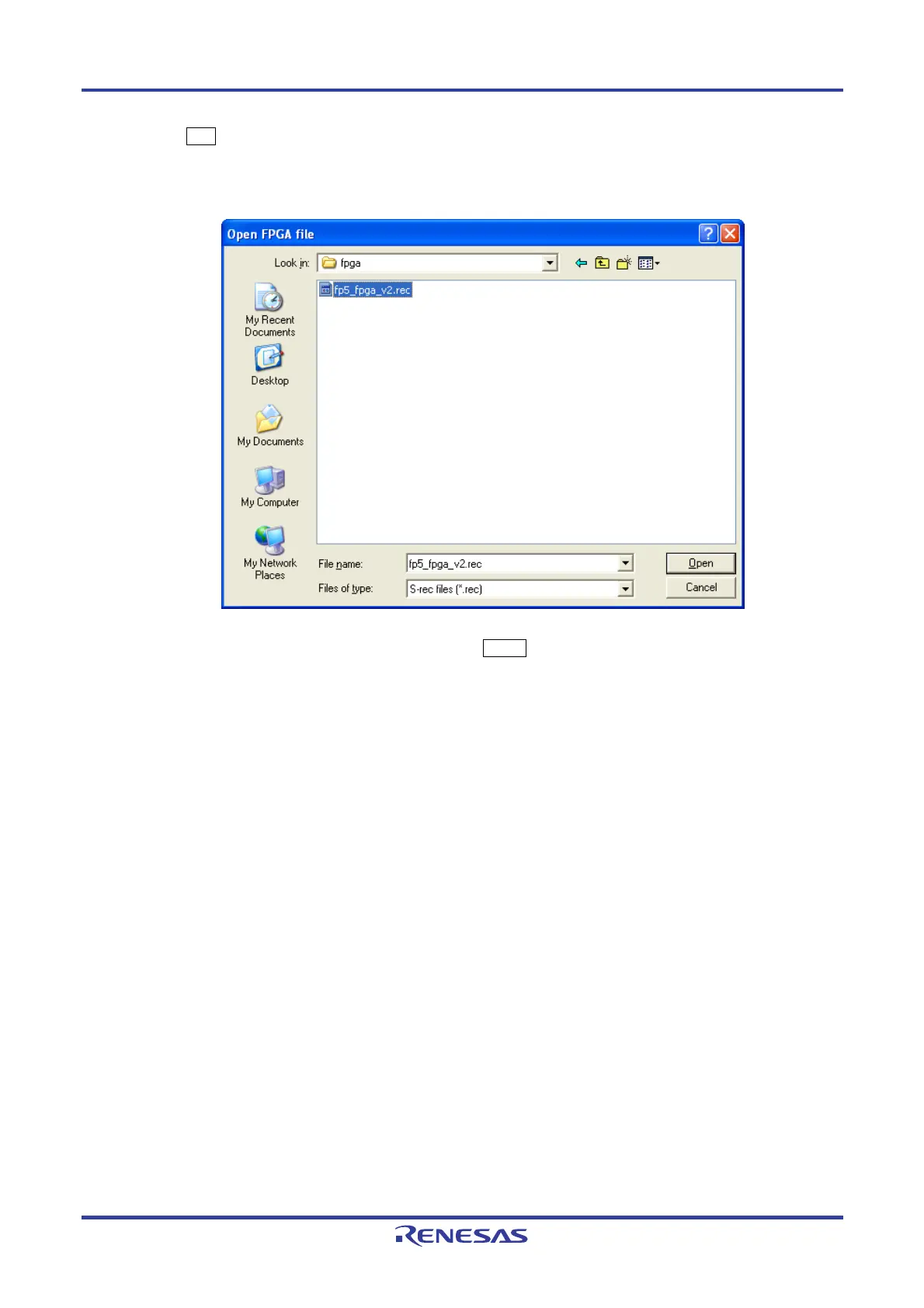
(2) Click the OK button to continue FPGA update. The [Open FPGA file] dialog box is opened.
Figure 3-12. [Open FPGA file] Dialog Box
Select the FPGA file “fp5_fpga_vx.rec” and then click the Open button.
Caution Do not use an FP5 FPGA other than the one posted on the website; otherwise, a defect may
occur.


 To Next Page