PG-FP5 CHAPTER 4 PROGRAMMING GUI USAGE
R20UT0008EJ0400 Rev. 4.00 Page 72 of 240
Jul 15, 2010
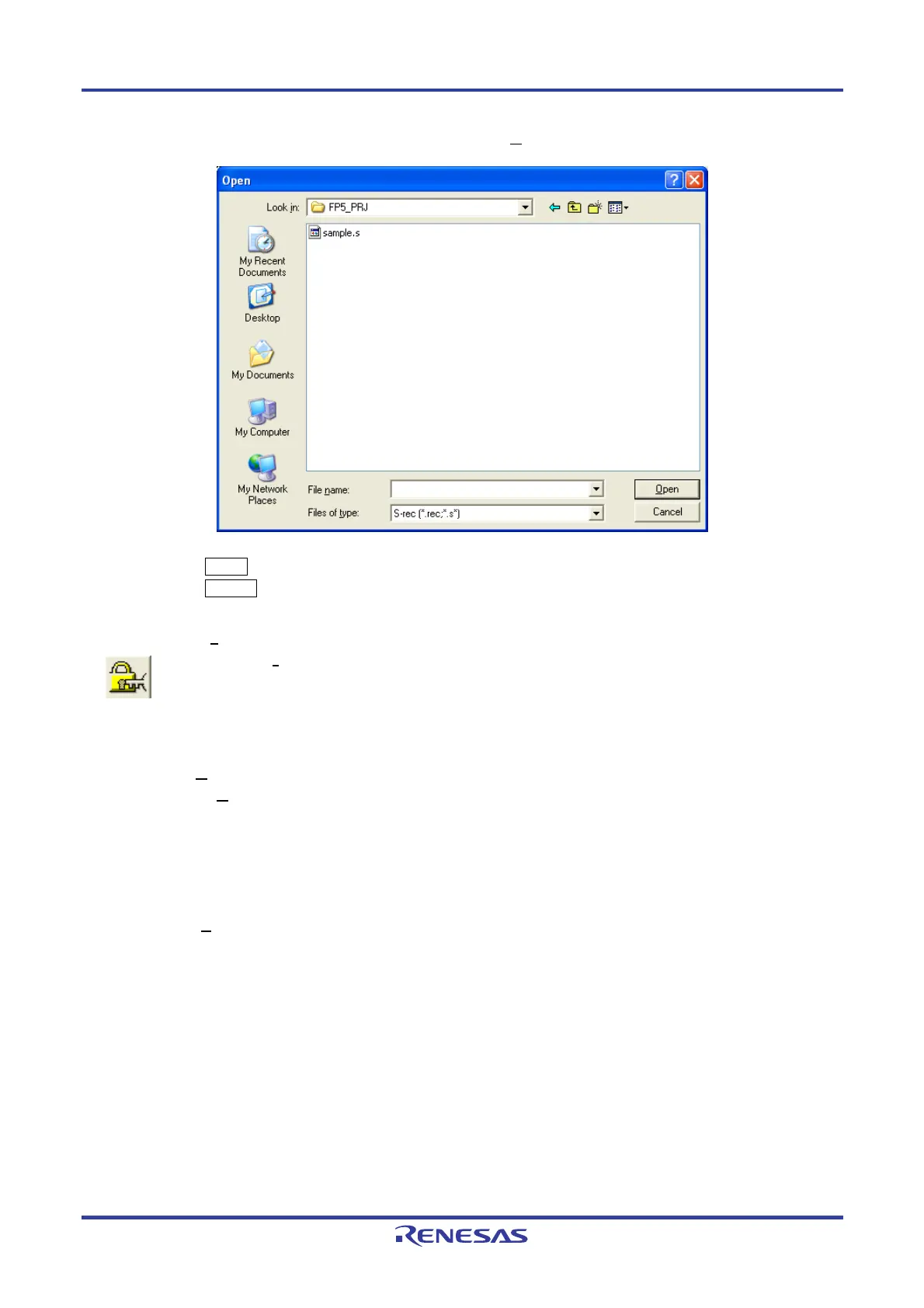
Figure 4-41. Program Data Save Dialog Box <When Write M
otorola SREC file Command Is Executed>
Clicking the Open button saves the program data into a file and closes the dialog box.
Clicking the Cancel button closes the program data save dialog box without saving the program data into a file.
(6) [Set Security
] command
The [Set Security] command sets the security functions for the target device. When this command is
executed, the settings made in the [Set Security command options] area on the [Advanced] tab in the Device
Setup dialog box will be reflected in the target device. For details on the security functions, refer to 4.3.3 (14)
(c) <4> [Set Security command options] area.
(7) [Checksum
] command
The [Checksum
] command reads the checksum calculated in the target device and displays it in the action log
window. When using a 78K0S/Kx1+ microcontroller or the
μ
PD78F9334, this command also displays the
checksum of the program file and compares both.
Remark The checksum read by this command differs from the one displayed in the [File checksum] area in the
programmer parameter window. For details on the [File checksum] area, refer to 4.3.1 (3)
[C
hecksum...] command.
The checksum is calculated as follows.
<When using 78K0, 78K0S (other than 78K0S/Kx1+ microcontrollers and
μ
PD78F9334), 78K0R, or V850>
Method: Subtraction (16-bit arithmetic)
Range: Area set in the [Operation Mode] area on the [Standard] tab in the Device Setup dialog box


 To Next Page