Research Instruments Ltd
9
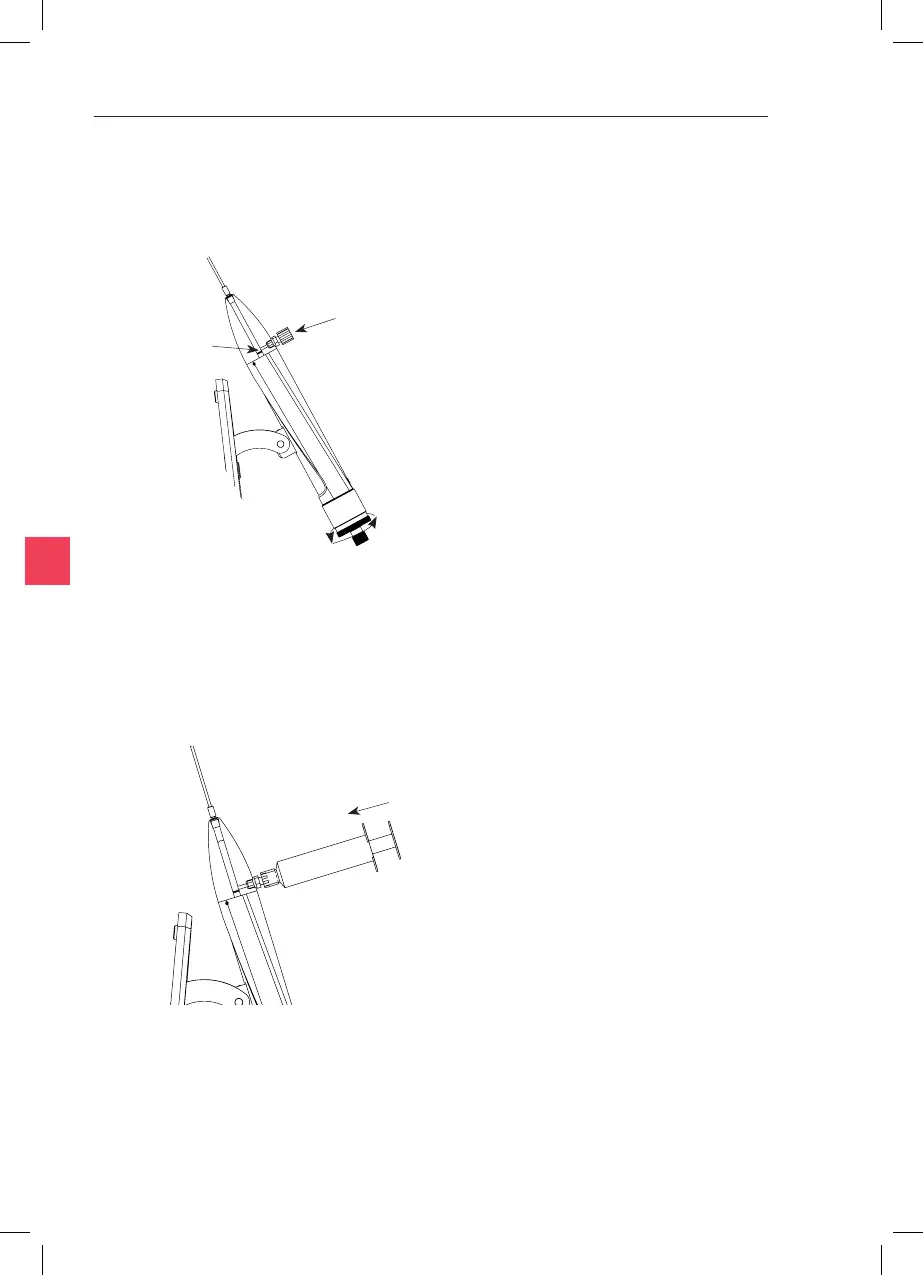
Figure 9-14
Figure 9-15
Remove Cap
Plunger Tip
9. Now press the syringe plunger slowly to ll the cylinder and the
tubing. Next ll the port and replace the cap (see Figure 9-11 and
Figure 9-12 on page 47).
7. Stand the SOS on end as shown below. Turn the Control knob to
move the plunger below the ll port. Remove the cap from the ll
port. Fill the syringe with oil ensuring that there are no air bubbles
in the syringe.
8. Add a few drops of oil to the ll port and insert the syringe
ensuring that no air bubbles are trapped. If an air bubble is
seen then reaach the syringe or expel the bubble into the
cylinder and allow it to rise to the top before connuing.



 To Next Page