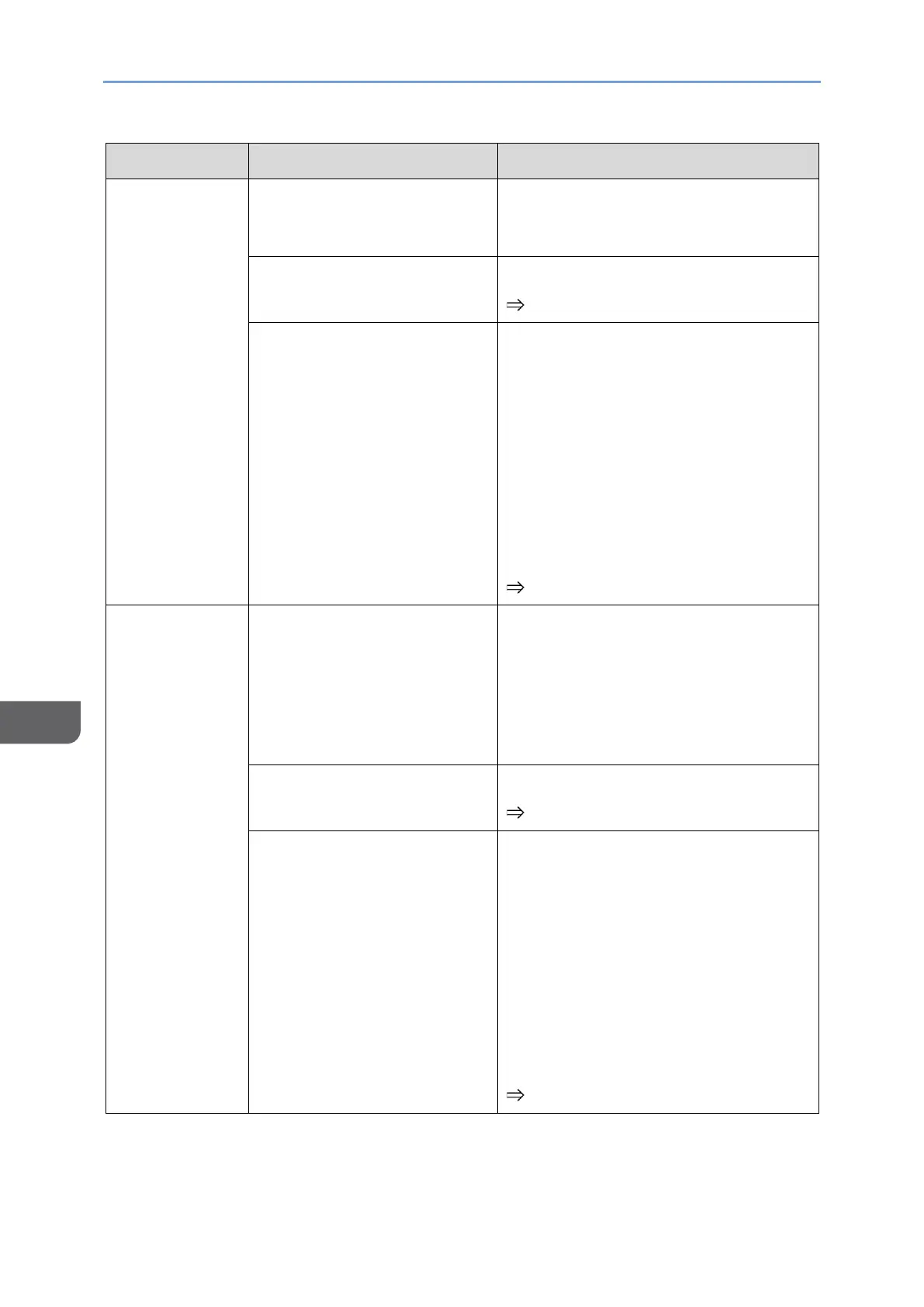
No sound
(when wired
connection is
used)
• Check the volume setting of the
device or the volume setting of
the application being used.
The volume of this machine
is set to "0".
Adjust the volume.
page 34 "Changing the Volume"
Insufficient power is being
supplied to this machine
from the connected device
or USB PD charger.
When the On-screen Display menu
and Switching Input screen are not
displayed, slide the
Menu/Select/Enter button up or down
to display the volume screen and
check whether Low power mode
[mute] is displayed.
If it is displayed, connect this
machine to a USB PD charger with an
output of 15 W or more.
page 34 "Changing the Volume"
No sound
(when wireless
connection is
used)
No audio is being input from
the connected device.
• Check if the audio output
destination of the device is set to
this machine (RICOH Monitor).
• Check the volume setting of the
device or the volume setting of
the application being used.
The volume of this machine
is set to "0".
Adjust the volume.
page 34 "Changing the Volume"
The power supply is less
than 15 W output, and the
remaining battery power is
less than 2%.
When the On-screen Display menu
and Switching Input screen are not
displayed, slide the
Menu/Select/Enter button up or down
to display the volume screen and
check whether Low power mode
[mute] is displayed.
If it is displayed, connect this
machine to a USB PD charger with an
output of 15 W or more.
page 34 "Changing the Volume"










 To Next Page