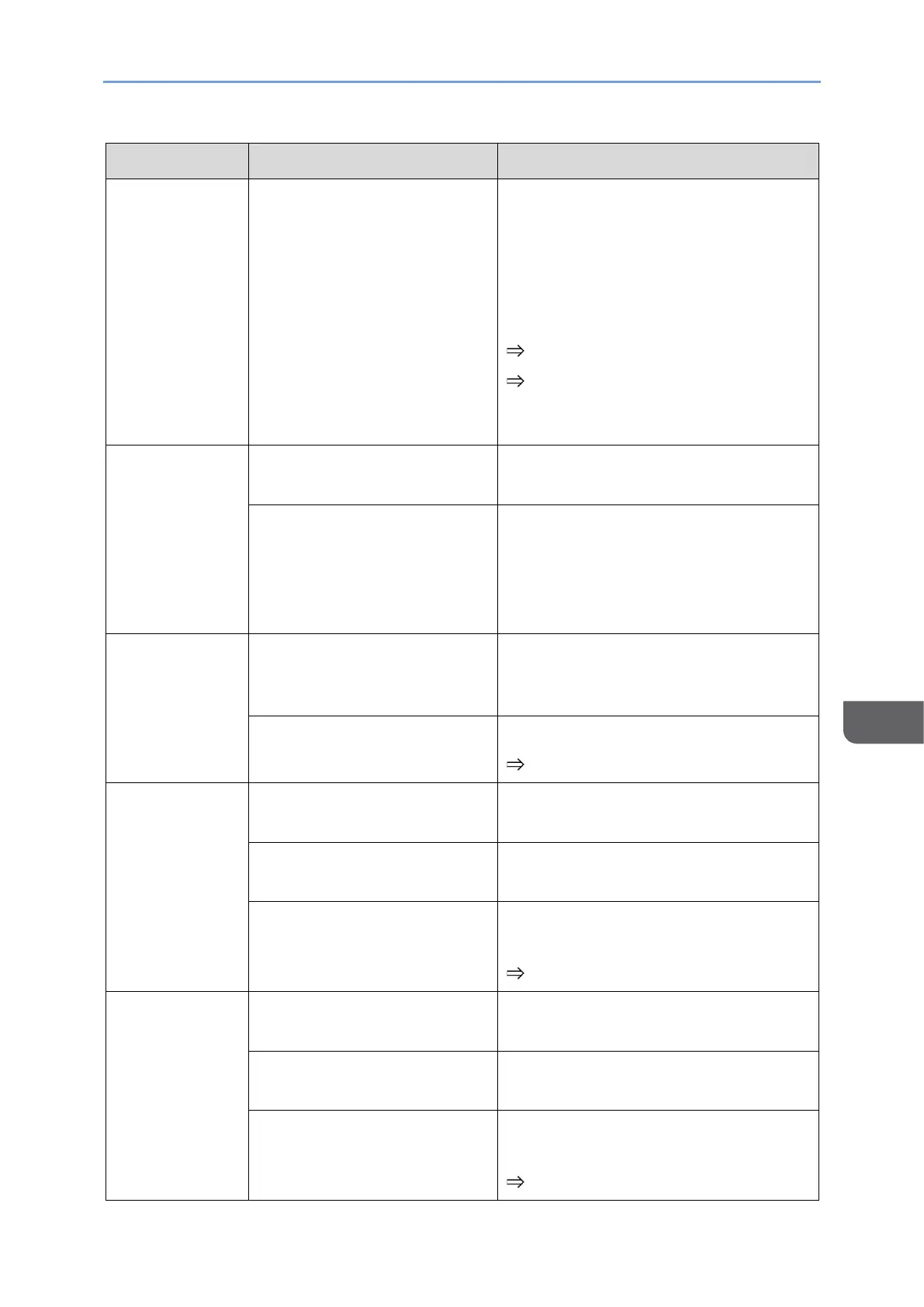
When You Cannot Use the Machine As You Want
153
Check whether the Sound or Mute AV
is turned ON in the menu icon that
appears on the screen during the
connection.
If it is ON, touch the icon to turn it
OFF.
page 87 "Muting Sound"
page 87 "Disabling Screen
Display/Sound/Touch Operation
Temporarily"
No sound
(when wireless
connection is
used)
The network signal condition
is poor.
Check the network status and
reconnect.
Audio cannot be played
when using RICOH Monitor
Mirroring for macOS or
RICOH Monitor Multicast for
Windows.
The volume setting of the
connected device is low.
Adjust the volume setting of the
device or the volume setting of the
application being used.
The volume of this machine
is set low.
Adjust the volume.
page 34 "Changing the Volume"
Noise in the
audio (when
wired
connection is
used)
The original audio contains
noise.
Check the audio on the device side.
A problem with USB Type-C
cable.
Replace the USB Type-C cable.
Turn the volume down and check if
the problem improves.
page 34 "Changing the Volume"
Noise in the
audio (when
wireless
connection is
used)
The original audio contains
noise.
Check the audio on the device side.
A problem with USB Type-C
cable.
Replace the USB Type-C cable.
Turn the volume down and check if
the problem improves.
page 34 "Changing the Volume"










 To Next Page