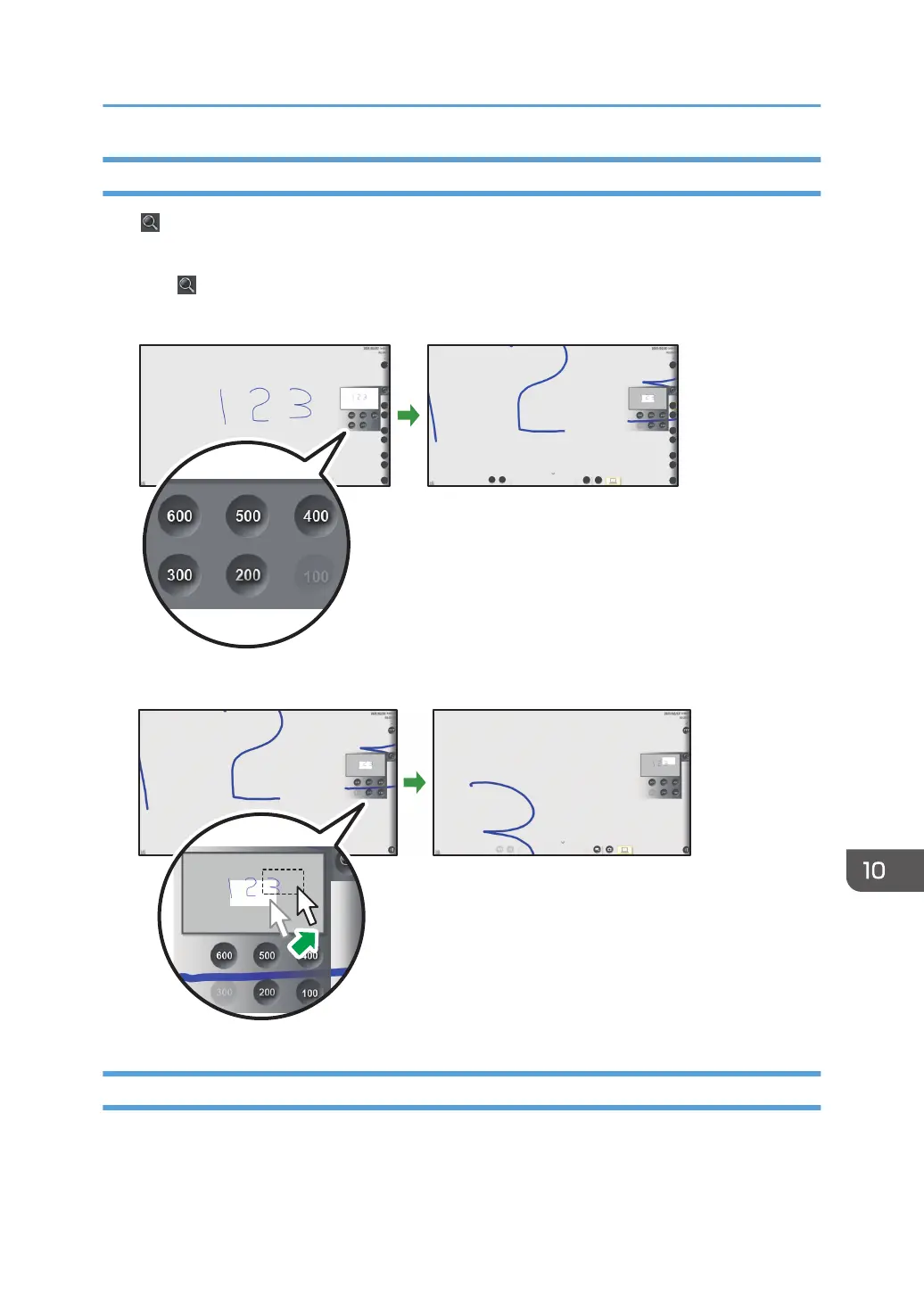
Changing the Display Magnification of Remote Viewer
Click , the Loupe icon, to change the display magnification, or to move a displayed area. The
enlarged display area can be moved.
1. Click , the Loupe icon.
2. Click the display magnification.
3. To move the display area, click and drag the display area.
Configuring the Remote Viewer Settings
This section explains General Settings of Remote Viewer.
The icons displayed in the General Settings screen are as follows:
Using Remote Viewer
251



 To Next Page