Item Setting Initial value Value range
Contrast Adjusts the contrast. 50 0–100
Sharpness Adjusts the sharpness. 2 0–10
Brightness Adjusts the brightness.
The brightness can also be
adjusted by pressing the [ ] or
[ ] button, regardless of
whether the menu is displayed.
3 0–5
1. Press the [ ] or [ ] button, and then select the item you want to adjust.
2. Press the [Enter/Input] button.
3. Press the [ ] or [ ] button to adjust the item.
4. Press the [Menu] button.
5. To close the "Picture" menu, press the [Menu] button.
Adjusting the sound settings
This function is available for RICOH Interactive Whiteboard D5510 only.
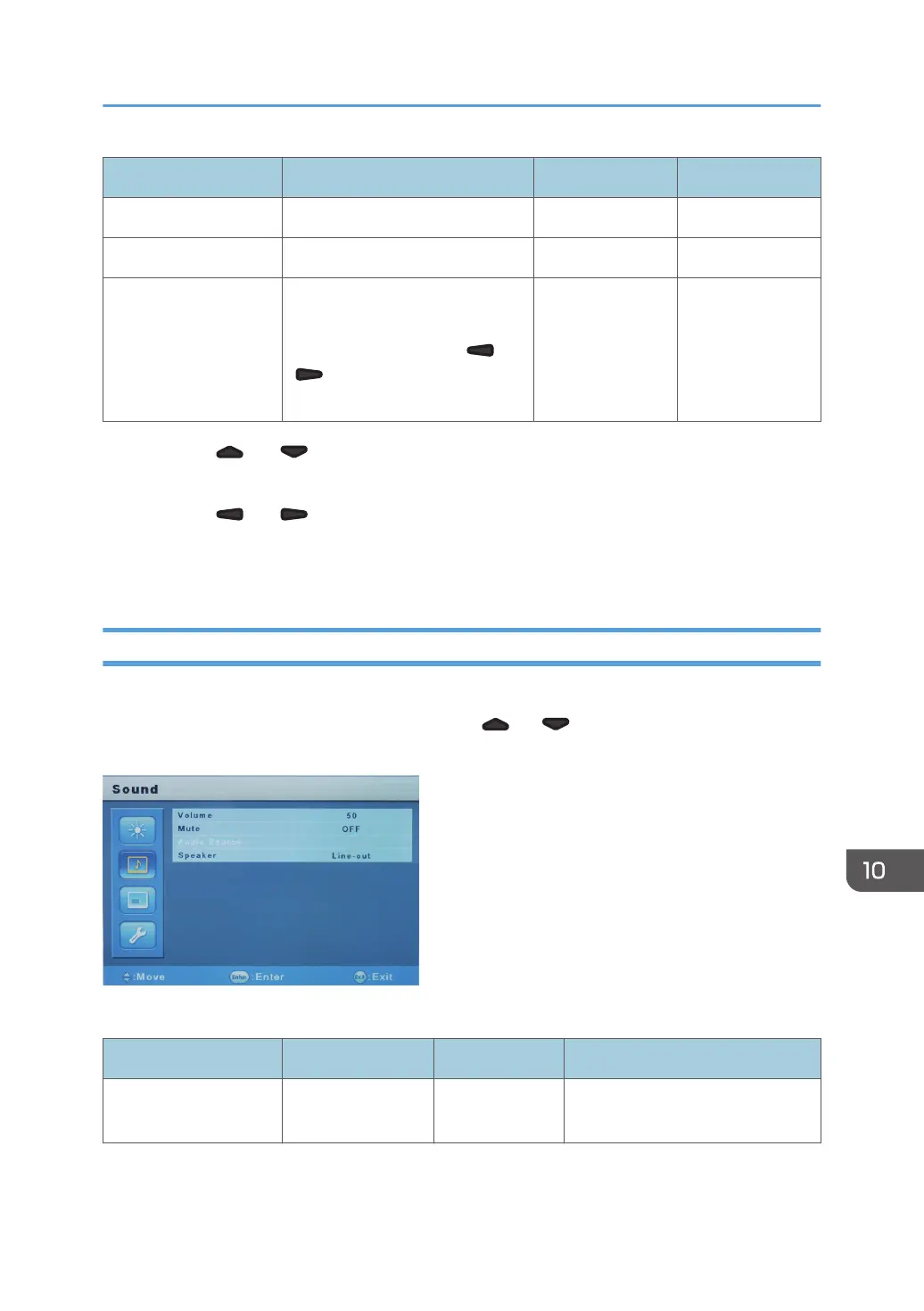
Press the [Menu] button to display the menu, press the [ ] or [ ] button on the side of the display to
select "Sound", and then press the [Enter/Input] button.
The "Sound" menu has the following items that can be adjusted:
Item Setting Initial value Value range
Volume Adjusts the volume
level.
50 0–100
Adjusting the Display
261



 To Next Page