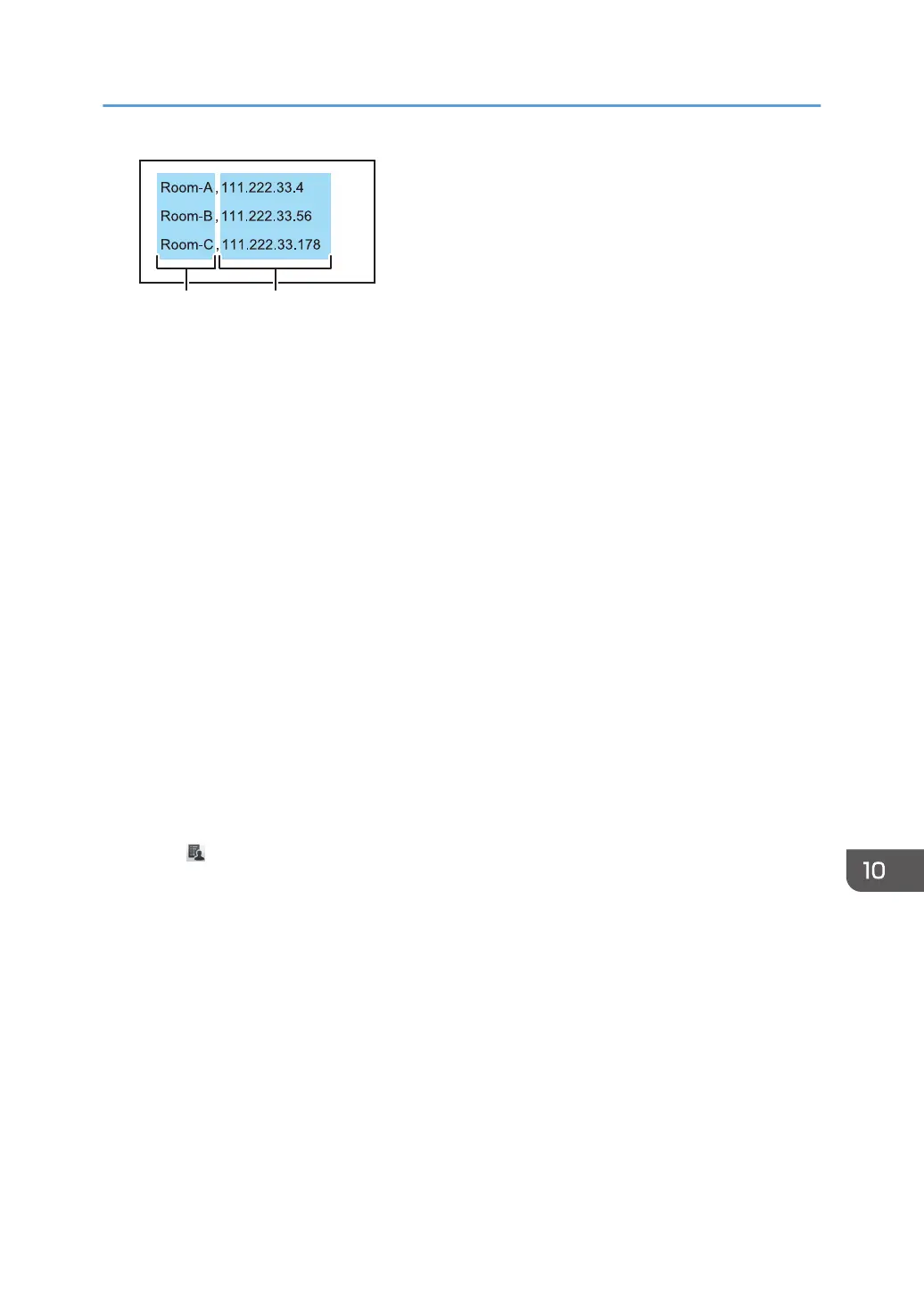
1. Nicknames
Enter the name of the device that uses a remote whiteboard. The number of characters must be 20 or
less. If you omit the nickname, a blank entry is added. The available characters are as follows:
• Uppercase letters: A-Z
• Lowercase letters: a-z
• Numbers: 0-9
• Symbols: (space) ! " # $ % & ' ( ) * + , - . / : ; < = > ? @ [ \ ] ^ _ ` { | } ~
2. IP addresses
An IP address must consist of four sets of numbers, each set separated by a period (.). The numbers must
be decimal numbers between 0 and 255.
If an invalid IP address is specified, such as the ones below, the contact list is not registered:
• IP address containing a set starting with 0 or 00 (Example: 111.222.033.004)
• 0.0.0.0
• 255.255.255.255
• 127.0.0.1
2. Save the contact list to the root directory (the topmost directory) of a USB flash memory
device under the file name "iwb_contact_address.csv".
The file is saved in CSV (comma-separated value) format.
3. Insert the USB flash memory device into the computer.
4. Select , the Remote Contact List Management icon.
5. Select [Import].
6. Select [OK].
7. Select [Cancel].
Using Remote Viewer
253



 To Next Page