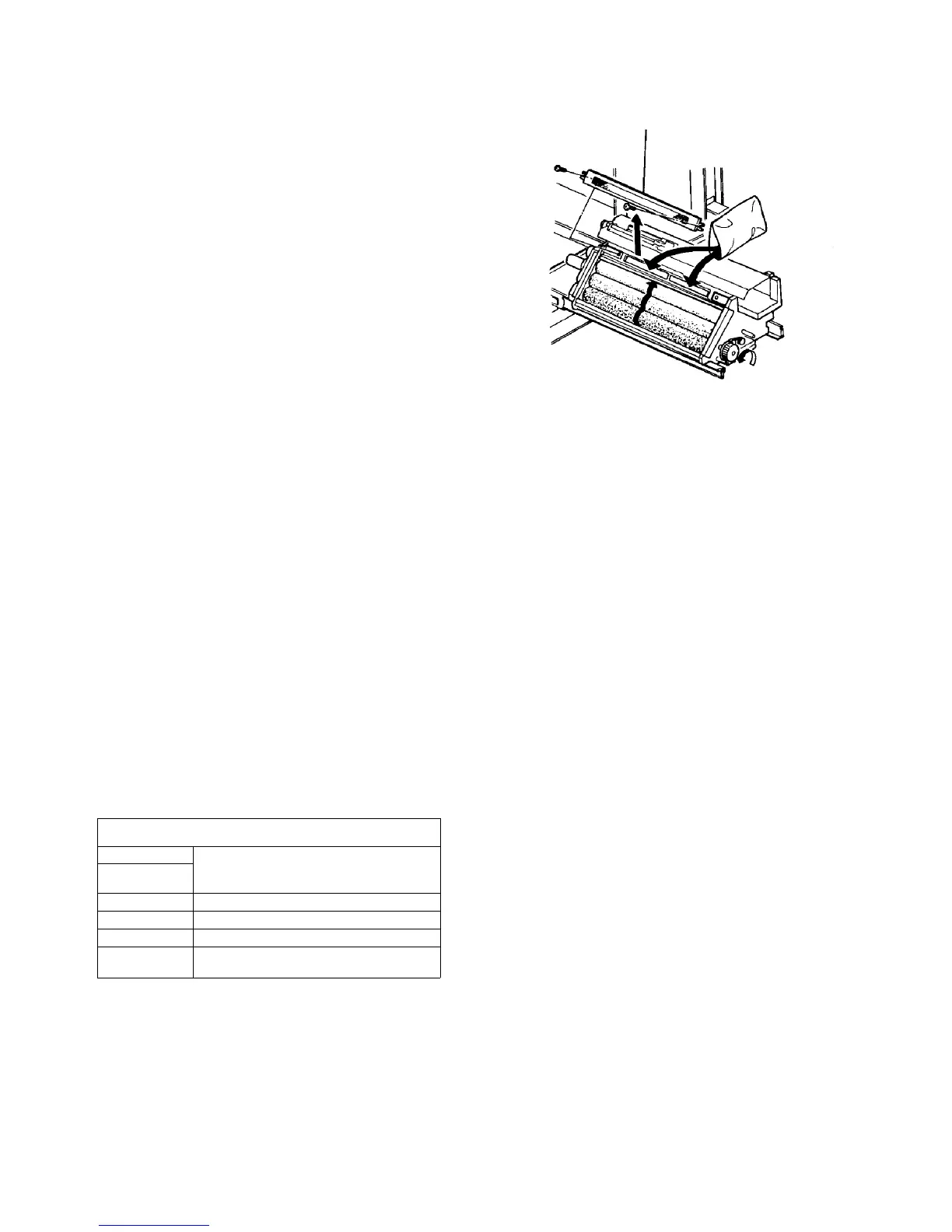
13. Remove the air filter case (2 screws). Replace the
air filter every 200K copies.
CAUTION
The filter has a setting direction. Be sure that
the side with a red line on the edge is facing the
inside of the unit.
NOTE
The air filters used in the development unit and
cleaning unit are common.
14. Put four bags of developer (4 kg) through the filter
case openings. Use both openings (one opening is
for two bags of the developer) to distribute it
evenly.
CAUTION
Clean the developer around the air filter case as
the place is very close to the OPC surface. If this
is not, the OPC may be damaged.
15. Turn the development knob to check the
distribution of the developer.
16. Reassemble in the reverse order.
17. Turn on the main switch and wait for the machine
stand-by.
18. Access service tool [3-04] to do the developer
forming. At the same time, reset the supply yield
counter for the developer to 0.
19. Select service tool [4-02] and press the Start key.
After 5 flashes, press the Stop key and check the
"Vsg/Vsp" data in the screen. The value must be
between 6 and 10. If it is not, carry out setting C.
NOTE
PM cycle of other parts
Side seals To be cleaned every 200K. (To be replaced
if deformation or close contact failure
exists.)
Entrance seal
ID sensor Clean every 200K
Drive gear Clean every 400K
Timing belt Clean every 400K. Replace every 1,600K.
Sleeve gear Clean every 400K. Replace 3 sleeve gears
and 1 idle gear every 1,600K.
CAUTION
Do not lubricate the sleeve gears and the other
gears in the development unit to avoid toner
adhering to the gears. Lubricate the two
projections of the unit drive joint roller with a
small amount of G-40M when the unit does not
slide in the main body smoothly.
Filter case













 To Next Page