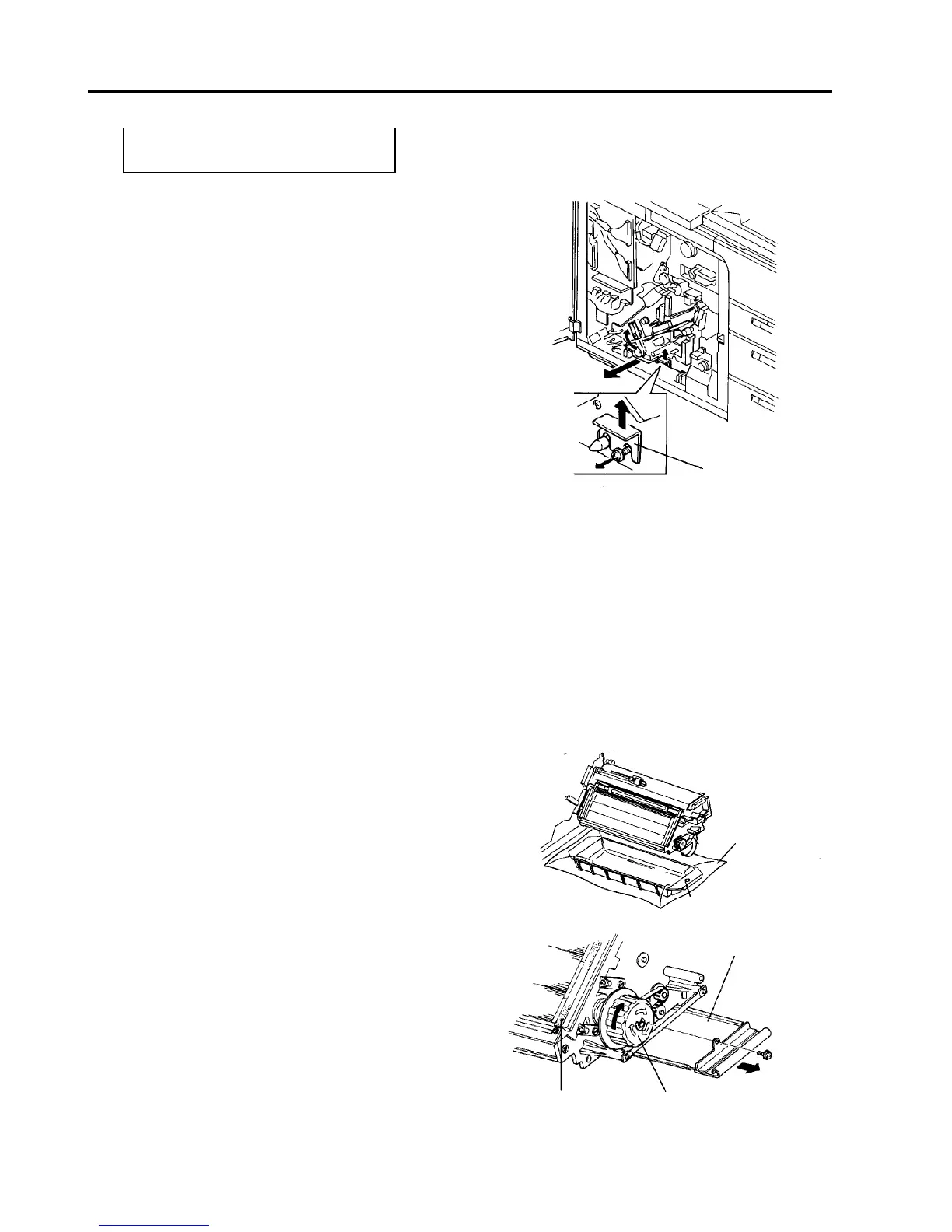
2.8 Development Unit
2.8.1 Replacing the developer and air filter
PM cycle: Replace the developer every
400K and air filter every 200K.
CAUTION
When you use a vacuum cleaner to clean the
development unit, heavy electrostatic will
occur. To avoid damage of electrical parts, be
sure to do the following:
• Pull out the toner density control board.
• Disconnect the harness from the ID sensor
board and ground the board using the
development unit grounding harness (main
body’s accessory).
1. Turn off the main switch.
2. Open the front door, and remove two screws to
allow it to open further.
3. Remove the inner cover (2 screws and one
connector).
4. Turn the lever and release the development
backup roller of the OPC unit.
5. Remove the development unit fixing bracket (one
screw). Then, slightly pull out the unit to disengage
the joint gear at the rear of the unit.
6. Turn the development knob to collect developer
from the development sleeves.
CAUTION
If you do not collect the developer, it might
scatter or damage the OPC.
7. Slide out the development unit.
8. Put the developer collecting vessel under the unit,
and lay a vinyl sheet (developer’s accessory) on
the collecting vessel.
9. Remove the developer collecting shutter fixing
screw and pull out the shutter.
10. To dump all the developer, turn the development
knob in the direction of the arrow.
11. Clean the developer collecting shutter using a dry
cloth.
12. Clean the side seals of the development unit.
NOTE
Clean the side seals every 200K to remove toner
and paper dust. Replace the side seals if they are
warped, or if there is a contact failure.
Fixing bracket
Vinyl sheet
Developer collecting
vessel
Developer collecting
shutter
Development knob
Side seal













 To Next Page