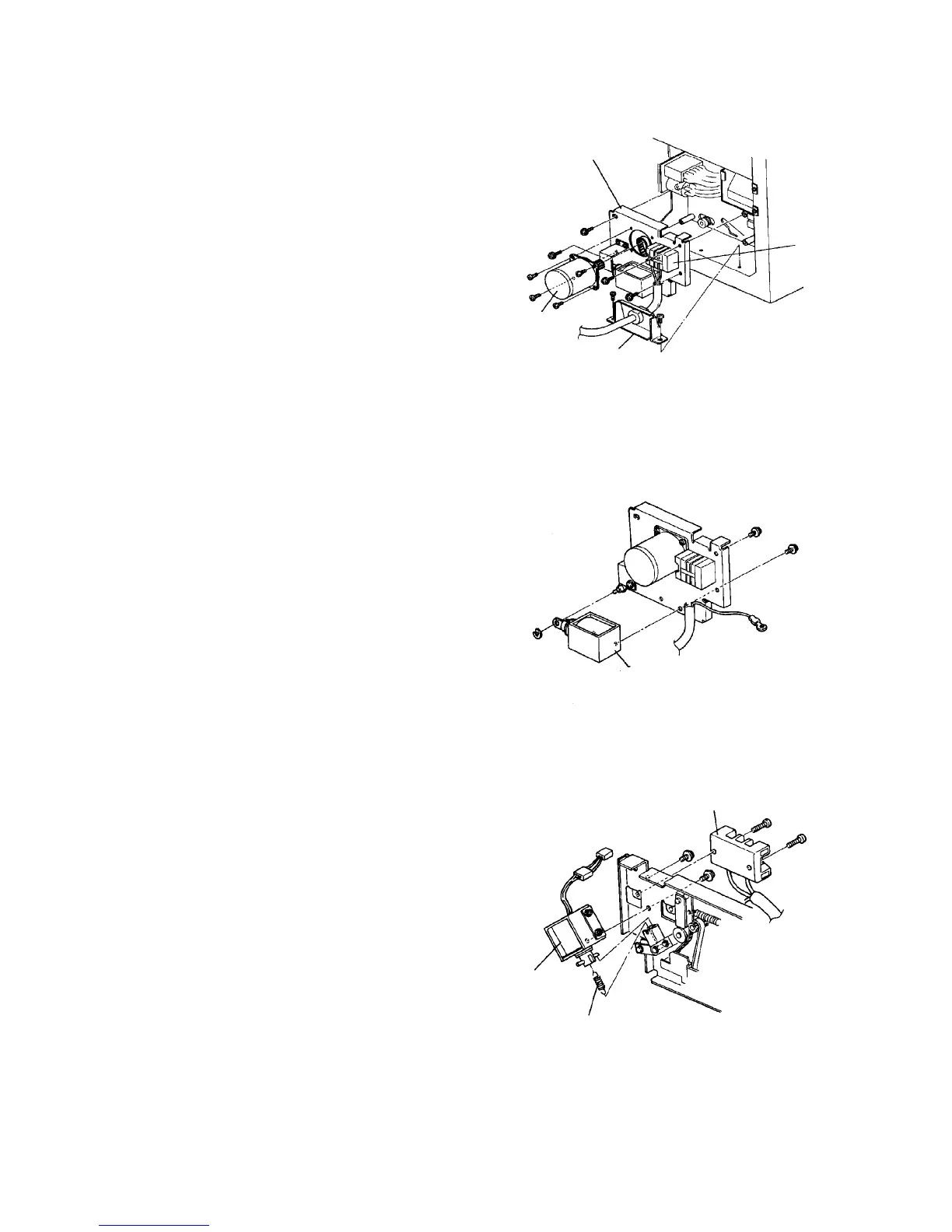
2.7.3 Replacing the OPC cleaning brush motor
1. Turn off the main switch, and remove the rear left
cover (2 screws).
2. Remove the power cord clamp bracket (2 screws).
3. Remove the terminal block (2 screws).
4. To access the four screws securing the drive unit,
remove the arrester board with its bracket
(2 screws).
5. Remove the OPC cleaning brush drive unit (four
M5 screws).
6. Remove the OPC cleaning brush motor (4 screws)
and replace the motor.
7. Reassemble in the reverse order.
2.7.4 Replacing the OPC cleaning brush pressure solenoid
1. Remove the OPC cleaning brush drive unit.
2. Remove the solenoid plunger (one E-ring).
3. Mark off the position of the OPC cleaning brush
pressure solenoid. Remove the solenoid (2
screws) and replace it.
4. Reassemble in the reverse order.
2.7.5 Replacing the OPC cleaning brush drive solenoid
1. Remove the OPC cleaning brush drive unit.
2. Mark the position of the OPC cleaning brush drive
solenoid, and remove the solenoid (2 screws).
3. Remove the plunger spring and replace the
solenoid.
4. Reassemble in the reverse order.
NOTE
Lightly press down the OPC cleaning brush drive
solenoid, and fix it when the plunger stroke comes
to between 6.5 and 7.0 mm.
OPC cleaning
brush drive unit
Terminalblock
Power cord
clamp bracket
OPC cleaning
brush motor
OPC cleaning brush
pressure solenoid
Plunger spring
OPC cleaning brush
drive solenoid













 To Next Page