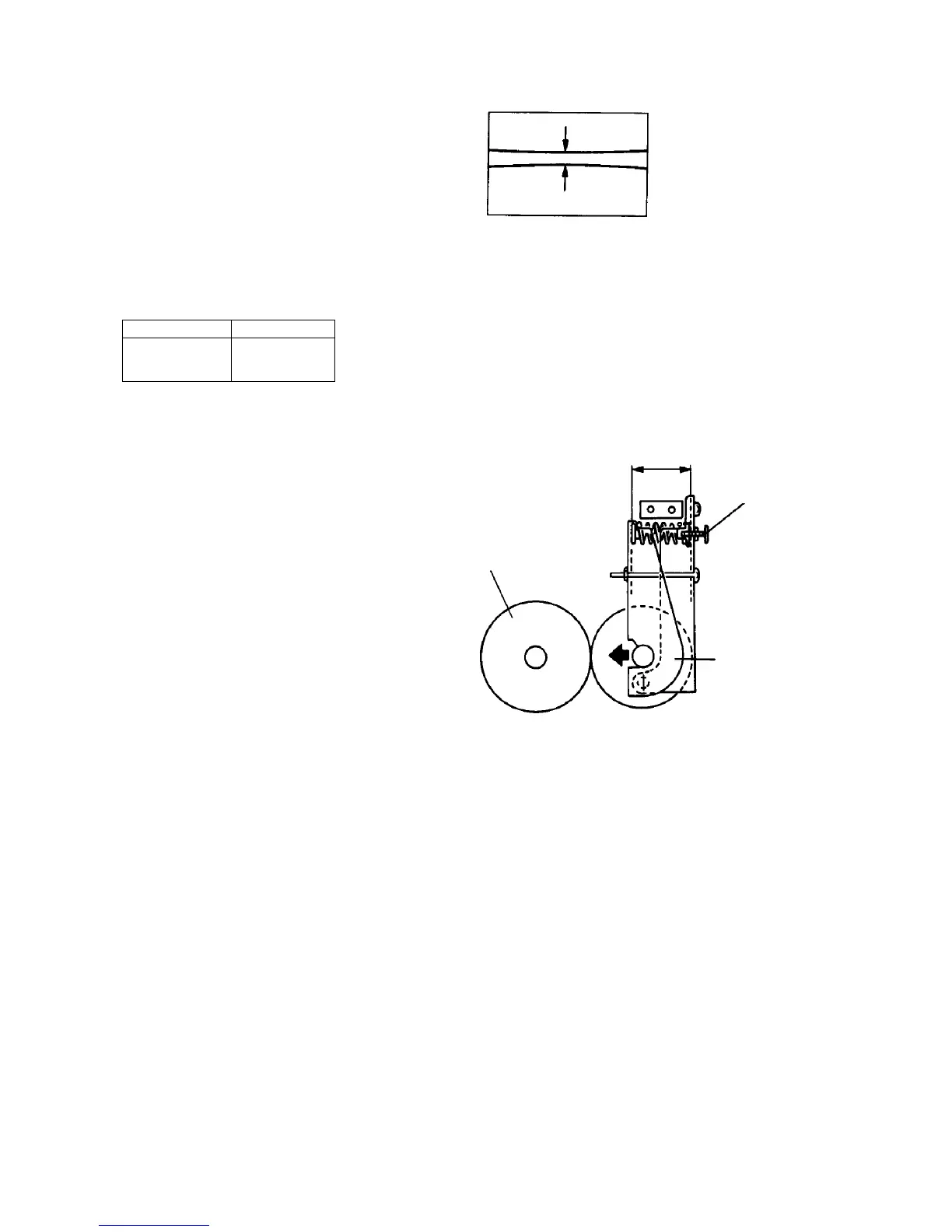
2.9.10 Adjusting the nip width
1. Make A3 solid black copies.
2. Open the front door just before the paper reaches
the fusing unit and stop it between the rollers.
3. Leave it as it is for about 20 seconds.
4. Open the copy tray, and open the curl remover fan
guide.
5. Turn the fusing unit knob to eject the paper.
6. Measure the shining part as shown.
Standards
Center 8.5 ± 0.5 mm
Difference
between right and
left
0.4 mm or less
7. Turn the pressure adjusting screw if the nip width
is not within the standard value.
NOTE
The pressure lever width is about 38 mm in
standard as shown.
Pressure roller
Pressure
adjusting
screw
Fusing roller
About 38 mm













 To Next Page