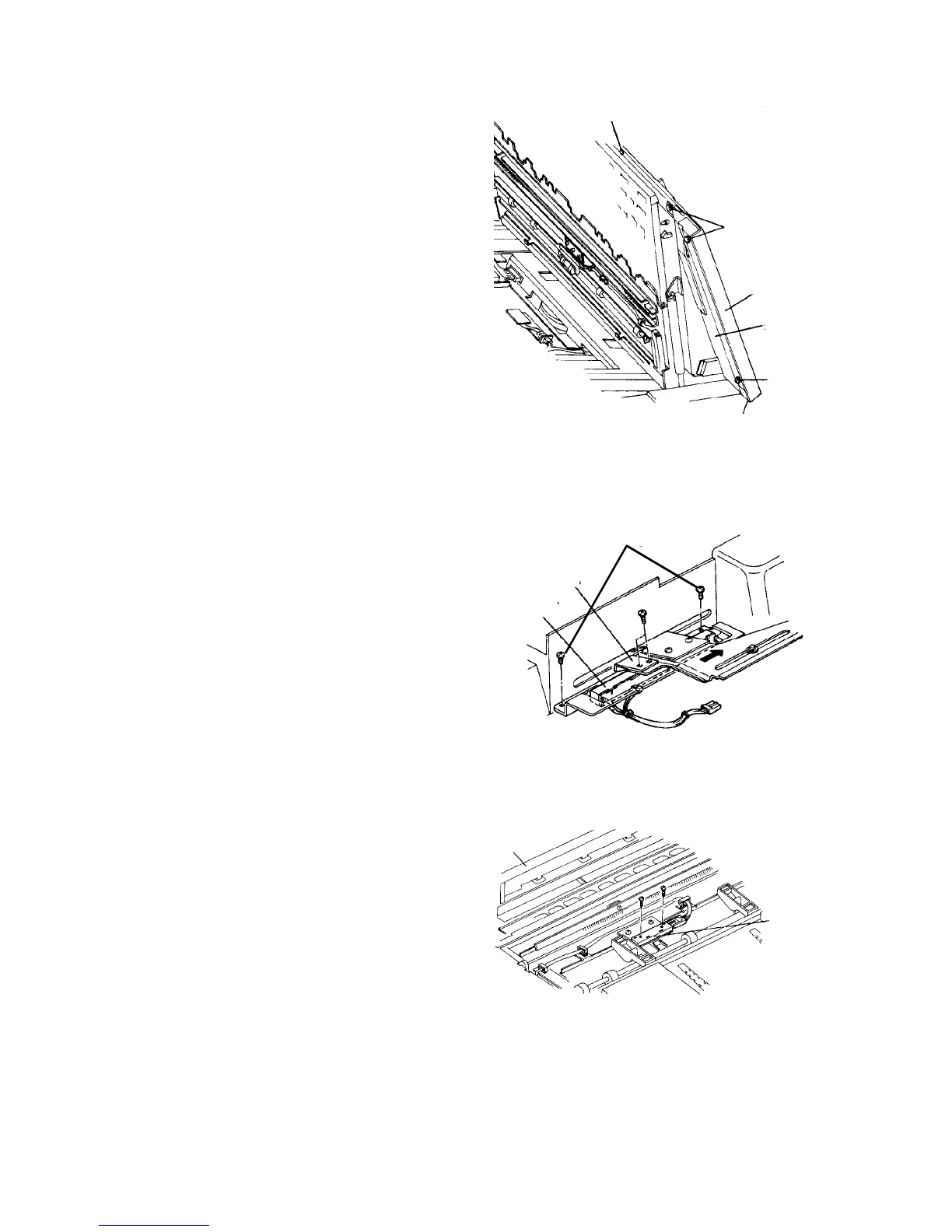
2.10.6 Removing the tray upper cover
1. Turn off the main switch, and open the copy tray.
2. Remove the auxiliary cover from under the tray
upper cover (3 plated screws).
3. Remove two plated screws on the left edge and a
plated screw at the rear right corner from under the
tray upper cover.
4. Disconnect the connector at the front left corner of
the copy tray.
CAUTION
Do not forget to re-connect the connector when
reassembling. The connector cannot be set
after installing the tray upper cover.
5. Close the copy tray and remove the tray upper
cover.
2.10.7 Replacing the SADF size sensor
1. Turn off the main switch, and remove the tray
upper cover.
2. Remove the slide bracket under the tray upper
cover (2 screws).
3. Remove the SADF size sensor with its bracket (2
screws). Replace the sensor.
4. Reassemble in the reverse order.
2.10.8 Replacing the duplex entrance junction sensor
1. Turn off the main switch, and remove the tray
upper cover.
2. Remove the duplex entrance junction sensor (2
screws).
3. Replace the sensor, and reassemble in the
reverse order.
Tray upper cover fixing screw
Auxiliary cover
fixing screw
Tray upper
cover
Auxiliary
cover
Auxiliary
cover fixing
screw
Slide bracket
SADF size sensor
Sensor bracket
fixing screw
[Behind the tray upper cover]
ADF unit
Duplex
entrance
junction
sensor













 To Next Page