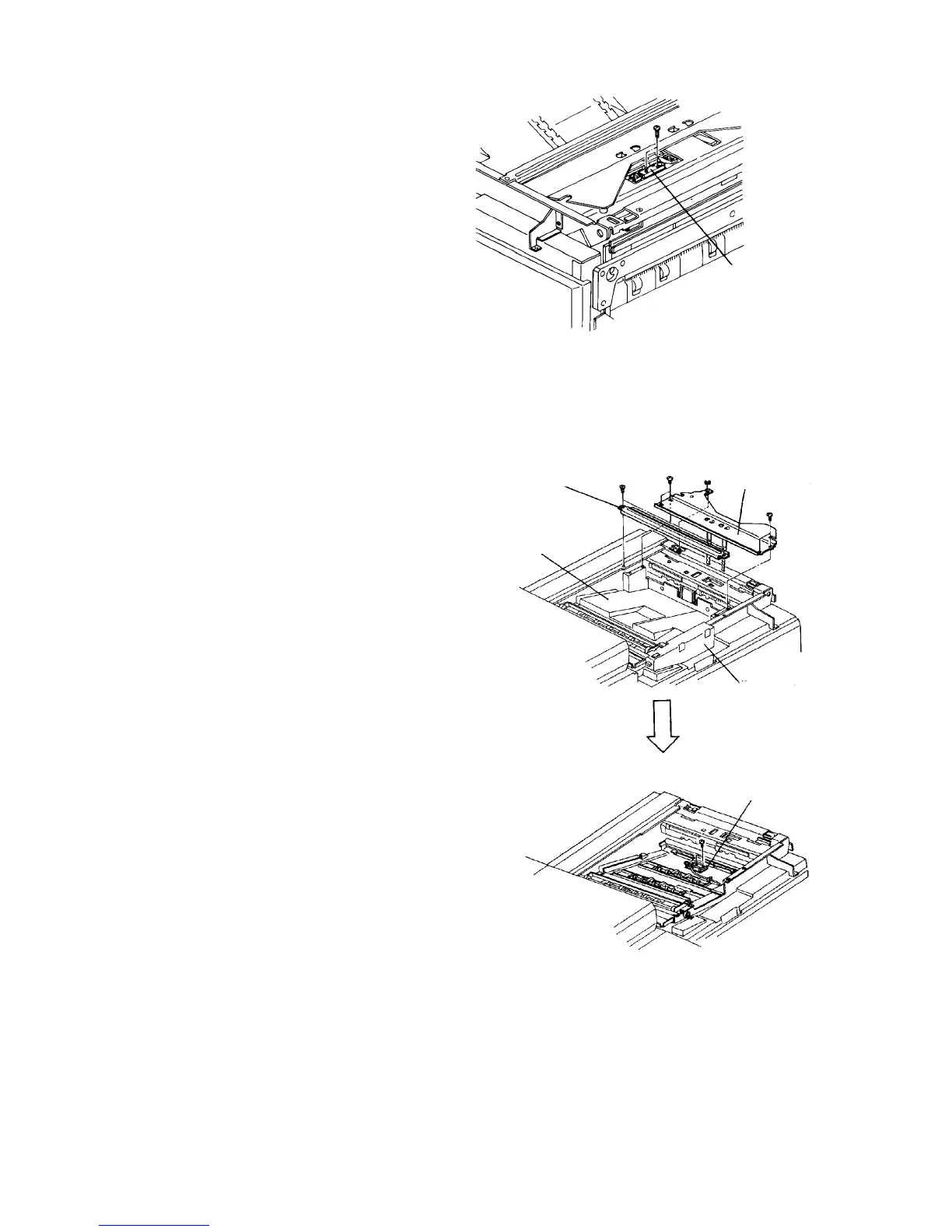
2.10.9 Replacing the eject tray sensor
1. Turn off the main switch, and remove the tray
upper cover.
2. Remove the eject tray sensor (2 screws).
3. Replace the sensor, and reassemble in the
reverse order.
2.10.10 Replacing the eject junction sensor
1. Turn off the main switch, and remove the tray
upper cover.
2. Remove the upper cover stay (2 flat head screws).
3. Remove 4 screws from the copy tray bracket.
Then, turn the bracket to right.
4. Remove the grip bracket (3 flat head screws).
CAUTION
When installing the grip bracket, check the grip
operation. The copy tray must be opened by the
grip operation.
5. Remove the copy tray.
6. Remove the eject junction sensor (2 screws).
7. Replace the sensor, and reassemble in the
reverse order.
Eject tray sensor
Copy tray
Upper cover stay
Copy tray
bracket
Grip bracket
Eject junction sensor













 To Next Page