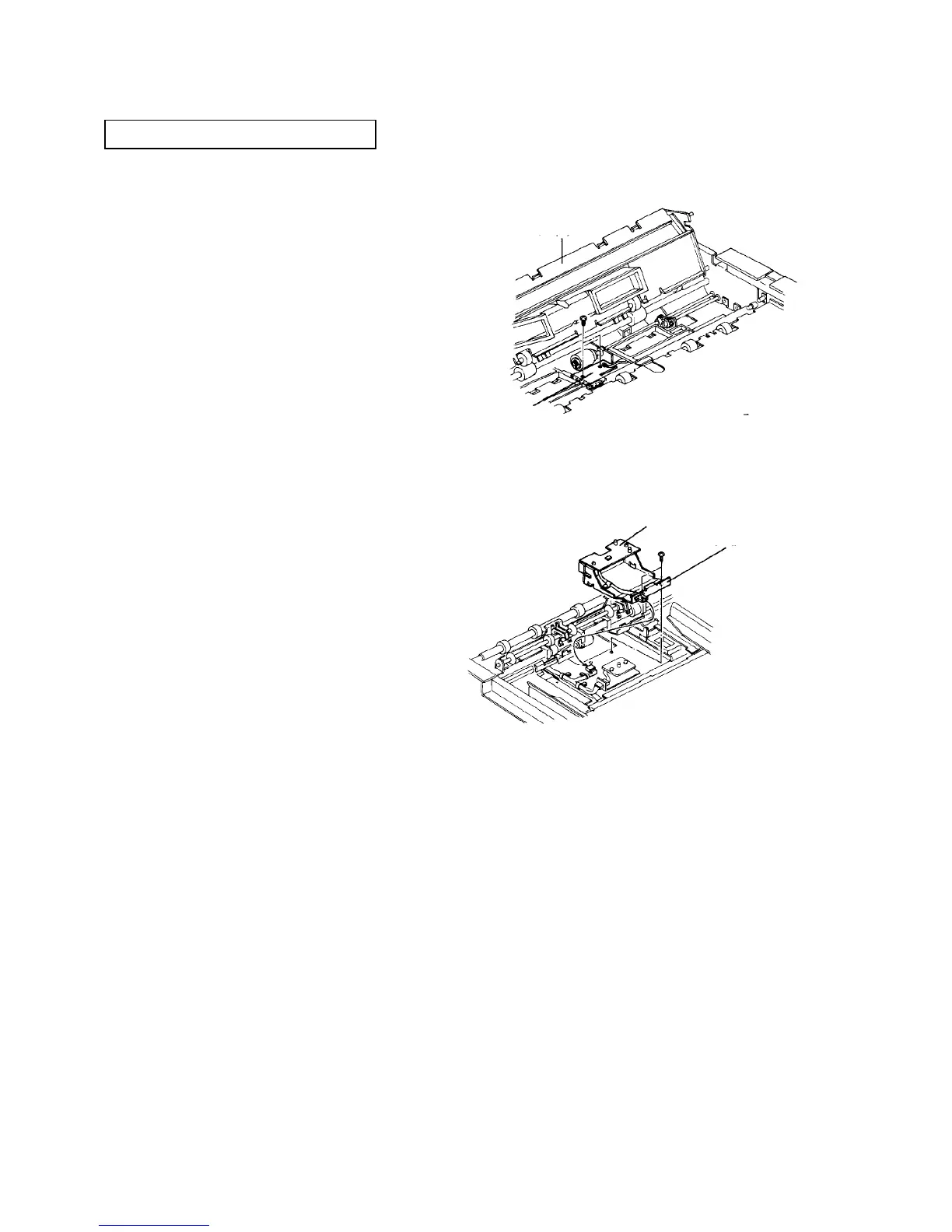
2.10.11 Replacing the upper and lower duplex feed sensors
PM cycle: Clean every 400K
1. Turn off the main switch, and open the copy tray.
2. Raise the exit transport guide.
3. Remove a screw on both the front and rear, then
turn the entrance junction guide to the left.
4. Remove the upper duplex feed sensor board (2
screws).
5. Remove the duplex transport belt unit (one flat
head screw on the rear side and one pan head
screw on the front).
6. Remove the feed sensor board bracket (2 screws).
7. Remove the lower duplex feed sensor board from
the bracket (2 screws).
8. Replace the boards, and reassemble in the
reverse order.
Entrance
junction
guide
Upper duplex
feed sensor
board
Lower duplex feed
sensor board
Feed sensor
board bracket













 To Next Page