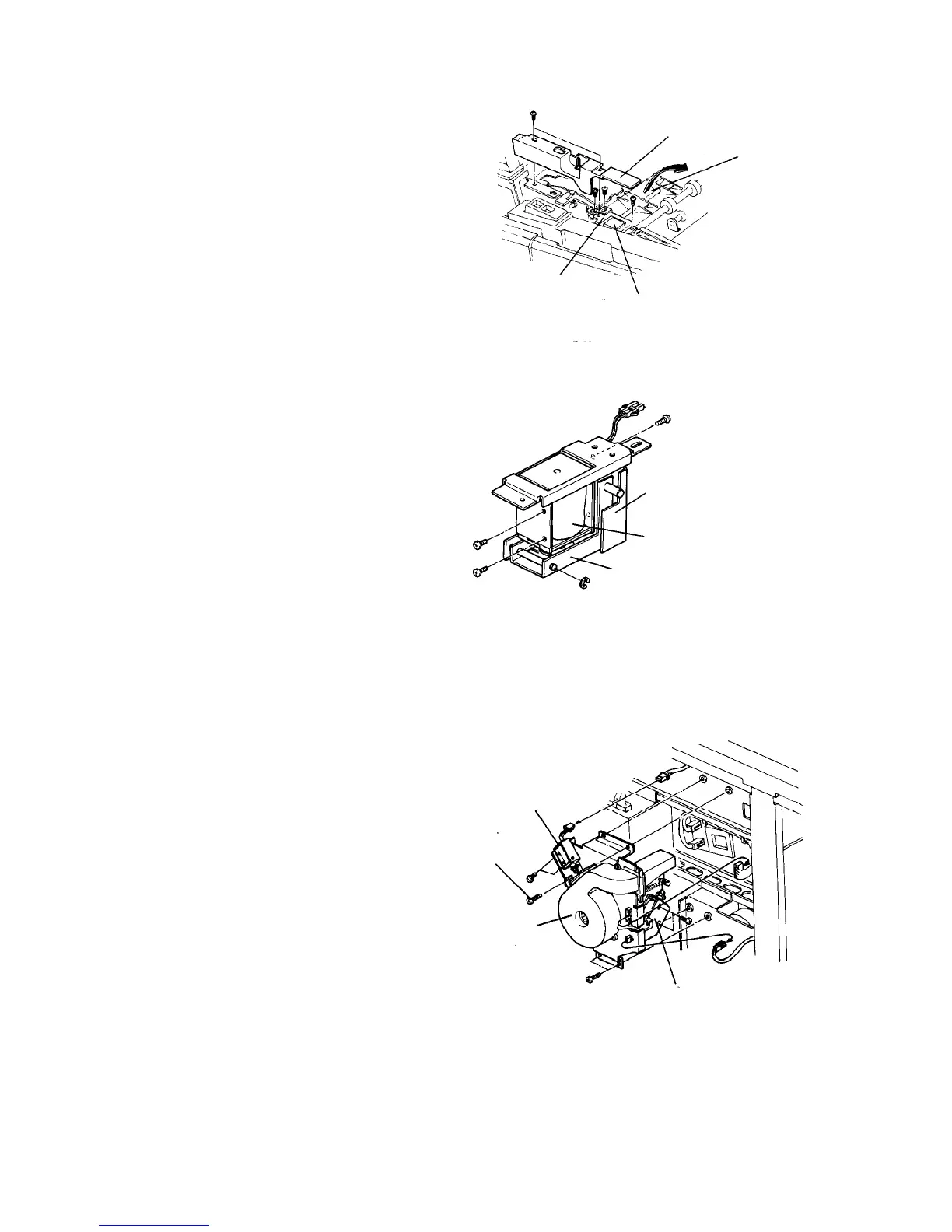
2.10.12 Replacing the duplex entrance junction solenoid
1. Turn off the main switch, and open the copy tray.
2. Raise the exit transport guide.
3. Remove a screw on both the front and rear, then
turn the entrance junction guide to left.
4. Remove the entrance junction inner cover at the
front left corner of the duplex/exit unit (2 plated
screws).
5. Remove the entrance junction bracket with the
solenoid (2 screws).
6. Remove an E-ring from the junction arm.
7. Remove a screw from the solenoid guide.
8. Remove the solenoid from the bracket (2 screws).
9. Replace the solenoid, and reassemble in the
reverse order.
2.10.13 Replacing the air knife and duplex vacuum solenoids
1. Turn off the main switch, and remove the rear right
cover (2 screws).
2. Disconnect two connectors from the duplex blower
unit.
3. Remove the duplex blower unit (4 screws).
4. Remove the air knife solenoid (2 screws).
CAUTION
Do not remove the solenoid stroke adjusting
screw (gold screw). If removed, you will have to
make the following stroke adjustments.
5. Remove the duplex vacuum solenoid.
6. Replace the solenoids, and reassemble in the
reverse order. Carry out the stroke adjustments as
described in the following.
Entrance junction
inner cover
Entrance
junction
guide
Entrance
junction
solenoid
Entrance
junction
bracket
Solenoid guide
Entrance junction solenoid
Junction arm
Air knife solenoid
Unit fixing screw
Duplex blower unit
Duplex vacuum
solenoid













 To Next Page