2.15 Finisher
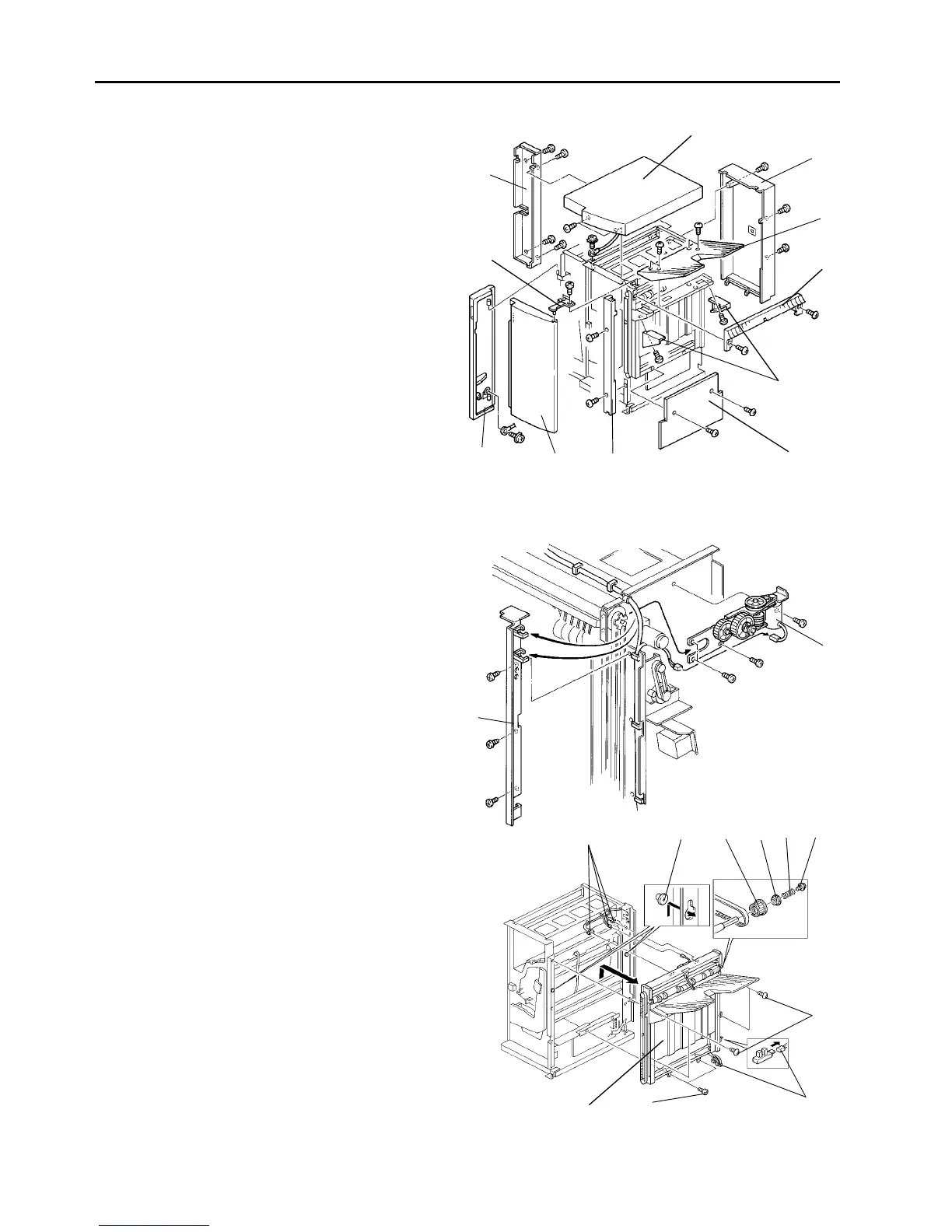
2.15.1 Removing the exterior covers
1. Turn the main switch off. Then, unplug the copier.
2. Open the front doors [H] [I] and remove the upper
cover [A] (2 screws).
3. Remove the upper door bracket [J] (2 screws) and
remove the finisher front door [H].
4. Remove the grounding wire (1 screw) and remove
the inverter front door [I].
5. Remove the front shift cover [G] (2 screws).
6. Remove the finisher rear cover [B] (3 screws).
7. Remove the inverter rear cover [K] (4 screws).
8. Remove the right upper cover [D] (2 screws).
9. Remove the shift tray [C] (4 screws).
10. Remove the front and rear tray cover [E] (1 screw
each).
11. Remove the right cover [F] (2 screws).
2.15.2 Removing the shift tray unit
1. Turn the main switch off and unplug the copier.
2. Remove the front door, upper cover, front shift
cover, rear cover, right upper cover, and the right
cover.
3. Remove the shift tray lift motor assembly [A] (4
screws).
4. Remove the harness holder plate [B] (3 screws).
5. Remove the screw [C] spring [D], bushing [E] and
pulley [F].
6. Disconnect the 7 connectors [G].
7. Remove the 6 screws [H].
8. Lift the shift tray unit [I] off from the hooks [J] and
remove.
[E]
[A]
[B]
[C]
[D]
[F]
[G]
[H]
[I]
[K]
[J]
[A]
[B]
[G]
[J] [F] [E]
[D] [C]
[H]
[G]
[I] [H]
1 July 1994 Finisher
2-121













 To Next Page