Item Description Setting Method
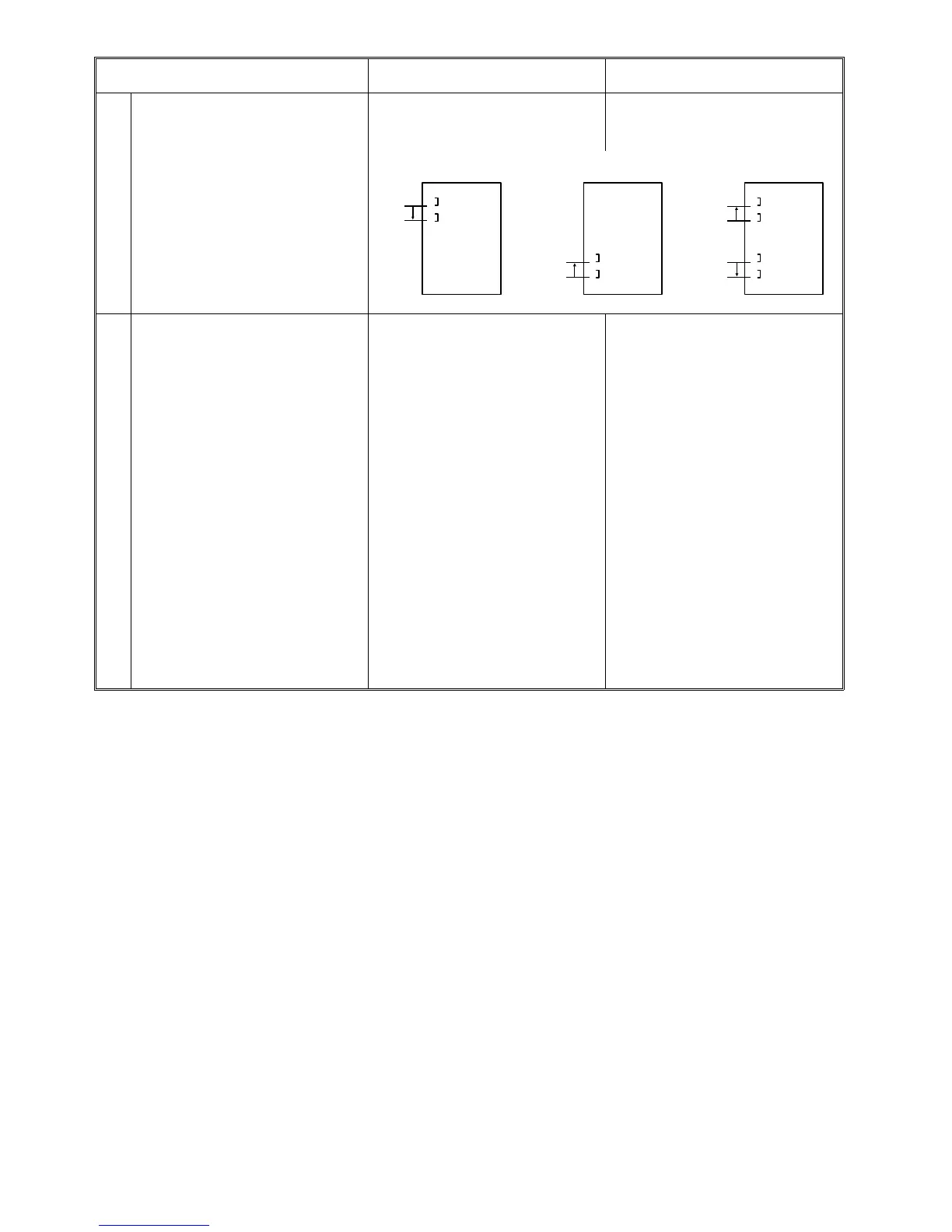
(11) Set staple position The staple position on the copy paper
can be changed for each stapling mode
as shown below.
Press [11] of the menu of the user tools.
⇓
Press " ▲/▼ " for each stapling mode.
(12) Weekly timer The power ON and OFF of the machine
is automatically done based on the set
data.
Operation during the weekly timer ON:
* The machine can be used temporarily
by inputting the key operator access
code or turning off and on the main
switch.
* The machine will automatically be
powered off again based on the auto off
time set by the service tool [2-13] (initial
setting: 30 minutes) after doing the
above. When the machine ON time of the
weekly timer is reached before the auto
off time, priority is given to the machine
ON mode and the auto off mode is
canceled.
* The weekly timer does not power off
the machine during SC code mode,
door(s) open, or paper jam condition.
Initial setting:
All week
ON time 00:00
OFF time 23:59
*This means that the weekly timer is not
selected.
Set correct date and time. (User tool [5])
⇓
Press [12] of the menu of the user tools.
⇓
1) Select area of day of week and input
ON time from the key pad.
⇓
2) Press the Enter [#] key.
⇓
3) Select another area of day of week
and input OFF time from the key pad.
⇓
4) Press the Enter [#] key
⇓
5) Repeat 2) to 4) above for each day of
week.
* 24-hour system is used.
* Press Clear/Stop key to change the
entered item.
* When the Enter [#] key is not pressed,
previous data are effective.
* If you want to turn off the machine for
an entire day (e.g. Saturday, Sunday)
while the weekly timer mode is selected,
input the same time (e.g. 00:00) for both
ON and OFF of the day you want the
machine off.
0 mm
20 mm
1 Staple Lowe
mode
0 mm
20 mm
20 mm
20 mm
0 mm
0 mm
1 Staple Upper
mode
2 Staple mode
TABLE OF USER TOOLS 1 July 1994
6-6













 To Next Page