1.6.2 Service tools
* Bold letters in "Set Data" shows the initial setting.
Menu no. Description Set Data
1-01 Key operator access code 000 to 099 [ ] 000
1-02 Service access code 99900 to 99999 [ ] 99900
1-03 Service telephone number [ ]
1-04 Disable display Full size indicator: [OFF] [ON]
Tray keys in APS mode: [OFF] [ON]
Density keys in AID mode: [OFF] [ON]
1-05 Weekly timer This function can be set with user tool no. 12.
1-06 Toner supply amount [15%] [30%] [45%] [60%]
1-07 Charge wire cleaning [YES] [NO]
1-08 Option installation [Tray 4] [Finisher] [Key Counter]
2-01 Count up/down [UP] [DOWN]
2-02 Set user program number 0 to 10 [ ] 10
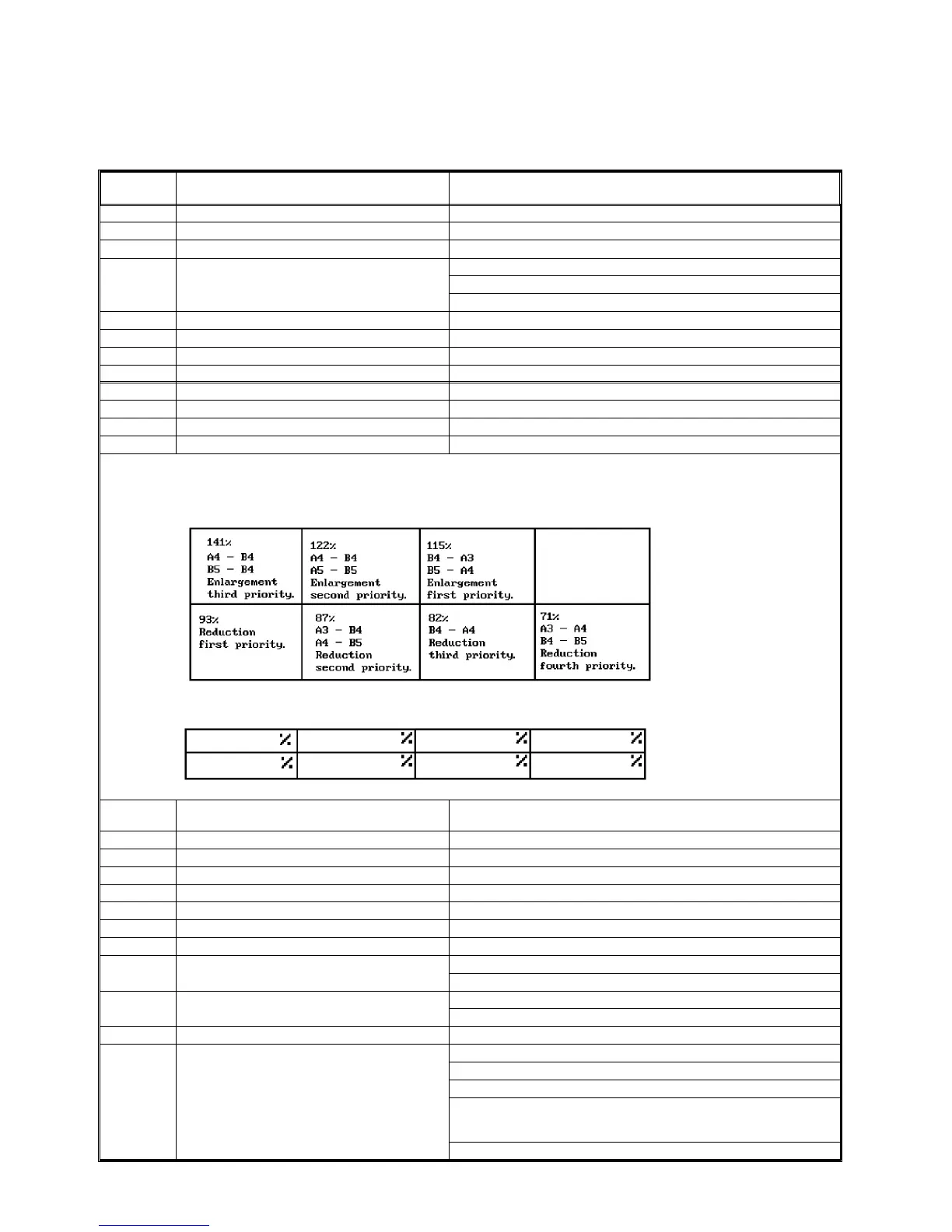
2-03 Set fixed reproduction ratios See the table below.
2-04 Delete fixed reproduction ratios No delete
[Initial Data]
[Set Data]
2-05 Set back side margin 0 to 21 mm in left or right.
[ ] mm [Left] [Right] 5 mm Right
2-06 Maximum copy number 1 to 9999 [ ] 9999
2-07 Staple copy limit 1 to 50 [ ] 50
2-08 Free/user access code operation [Free use][Access code] [Access code/super user mode]
2-09 3-side full image [YES] [NO]
2-10 Auto tray switching [YES] [NO]
2-11 Original count display [YES] [NO]
2-12 Set special paper tray [NO] [Tray 1] [Tray 2] [Tray 3] [Tray 4]
2-13 Auto reset , auto off Auto reset: [5 sec.] [1 min.] [3 min.] [
∞ ]
Auto off: [30 min.] [1 hr.] [3 hr.] [
∞ ]
2-14 Key tone Loudness: [OFF] [Low] [Normal] [High]
Tone pitch: [1] [2] [3] [4] [5]
2-15 Set exit tray copy limit [300] [350] [400] [NO]
2-16 Set initial display Display type selection: [Key operator] [Operator]
Auto tray selection: [YES] [NO]
Tray selection priority: [APS] [Tray 1] [Tray 2] [Tray 3] [Tray 4]
Image density level selection:
[AID]
Density levels [1] [2] [3] [4] [5] [6] [7]
Finishing: [No Staple] [1 upper] [1 lower] [2]
Setting User and Service Tools 1 July 1994
1-22













 To Next Page