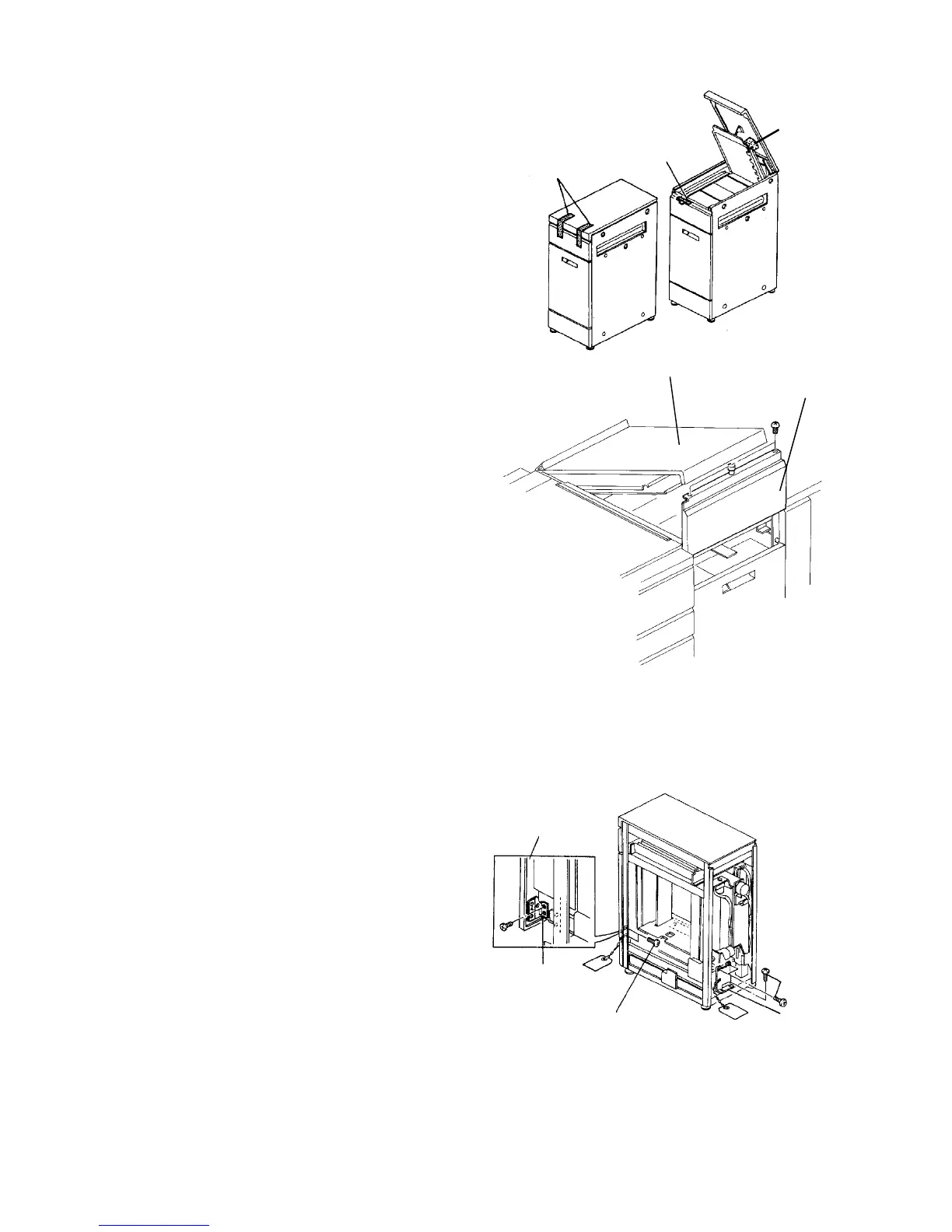
1.8.2 Removing the clamps
1. Remove the strips of filament tape holding the
upper cover.
2. Open the upper cover, and remove the filament
tape and cushion.
3. Remove the two screws so that the upper front
cover can slide up.
NOTE
The LCT upper front cover can be slid up to remove
the misfed paper at the paper feed section.
4. Remove the right cover and rear cover.
5. Remove the rear side fixing bracket (4 screws).
6. Remove the front fixing bracket (2 screws) from
the right side.
7. Pull out the tray, and remove the two screws so
you can remove the front fixing bracket.
8. Reinstall the exterior covers.
Cushion
Filament tape
Filament tape
Upper cover
Upper
front cover
Front
Back side of front cover
Fixing bracket
Front fixing bracket
set screw
Front fixing bracket













 To Next Page