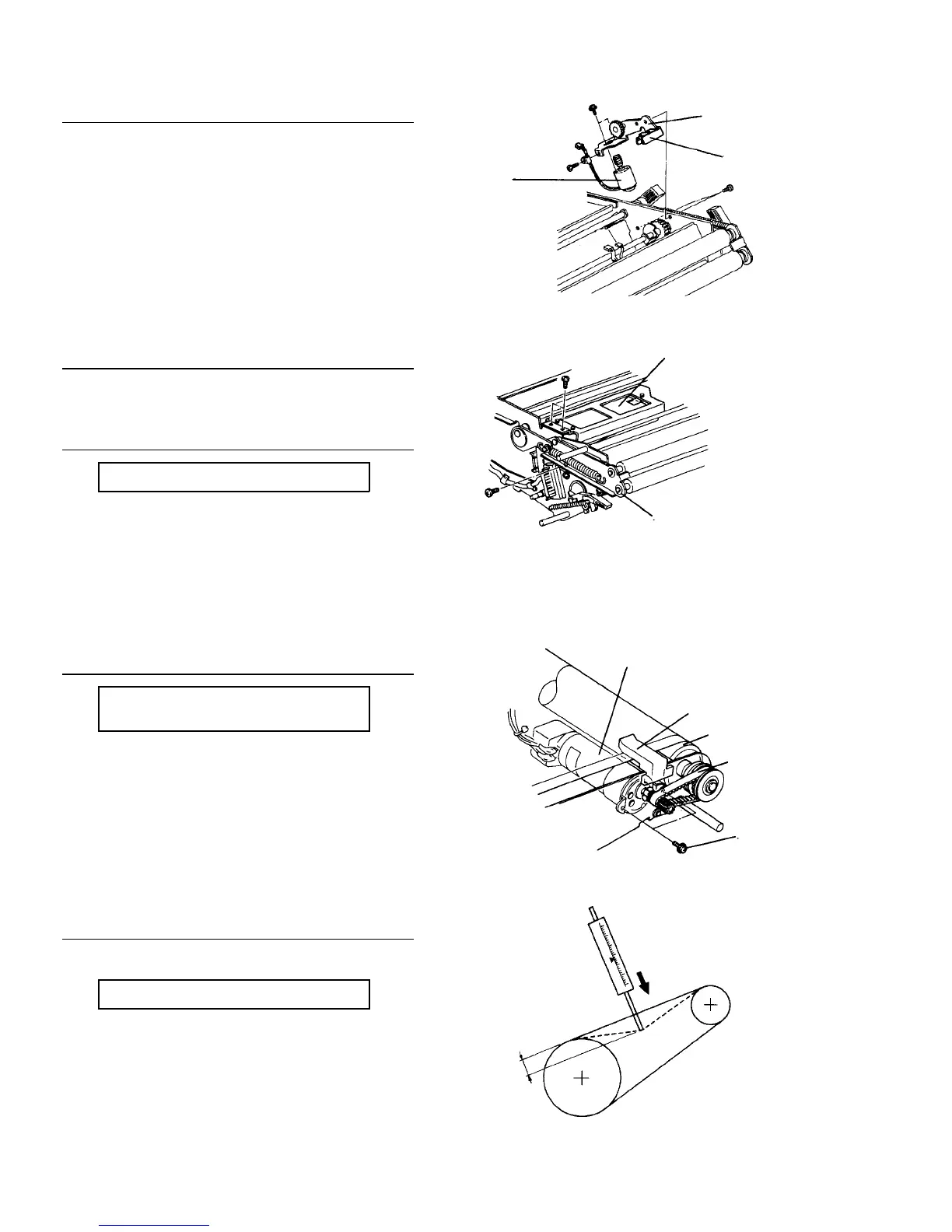
Replacing the sector sensor and tracking motor
1. Remove two screws to remove the tracking motor
fixing bracket.
2. Remove two screws to replace the motor and
remove one screw to replace the sector sensor.
Replacing the quenching lamp stabilizer
1. Remove three screws to remove the QL stabilizer.
Lubricating the tracking slider
PM cycle: Lubricate every 800K
1. Lubricate the moving parts (front and rear of the
OPC unit) using G-40M.
Replacing the OPC motor and timing belt
PM cycle: Check tension of the timing
belt every 800K
1. Remove two screws to remove the motor.
2. When the motor is removed, the drive belt can be
also replaced.
Belt tension standard
Adjust by moving the OPC motor.
2 mm deflection at 200 ± 50 g pressure.
Fixing bracket
Sector sensor
Tracking
motor
QL stabilizer
Tracking slider
OPC motor
OPC sensor
Drive roller
Drive belt
Set screw
2 mm
200 ± 50 g













 To Next Page