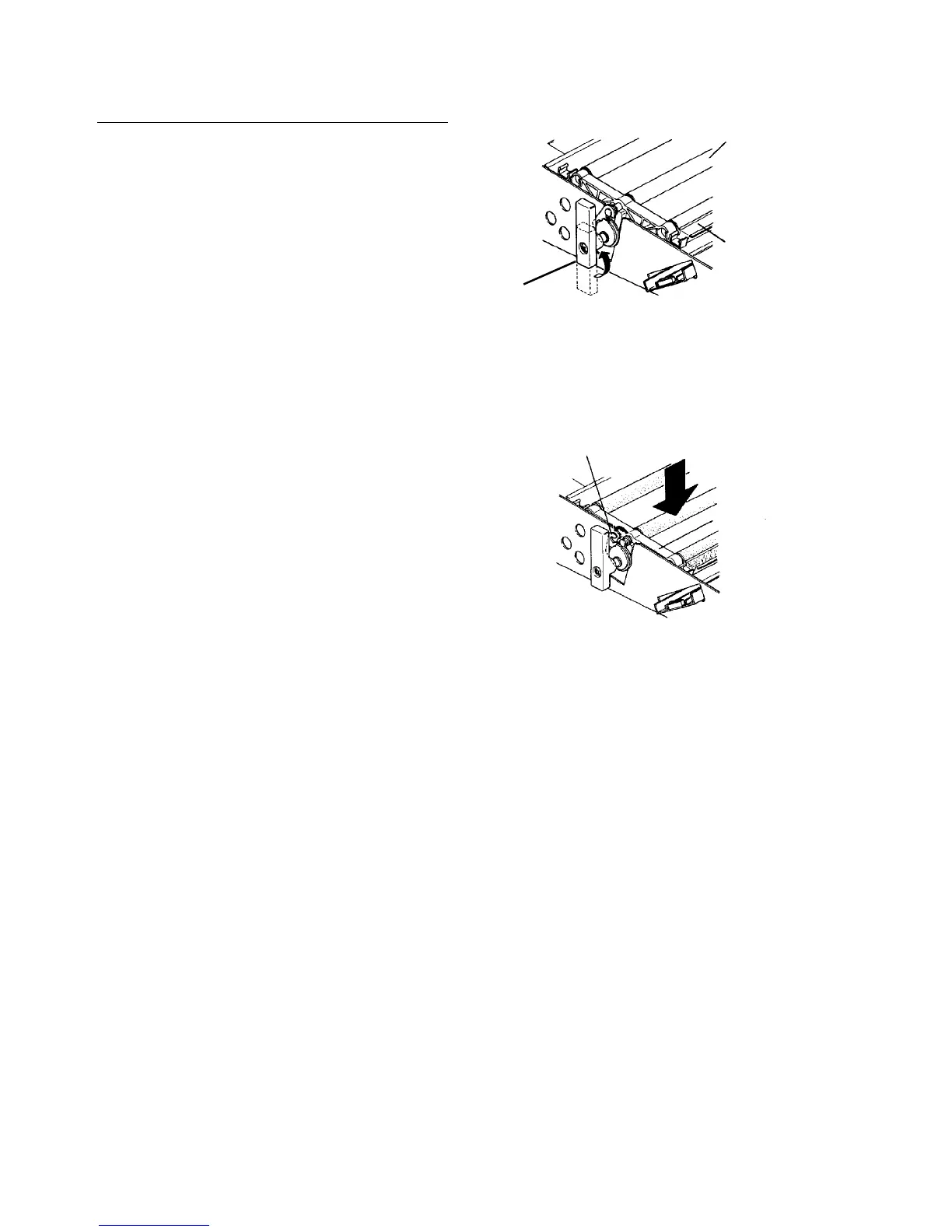
Replacing the development backup roller
1. Remove the OPC unit.
2. Turn the lever to apply tension to the development
backup rollers.
3. While holding down the backup rollers with your
hand, set free the release hook.
4. Remove the roller unit.
5. Replace the rollers.
CAUTION
If the backup rollers are changed or the
arrangement of the three rollers are changed,
this may affect the PG (Photoconductor Gap).
Check copy image, and adjust the development
motor speed if necessary (see Development
unit section for the adjustment).
Development
backup roller
Lever
Release hook
Backup roller unit













 To Next Page