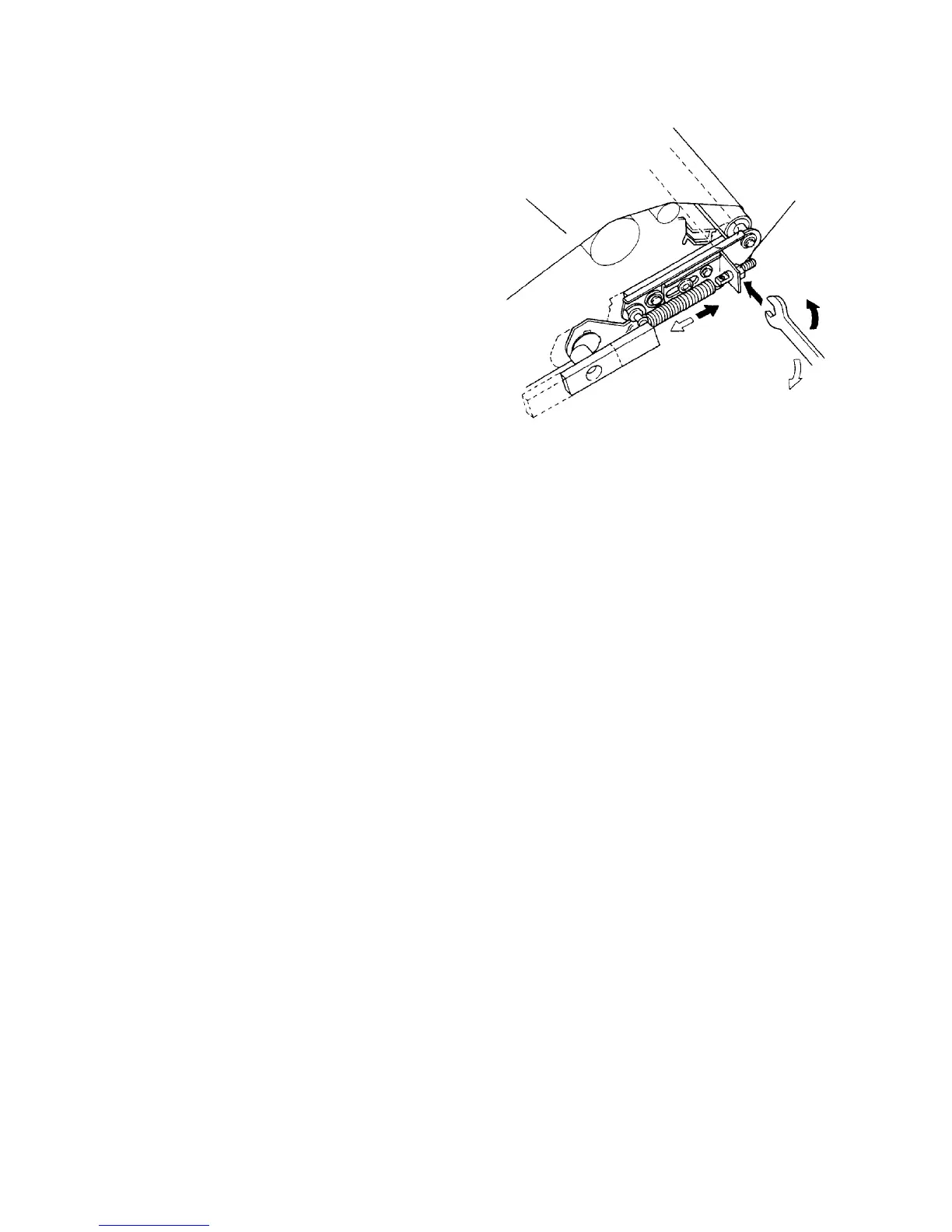
2.3.5 Adjusting the tracking amount
1. Access service tool [5-06].
2. Turn OPC motor ON.
3. Tracking from the front side to back side will start
displaying the transfer time on the screen.
Tracking from the back to front then occurs.
4. If the transfer time is within the standard time, 60
sec. (120 sec. both ways), OK is displayed.
If it is longer than the standard time, or if
there is a significant difference in the timing
from one side to the other (more than 20
sec.), you will have to follow the adjustment
procedure below.
5. If the interval from the front side to the back side is
too long, tighten the nut.
6. If the interval from the back side to the front side is
too long, loosen the nut.
7. Check the tracking time again. Leave the service
tool if it becomes OK.
2.3.6 Checking the tracking motor operation
1. Access service tool [5-06].
2. Turn Tracking motor ON.
3. Read the measured and displayed tracking time.
4. The time is usually about 0.5 sec. If the time is 1
sec. or more, check the following items.
• Tracking motor damaged?
• Gears failing to mesh?
• Carrier sticking to worm gear?
• Slider lacks lubrication?
• Sector sensor defective?
OPC belt
Tracking
adjusting nut













 To Next Page