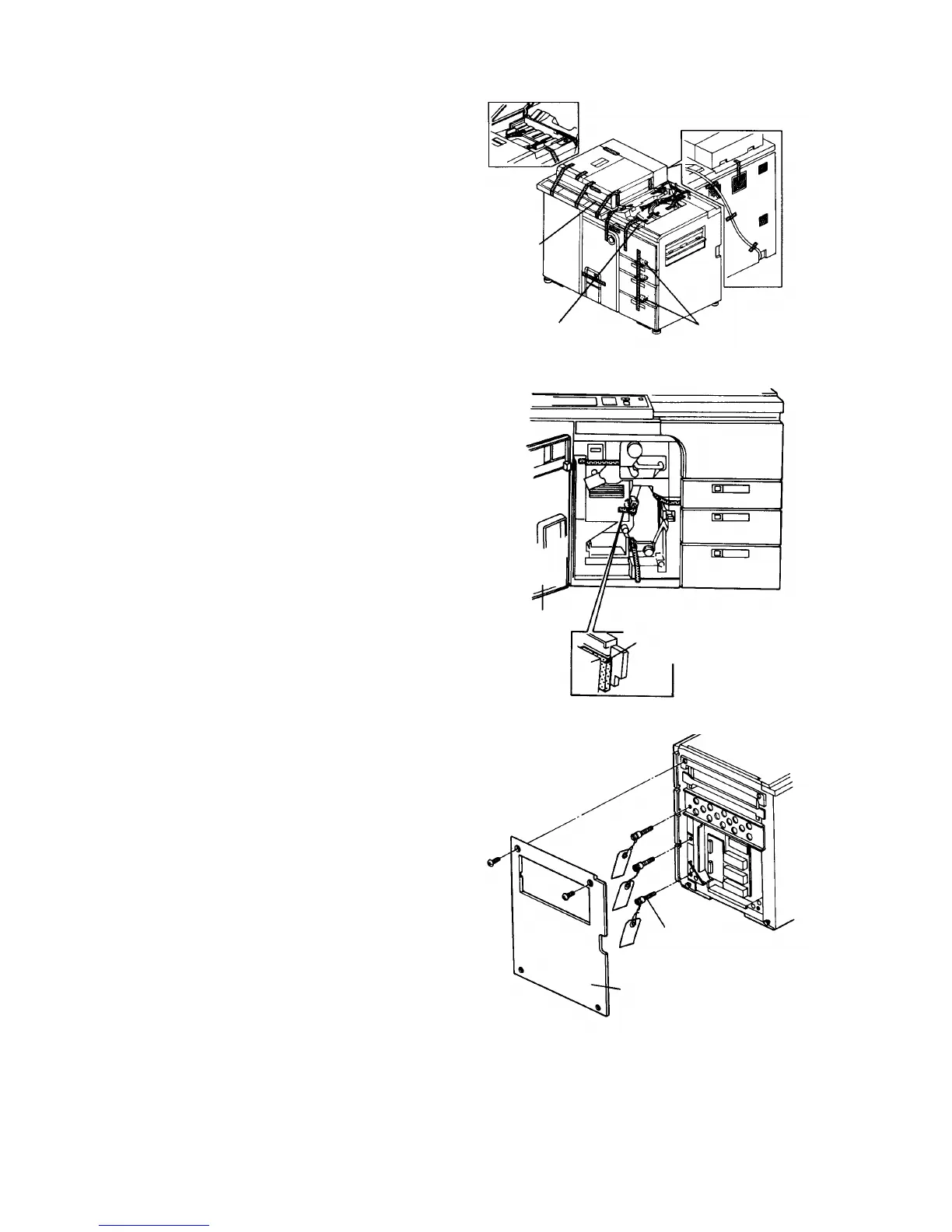
1.2.2 Removing the clamps
1.
Remove the cushions from the paper feed tray, the
cushion from the copy tray, and the strips of
filament tape from the exterior.
2.
Open the center door and remove the 7 strips of
filament tape and a cushion from the transport unit.
3.
Remove the right cover (2 screws). Then, remove
the clamps from tray 1, tray 2 and tray 3 using a
slot head screwdriver.
ADF
Cushions (2)
Cushion Cushions (3)
Center door
Cushion
Clamp
Right cover
Copier Installation 1 July 1994
1-4













 To Next Page