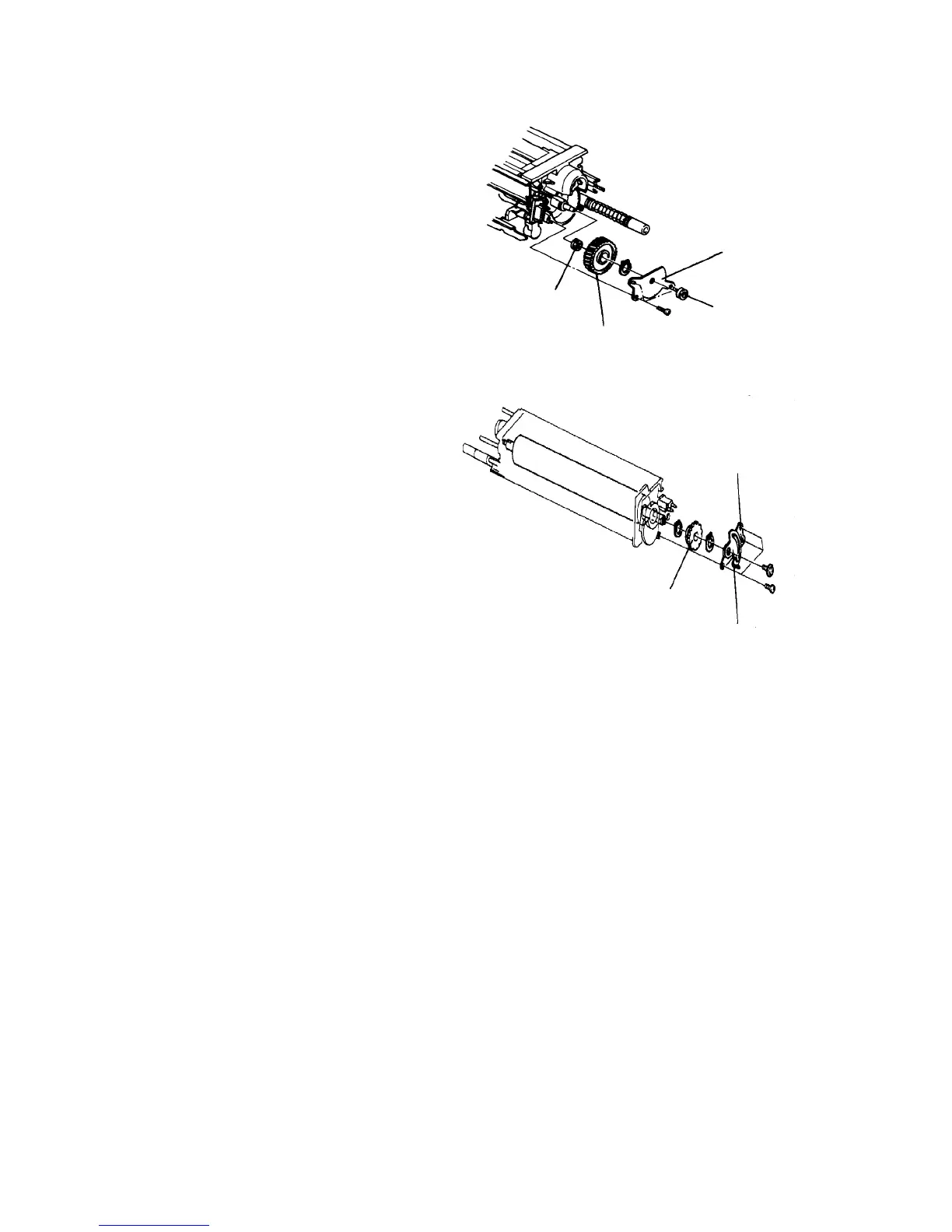
2.6.7 Replacing the cleaning roller
1. Remove the cleaning carrier, then remove the unit.
2. Remove three screws to move the rear magnet
holder bracket together with the V-seal at the back
of the unit.
3. Remove the C-ring, drive gear and V-seal. If too
tight, this can be done after dividing the unit casing.
4. Remove the front magnet holder bracket (4
screws) from the front of the unit, together with the
main pole adjusting plate.
CAUTION
• Do not loosen the main pole adjusting plate
fixing screw (gold screw). If it needs to be
loosened, remember the original position of
the adjusting plate.
5. Remove the C-ring and the relay gear. It can be
done after dividing the unit casing if too tight.
Rear magnet
holder bracket
V-seal
Drive gear
V-seal
Front magnet
holder bracket
Main pole
adjusting plate
Relay gear













 To Next Page