Setup and Connection
18
2
Note
❒ In this document, we show the description and screen illustration, using
DOS/V equipment, Windows 2000 and Internet Explorer 6.0. Procedures
may be different depending on your hardware/software environment.
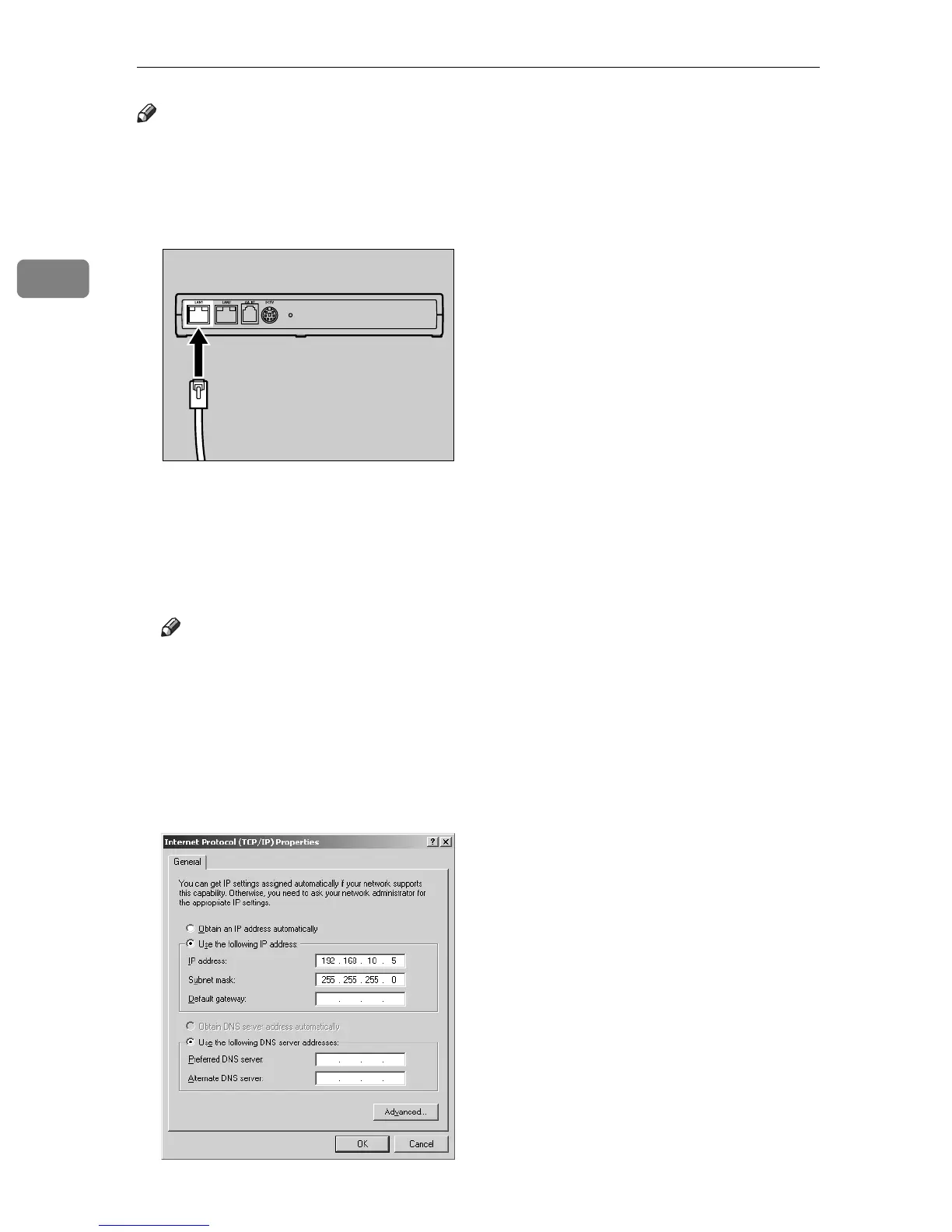
A Connect the supplied Network Cable to the LAN1 port.
B Connect the other end of the network cable to the network hub or other net-
work devices.
C Write down the current network setting information of the computer, such
as the IP address, etc.
Note
❒ The next procedure temporarily changes the IP address of the computer.
Write down the PC network setting information so as to be able to restore
the setting after the operation is completed.
❒ You can make an additional setting of the IP address for Windows
2000/XP. In this case, no operation is necessary.
D Set the IP address of the PC at 192.168.10.x (x can be any number between 2
and 254), and the Subnet mask at 255.255.255.0.
AAA008S



 To Next Page