About the RC Gate Monitor
32
3
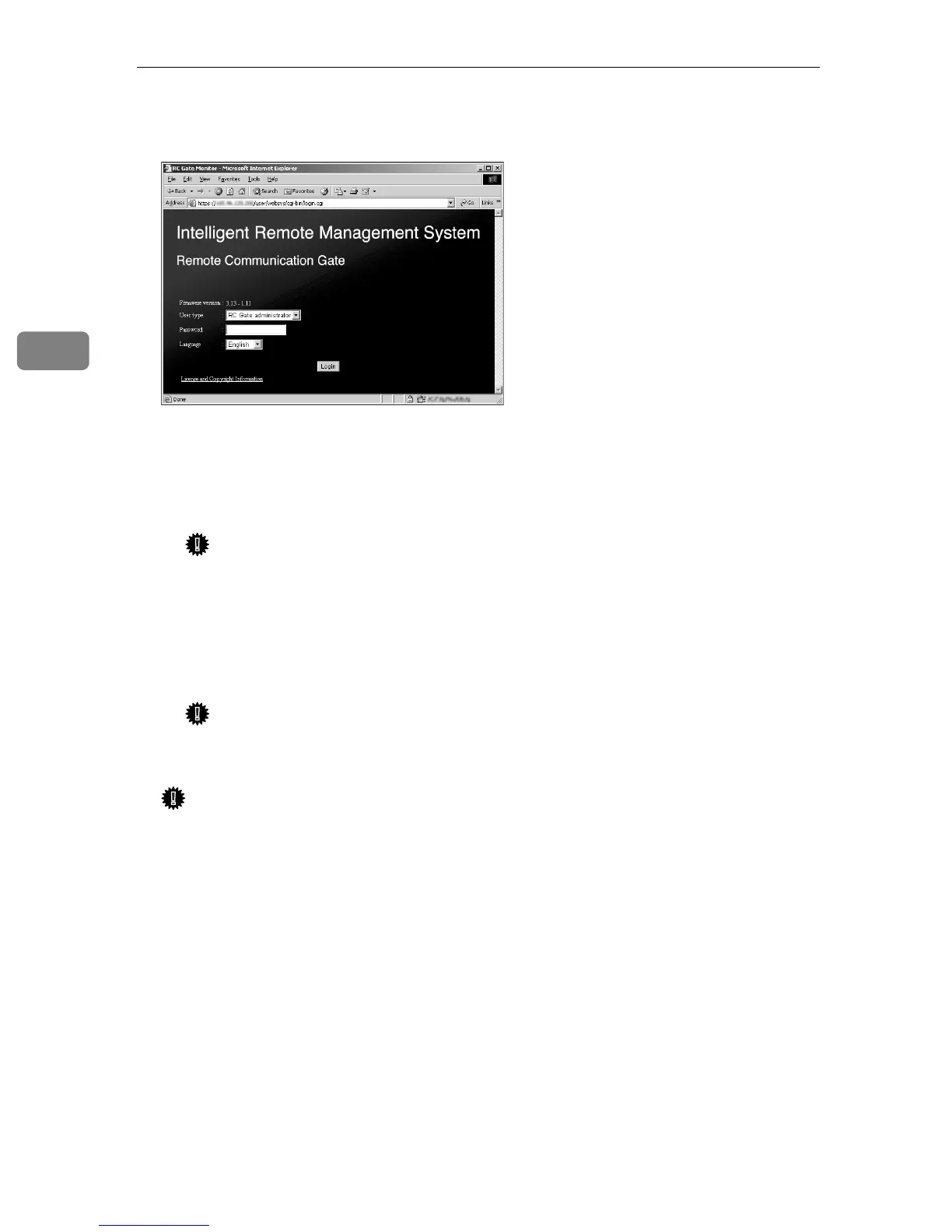
D Select your language in [Language]. Select “RC Gate registrant” or “RC Gate
administrator” from [User type]. Enter your password for each user.
❖ RC Gate registrant
Use this to setup and register the equipment. The RC Gate registrant can
register the equipment, setup Auto Discovery, register image I/O devices
(When using Internet encryption communication (HTTPS) method).
Important
❒ Change the password. Do not use the factory default password for ac-
tual operation. See p.105 “Password” for details
❖ RC Gate administrator
User to administrate the equipment. The RC Gate administrator can
change and configure the necessary settings for operating the equipment.
Important
❒ Change the password. Do not use the factory default password for ac-
tual operation. See p.105 “Password” for details.
Important
❒ Access logs can be configured. See p.107 “Access Log” for details.
❒ For security, further login attempts are rejected if you fail to log in three
times within five minutes. Wait one minute before attempting to login
again.
E Click [Login].
The Top Page (menu screen) for the selected user appears.
According to the communication method (E-mail (SMTP)/Internet encryp-
tion communication (HTTPS)) or user (RC Gate registrant/RC Gate adminis-
trator), the Top Page (menu screen) will be different due to the operating
purview for each user.



 To Next Page