Starting and Closing the RC Gate Monitor
33
3
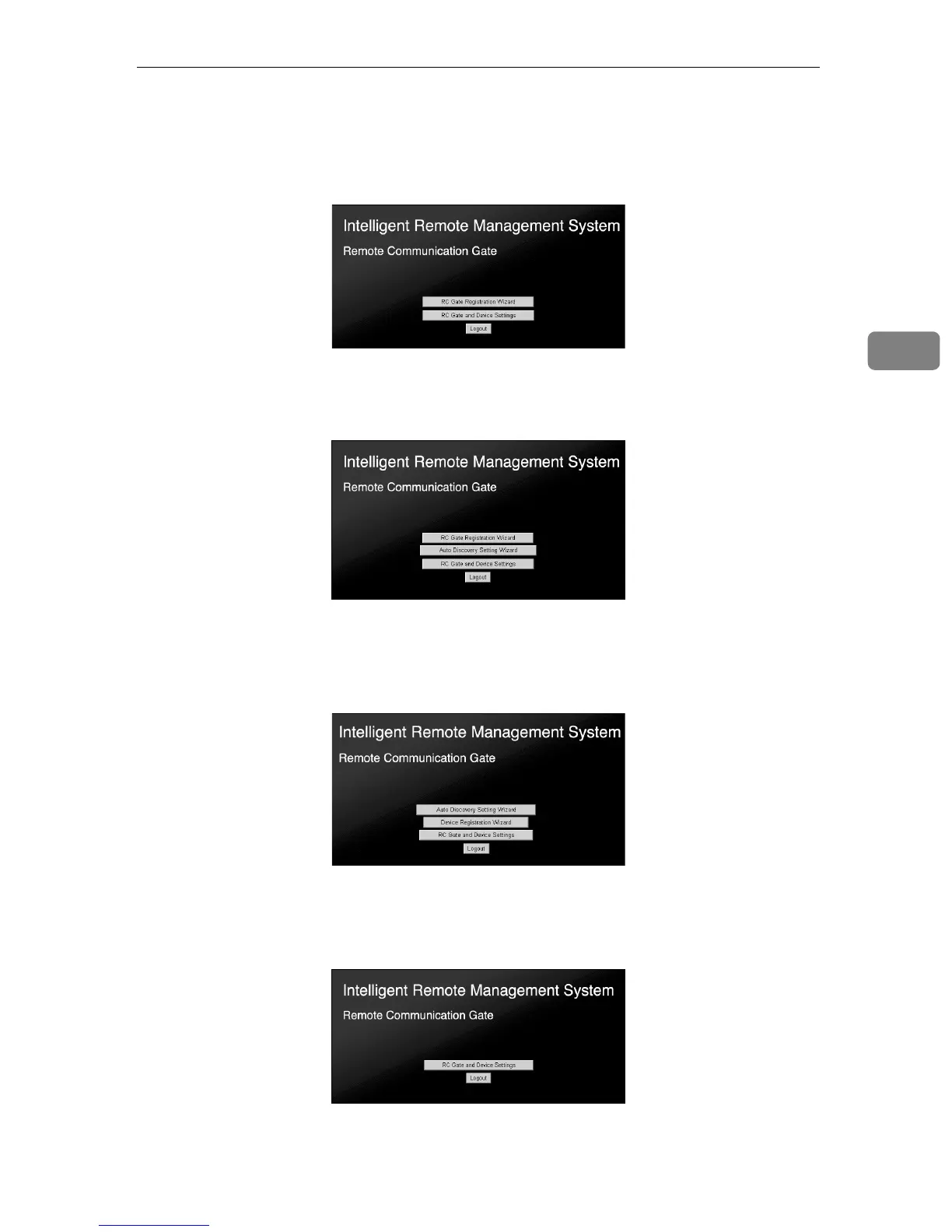
❖ RC Gate registrant
• Before the [RC Gate Registration Wizard] is completed
Top Page with [RC Gate Registration Wizard] and [RC Gate and Device Set-
tings] will appear.
•When the [RC Gate Registration Wizard] of the “E-mail (SMTP)” method is
completed
[Auto Discovery Setting Wizard] will appear as well as the buttons above.
•When [RC Gate Registration Wizard] of the “Internet encryption communi-
cation (HTTPS)” is completed
[RC Gate Registration Wizard] will not appear. [Auto Discovery Setting Wizard]
and [Device Registration Wizard] will appear.
❖ RC Gate administrator
Top Page with [RC Gate and Device Settings] for both E-mail (SMTP) and In-
ternet encryption communication (HTTPS) method.



 To Next Page