Page 31
Entry/Exit beeps
(Provides beep
indication when in
Entry Delay / Exit
Delay modes)
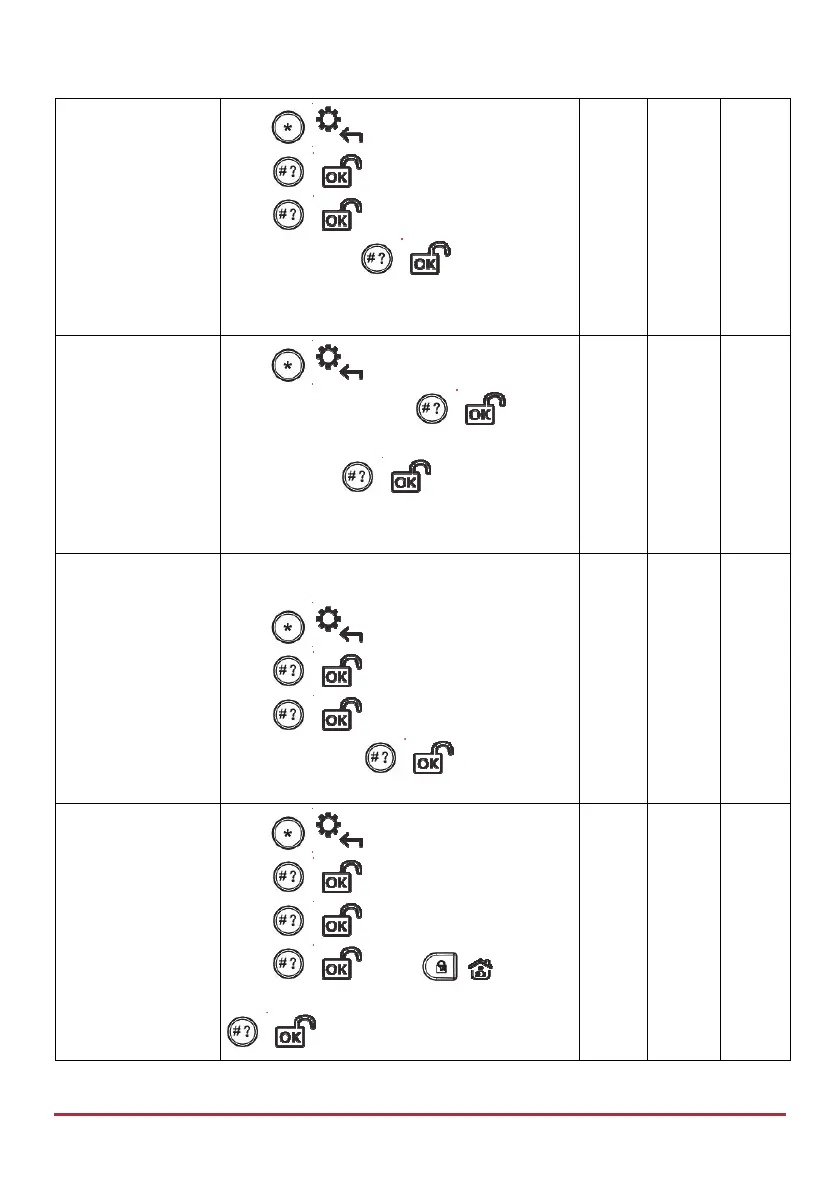
Press
/ , enter code, at Activities
press
/ , scroll to Advanced and
press
/ , then scroll to Ex/En
Beeps and press
/ ; “Ex/En Beeps
On (or Off)” displays. Repeat procedure to
toggle between On and Off.
View Service Info
(View the installer’s
name & phone
number)
Press
/ , enter code > scroll to
Service Info. and press
/ > use
the scroll keys to toggle between Name and
Phone > press / to select > enter
the information, using scroll keys to go to
the next space.
Restore Alarm
(If installer-
enabled, user must
confirm that an
alarm occurred
before resetting; the
system will be in a
not-ready state
until confirming via
this procedure)
Press
/ , enter code, at Activities
press
/ , scroll to Advanced and
press
/ , then scroll to Restore
Alarm and press
/ .
Restore Fault
(If installer-
enabled, user must
manually confirm
the restoral of each
Fault to a normal
condition)
Press
/ , enter code, at Activities
press
/ , scroll to Advanced and
press
/ , scroll to Restore Flt. and
press
/ , press / to toggle
between Y and N, and then press
/ .



 To Next Page