SteelFusion Edge Hardware and Maintenance Guide
49
Replacing disk drives Replacing SteelFusion Edge Components
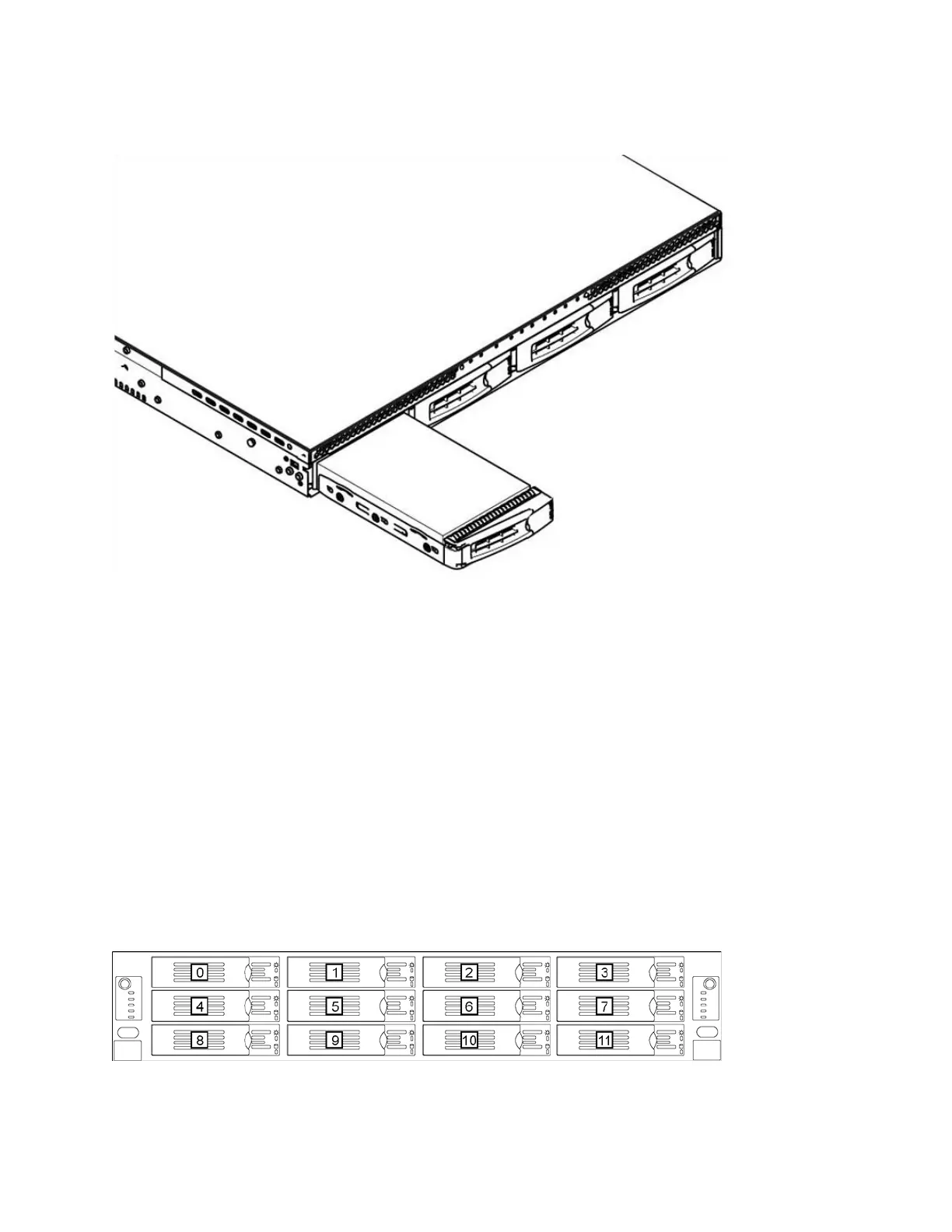
4. Slide the faulty disk drive out of the slot. (See Figure 4-8.)
Figure 4-8. Removing the disk drive
5. Slide in the new disk drive until it mates with the back connectors in the chassis.
The disk drive LED lights blue when connected.
6. Press in the disk-drive handle to close.
The new disk drive runs through a self-test automatically and then begins proper operation with the
other disk drives. You do not need to set up or configure the new disk drive.
Note: It takes approximately 3 to 4 hours, depending on the system load, to rebuild a new disk drive. When the disk
drive has finished rebuilding, the system sends an email to the administrator user.
Replacing disk drives in 2U SteelFusion Edge appliances
The 2U SteelFusion Edge appliances are equipped with replaceable, hot-swappable disk drives. The
drives are numbered in ascending order from the upper-left corner to the lower-right corner. (See
Figure 4-9.)
Figure 4-9. 2U SteelFusion Edge disk slot numbers



 To Next Page