SteelFusion Edge Hardware and Maintenance Guide
27
Connecting the SteelFusion Edge to your network Rack Mounting the SteelFusion Edge Appliances
Connecting the SteelFusion Edge to your network
Use standard Ethernet straight-through and crossover cables to connect to your network in an in-path
configuration. Make sure that you use the correct cables to establish your network connections:
Straight-through cables - Typically used for RiOS management or data ports. The straight-though
cables are used to connect the primary, LAN, and AUX ports as well as the hypervisor node
interfaces for branch hypervisor connectivity.
Crossover cable - Connects the WAN port on the appliance to the WAN router.
To connect the appliance to your network
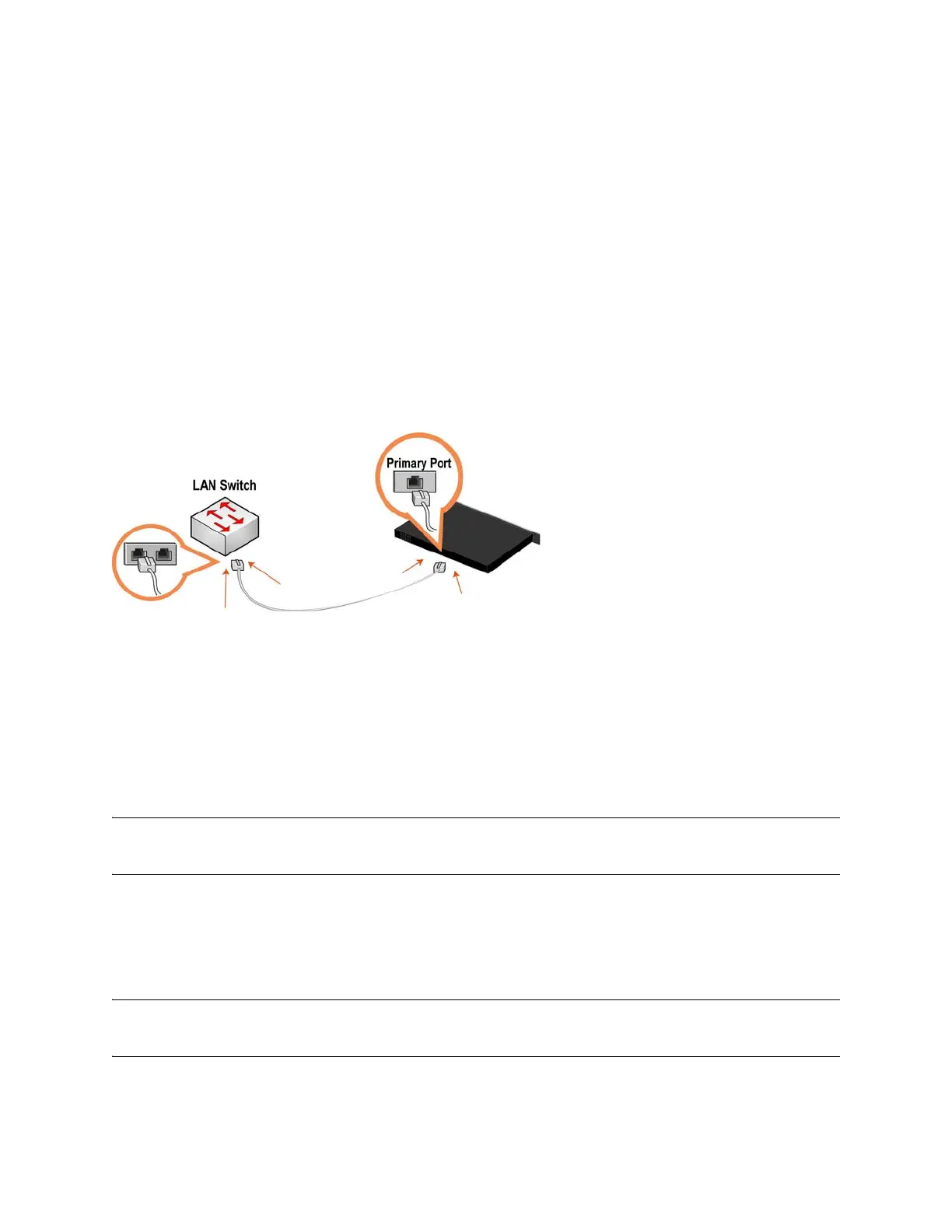
Plug the straight-through cable into the primary port of the SteelFusion Edge appliance and the
LAN switch. This can be any port on your LAN switch configured to connect to a host. (See
Figure 2-7.)
Figure 2-7. Connecting the primary port to the LAN switch
For more information on how to connect the appliance to your network, refer to the SteelFusion Edge
Installation and Configuration Guide.
Powering on the system
This section describes how to connect the AC power and how to power on the system.
Caution: In European electrical environments, you must ground (earth) the Green/Yellow tab on the power cord or
risk electrical shock.
To power on the appliance
1. Remove the foam piece that sits between the bezel and the hard drives.
Caution: Failure to remove this piece on newly shipped appliances will block proper airflow through the unit and
cause overheating.



 To Next Page