94 SteelFusion Edge Hardware and Maintenance Guide
Monitoring and Managing the Appliances with BMC Viewing field-replaceable unit information
Network Information - Displays network settings for the BMC. Click Edit to make any changes.
Remote Control - Allows you to access the appliance console.
Sensor Monitoring - Lists the appliance sensors with information such as a status icon, name, and
reading. Click the magnifying glass to view the details for the sensor.
There are three possible status icons for a sensor:
– A green dot indicates a Normal state.
– A yellow exclamation mark indicates a Warning state.
– A red x indicates a Critical state.
Event Logs - Provide a graphical representation of all events incurred by the sensors and available
space in logs. Click an icon in the legend of the chart to view details of each type of event.
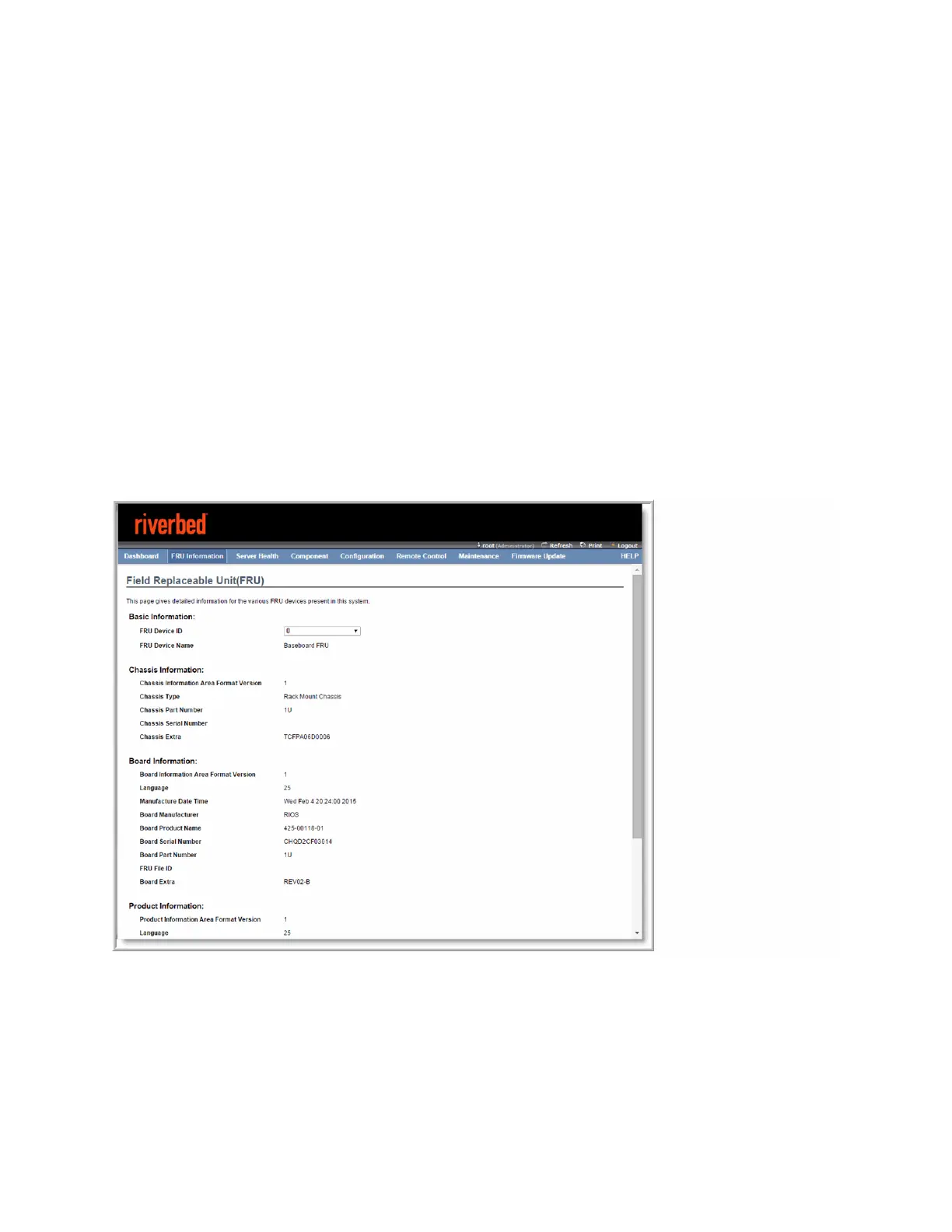
Viewing field-replaceable unit information
The FRU information page displays chassis, board, and product information. (See Figure D-3.)
Figure D-3. FRU information
Viewing event logs
Choose Server Health > Event Log to display a list of events incurred by different sensors on this device.
Double click a record to see additional details. You can also sort the list of entries by clicking any of the
column headers. (See Figure D-4.)



 To Next Page